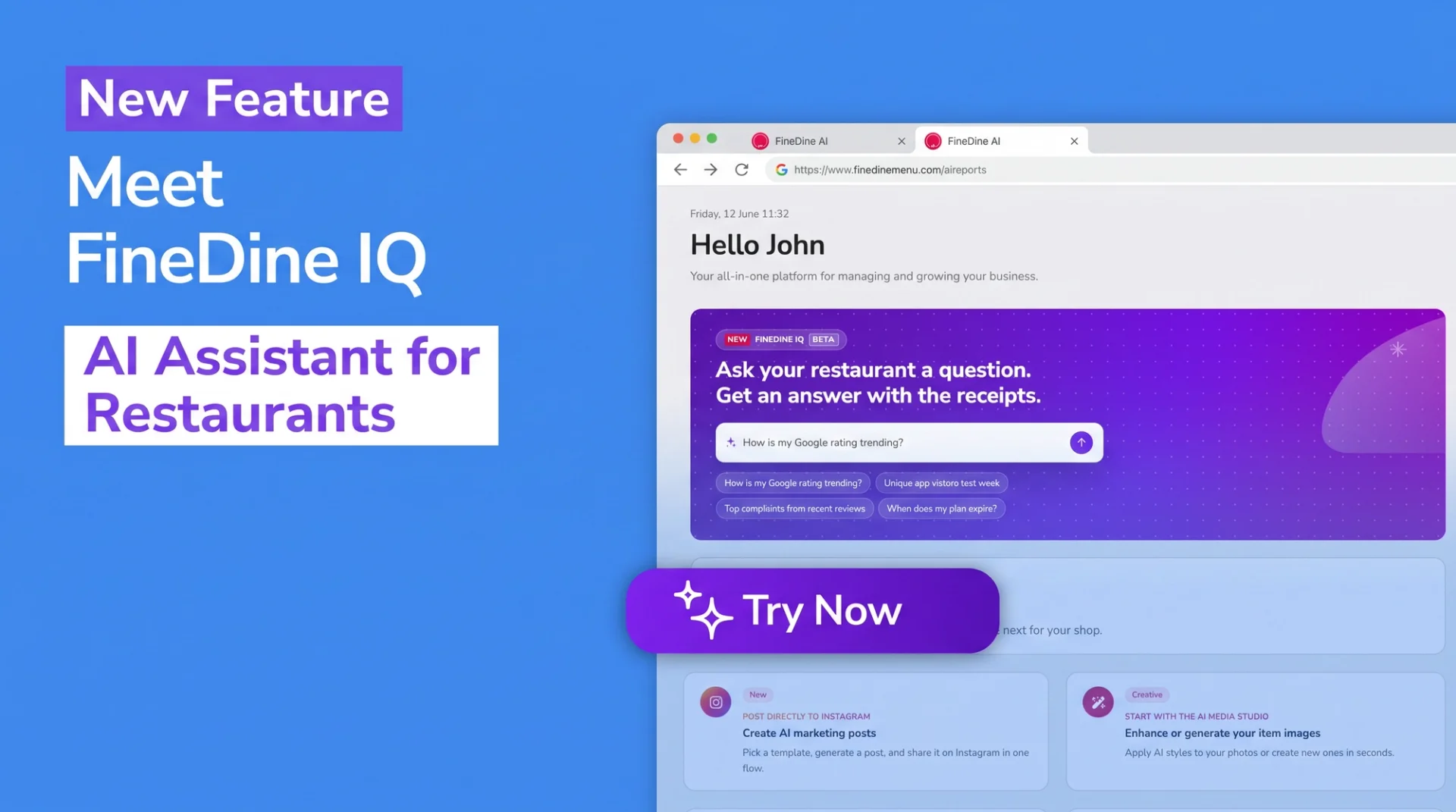
Most restaurant owners open four screens a day: one for orders, one for menu performance, one for reviews, one for reservations. Then they lose half an hour hunting for the answer to the simplest question — "why did sales drop last Tuesday?" FineDine IQ breaks that loop. You ask anything about your restaurant in plain language, in your own language, and the answer comes from your own data in seconds. FineDine IQ is a restaurant AI assistant built into your dashboard, and it's now in your chat bubble.
Here's what FineDine IQ is, the questions it answers, how it forecasts your week, and how it goes beyond reporting to actually act.
1. What is FineDine IQ?
FineDine IQ is an AI assistant for restaurants, embedded directly in your FineDine dashboard. You ask plain-language questions about your business and IQ answers from your own data — orders, revenue, menu items, customer reviews, app engagement, reservations, and table performance. On top of that, it gives you a 7-day forecast, anomaly alerts, and improvement recommendations.
It isn't a separate product; it's part of your panel. Open the chat bubble, type your question, get an answer in seconds. No setup, no separate subscription — it's included in your FineDine plan.
The short version: ask FineDine IQ anything you'd normally pay a business analyst for. It also tells you what's coming, what's off, what to fix, and how to use any FineDine feature.
2. What questions does FineDine IQ answer?
Every question routes through one of IQ's capabilities. Here are the real phrasings owners use, and the data each answer draws from:
- Orders and revenue — "How many orders did I do last week?", "What was my April revenue in USD?", "What's my average order value?" Order counts, revenue in local currency and USD, and channel mix (dine-in / pickup / delivery).
- Busy days and peak hours — "What's my busiest day?", "Is lunch or dinner bigger for me?" Activity grouped by day of week and hour of day, always in your shop's local time. 17:00 means 5 PM in that city, never UTC.
- Best-sellers — "What's my top earner this month?", "Top 10 items by revenue." Ranked by units sold or by revenue — and the two can produce very different lists.
- Customer reviews — "What are customers complaining about?", "Is my Google rating climbing?" Google and in-app reviews, FineDine AI sentiment analysis, and the top praise and complaint topics with real customer quotes.
- Reservations — "How many bookings do I have next Friday?", "What's my no-show rate?" Future bookings included, status breakdown, and most-reserved areas.
- Table performance — "Which tables make me the most money?" Per-table ranking by orders, revenue, or reservations.
IQ shows its work — you can ask where a number came from. Today every question is scoped to a single shop: IQ figures out which one you mean and answers for it.
3. Know What to Keep and What to Promote on Your Menu
Ask IQ to put your menu on the engineering matrix and it sorts every item into four groups by popularity and price-tier: Stars (premium-priced bestsellers — keep them front and centre), Plowhorses (lower-priced bestsellers — reliable, ripe for upsells), Puzzles (premium but low-selling — reposition or rename), and Dogs (low-selling and low-priced — candidates to remove).
One thing to be clear about: this matrix is built on price-tier, not margin. IQ can't see your item costs, so it won't claim "most profitable" — it gives you a popularity × price view. A "Star" is a high-volume, premium-priced item, not necessarily your most profitable one.
IQ also scores your menu's completeness (0–100): it shows how many items are missing an image, a description, or allergen info, and lists the least-complete items one by one. It can also show what's changed since your last price update.
4. Forecast Your Next 7 Days From Your Data
IQ gives you a 7-day forecast of revenue, orders, sessions, and reservations — each with a high, medium, or low confidence label. Ask "should I expect a busy weekend?" and it blends a day-of-week seasonal model with your recent trend.
A forecast is always a projection, never a promise — so IQ states the confidence every time. Even a brand-new shop gets a low-confidence estimate rather than a refusal. It's built for staffing and prep decisions made against real demand, not a hunch.
5. Catch Problems While You Can Still Fix Them
IQ has a "check-engine light." It automatically flags activity that deviates from your shop's own historical baseline: revenue dips, conversion drops, no-show spikes. Ask "anything unusual lately?" or "why was yesterday weird?" and IQ gives you a plain-language explanation with the category, severity, and percentage change.
The point is timing: problems surface while you can still act on them. And if there's nothing unusual, IQ says so — that's a good answer, not a failure.
6. FineDine IQ Doesn't Just Report — It Recommends What to Do
This is what separates IQ from an ordinary report screen: it doesn't only tell you what's wrong — it tells you what to do, and in many cases it can apply the fix for you. IQ surfaces prioritized recommendations — promote a buried best-seller, add a missing image, fill in a missing description, add allergen info. For descriptions and allergens, FineDine AI even drafts the suggestion for you.
Then it applies the menu fix on your behalf: moving an item to the top of its section, writing a description, or setting allergens. Three rules always hold:
It never acts without confirmation. IQ shows exactly what will change and waits for your "yes."
You can edit first. Tweak a drafted description or allergen list before it's applied.
It's always reversible. Just say "undo that."
Applying a recommendation with one tap from the recommendation card is live today; the fully conversational "just tell IQ to fix it in chat" path is rolling out.
7. Can you trust FineDine IQ?
Trusting a restaurant AI assistant comes down to knowing where its answers come from. FineDine IQ never makes numbers up; it reads only your own FineDine data and the official help articles, and you can ask it to show its work.
- It speaks your language. English, Turkish, German, Arabic, Spanish, and Portuguese — ask in any of them and IQ answers in kind.
- It respects permissions. It only answers about shops you own and data you're allowed to see; it never touches another restaurant's data.
- It stays in-product. It won't recommend competitor tools, won't expose the technology underneath, and won't wander off-topic.
Not sure how a feature works? Just ask. For questions like "how do I enable QR menu?" or "where do I set up online ordering?", IQ answers straight from the FineDine help center — step by step, with a link to the full article. For everyday questions, there's no support ticket to wait on.
8. How do you get started with FineDine IQ?
Open the chat bubble in your dashboard and ask your first question — about your sales, your menu, your guests, or how to do anything in FineDine. There's nothing to set up, it's included in your plan, and it answers in your language.
Your restaurant's data is already yours; the only thing missing was an assistant that puts it in front of you in plain language. If you're bouncing between separate screens to understand your numbers — or leaving the questions you'd ask an analyst unasked — FineDine IQ brings all of it into one conversation and answers in seconds.