How to Display Recommended Items on the Menu?
Updated: September 22, 2026
Promote your items with the ones that go best with them!
To display your pairings, offers, and recommendations, you can use the Recommended Items feature of the FineDine Menu. It is possible to have endless suggestions for all the items on your menu.
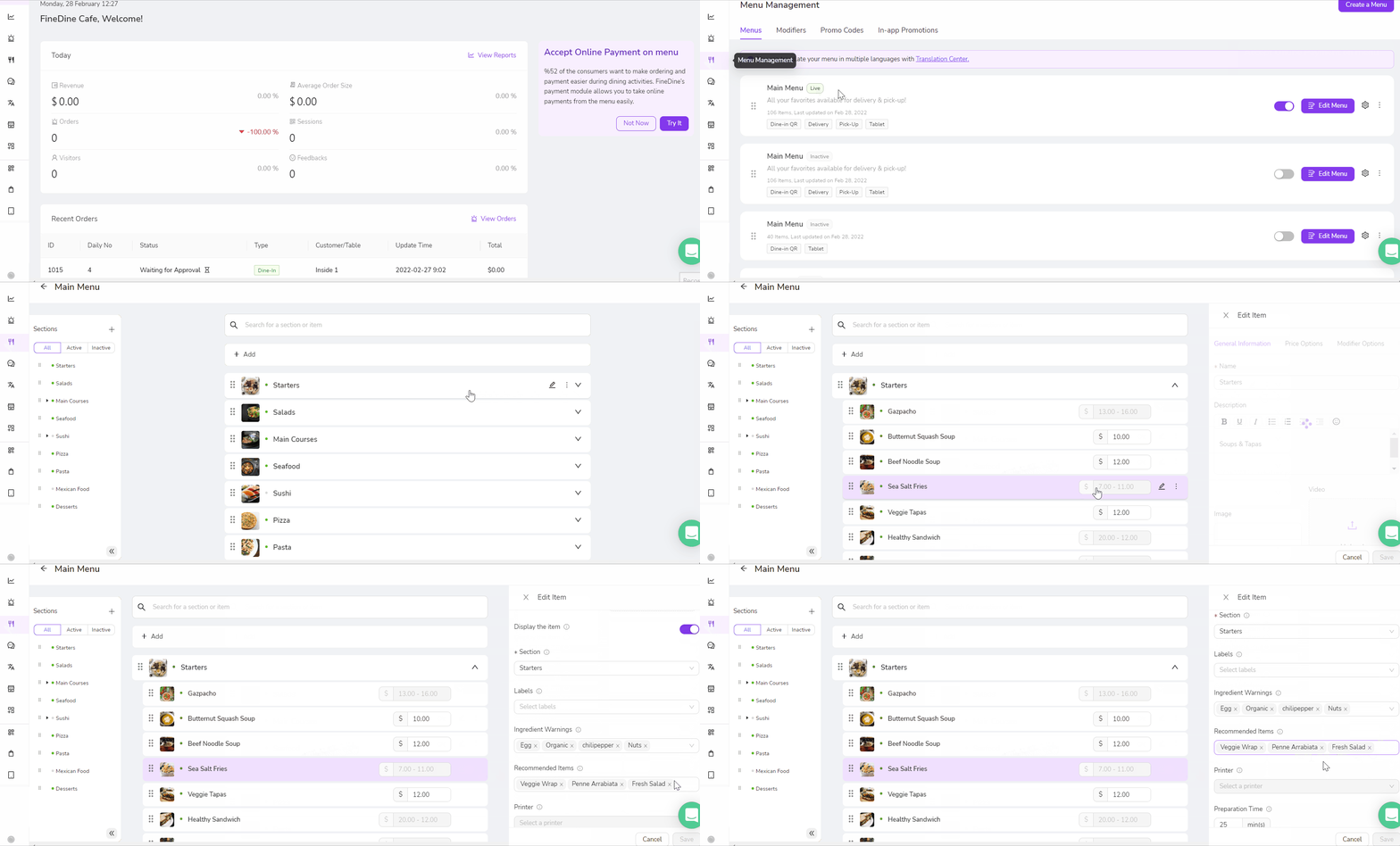
To add recommended items to your menu:
- Go to Menu Management tab
- Get in to the item that you would like to add recommendations
- Start typing what you want to recommend and select it from the drop-down menu.
- Choose as many as you like and click save when you're done!
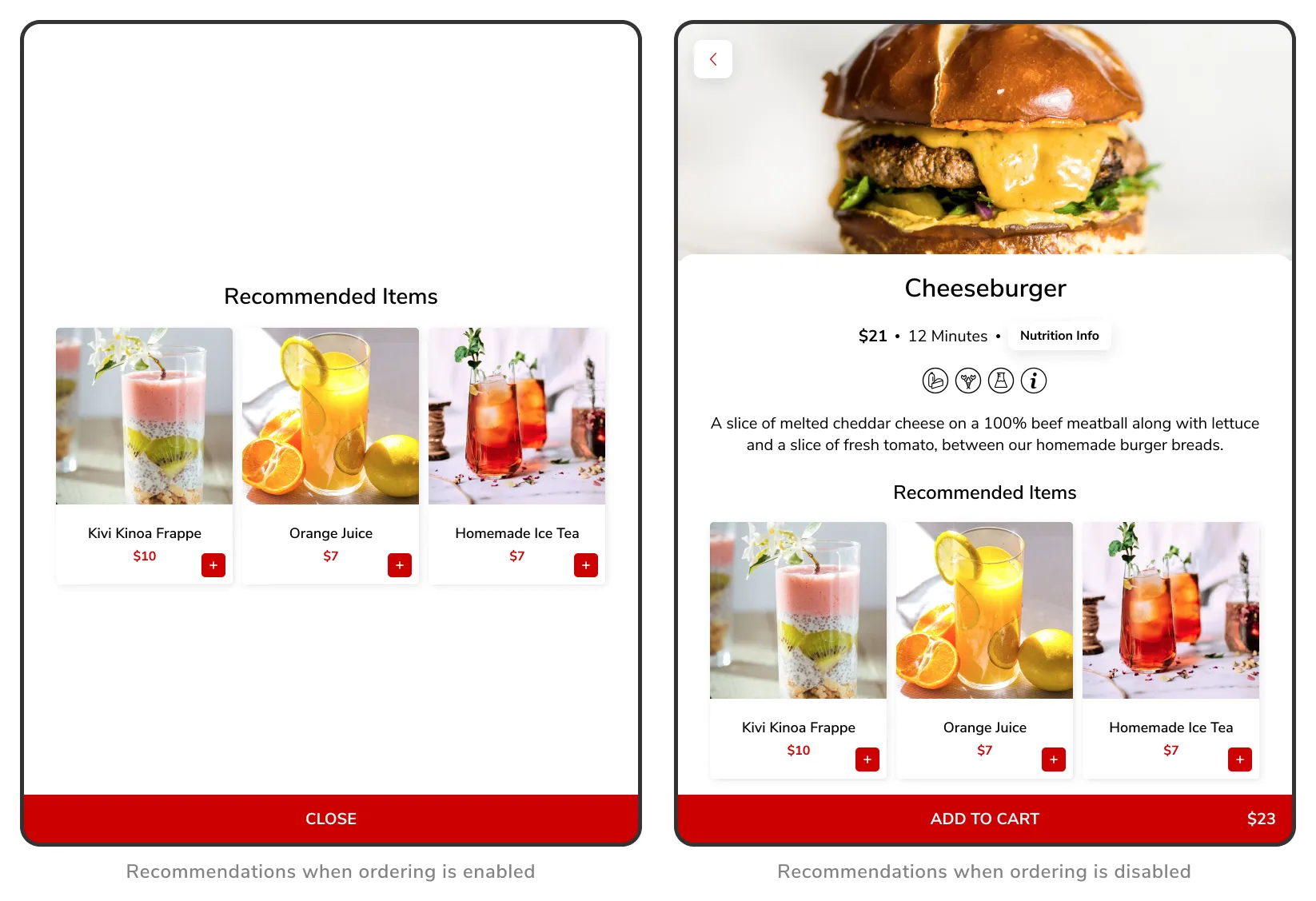
Recommended items are displayed at the bottom of each item detail page. Also the offers will appear inside the cart to encourage purchase if you have Ordering Feature enabled.
Was this article helpful?
Related articles
- How does the system work?
- FineDine Solutions (Cost & Products)What are the prices and payment methods? What is included in a subscription? Is it a one-time payment?
- What is Included in the Free Trial?Which features are available on the trial period
- How to Change the Dashboard's Language?A brief description to change the Dashboard language
Still need help?
Our support team is here for you. Start a chat and we'll get you an answer.