Combo Item
Updated: September 22, 2026
Combo Item is a useful tool to create special deals for your customers, such as a fixed menu or your famous burger menu 🚀
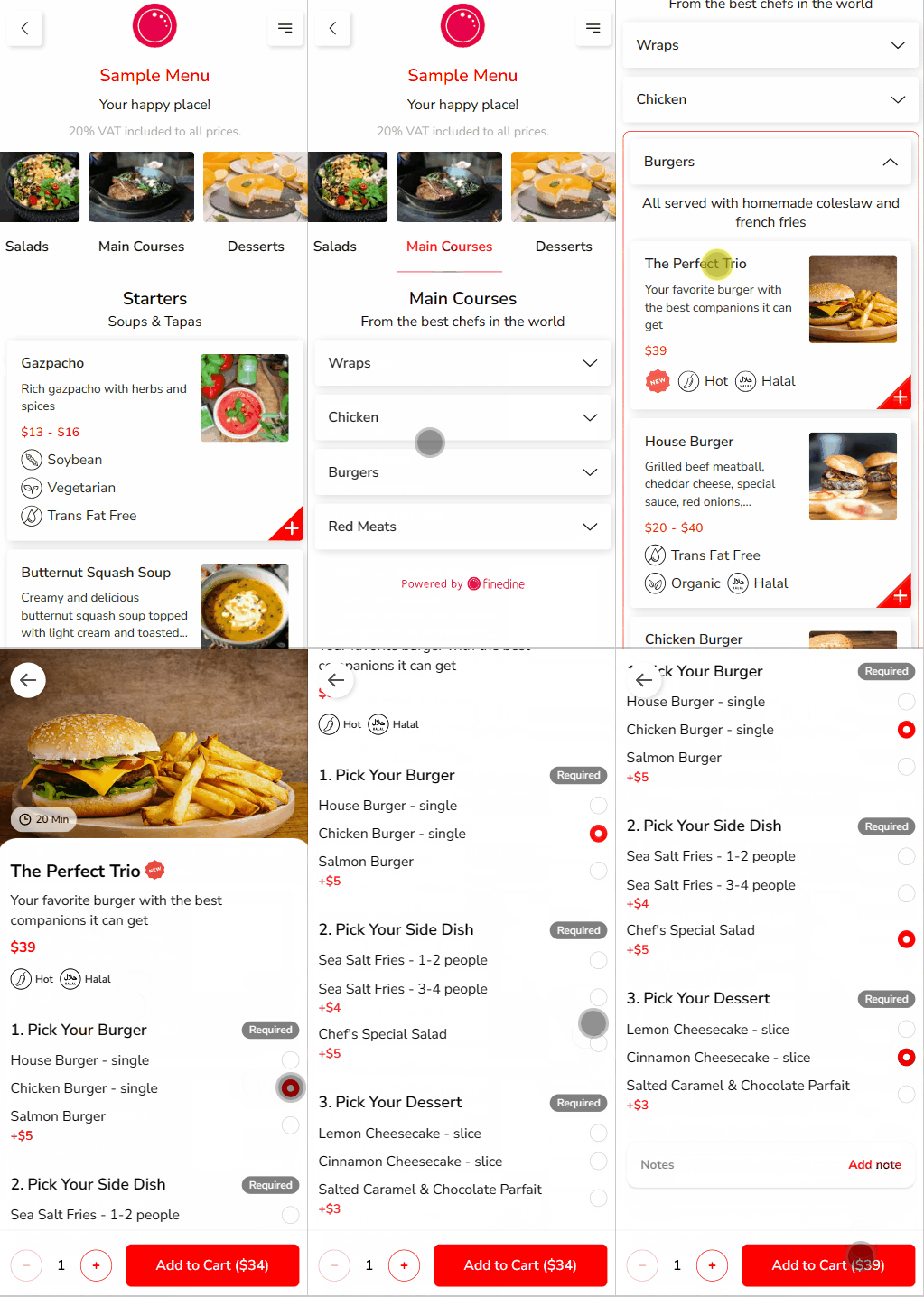
How to Create a Combo Item?
In order to create a Combo Item;
- Click to "+ Add" button on the relevant Section/ Menu just like adding an item
- In addition to the regular steps of how to create an item, you can add different groups of items from your menu on the "Group Options" tab
- Your customers will be able to select one item from each group
- According to your picks on the Main Item fields, the Combo Item will have a base price according to that price, you can offer a Combo Price which is usually a discounted price to push your Combo Item forward
- The difference between any option picked that has a price more than the Main Items' prices will be displayed as the Upcharge
- On the cart, your Combo Item's last price will be calculated as
Combo Price (that you have set) + Upcharges (If there is any)
- You can always reposition or add / remove options depending on your need, once done and saved you are ready to go!
Was this article helpful?
Related articles
- Converting the Menu Into a SectionChange your menu into a section included in another menu
- How to disable the ordering feature for a specific menu?
- How to retrieve a menu after deleting it?Did you delete your menu by accident? No worries, we got you🤓
- How to add your menu to your Social Media?Add your menu to your Social Media with simple steps 🚀
Still need help?
Our support team is here for you. Start a chat and we'll get you an answer.