How to disable the ordering feature for a specific menu?
Updated: September 22, 2026
If you have multiple venues and all are set for a different FineDine solution, such as;
- If you have a menu named as "Dine - In Restaurant Menu" with different pricings than your regular Delivery & Pick - Up prices, vice versa, and you want to enable/ disable its ordering feature for a while;
In this case, you can easily differentiate your preferences between different menus as follows:
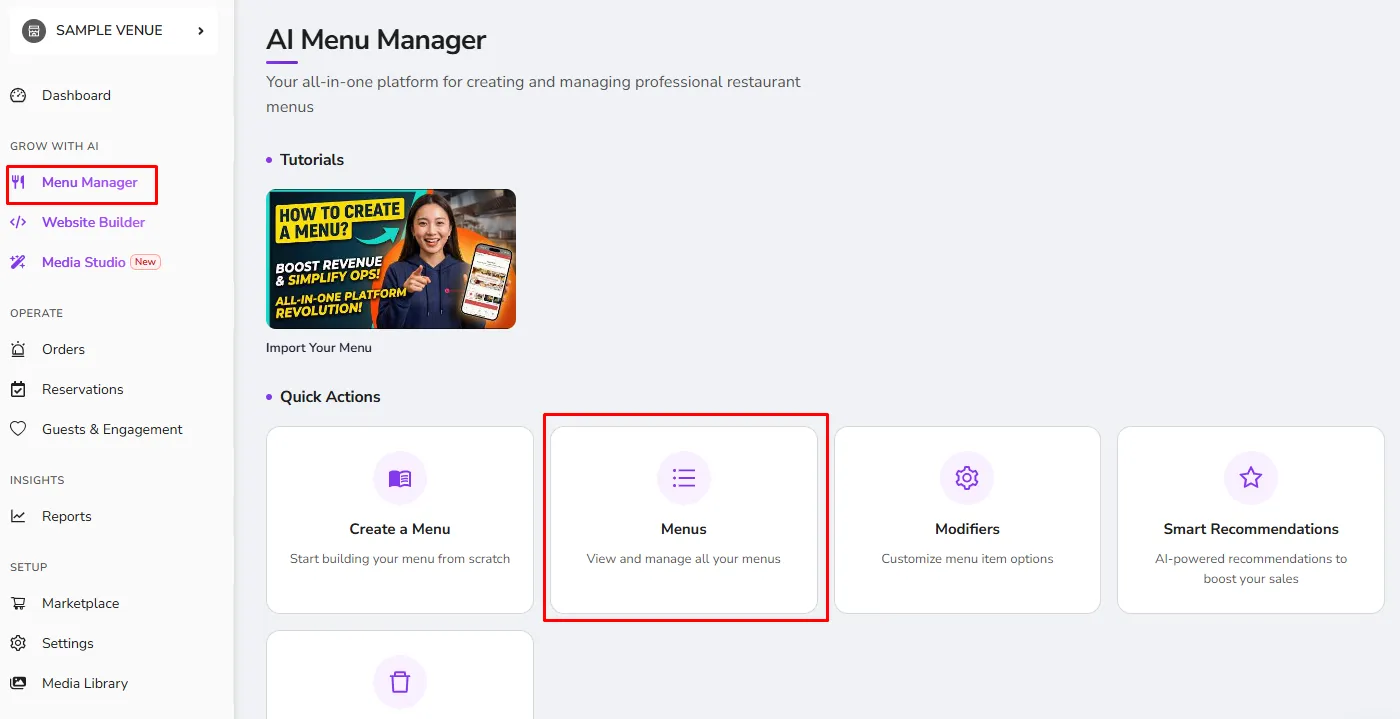
- Go to Menu Management and select the menu that you want to change the configurations of
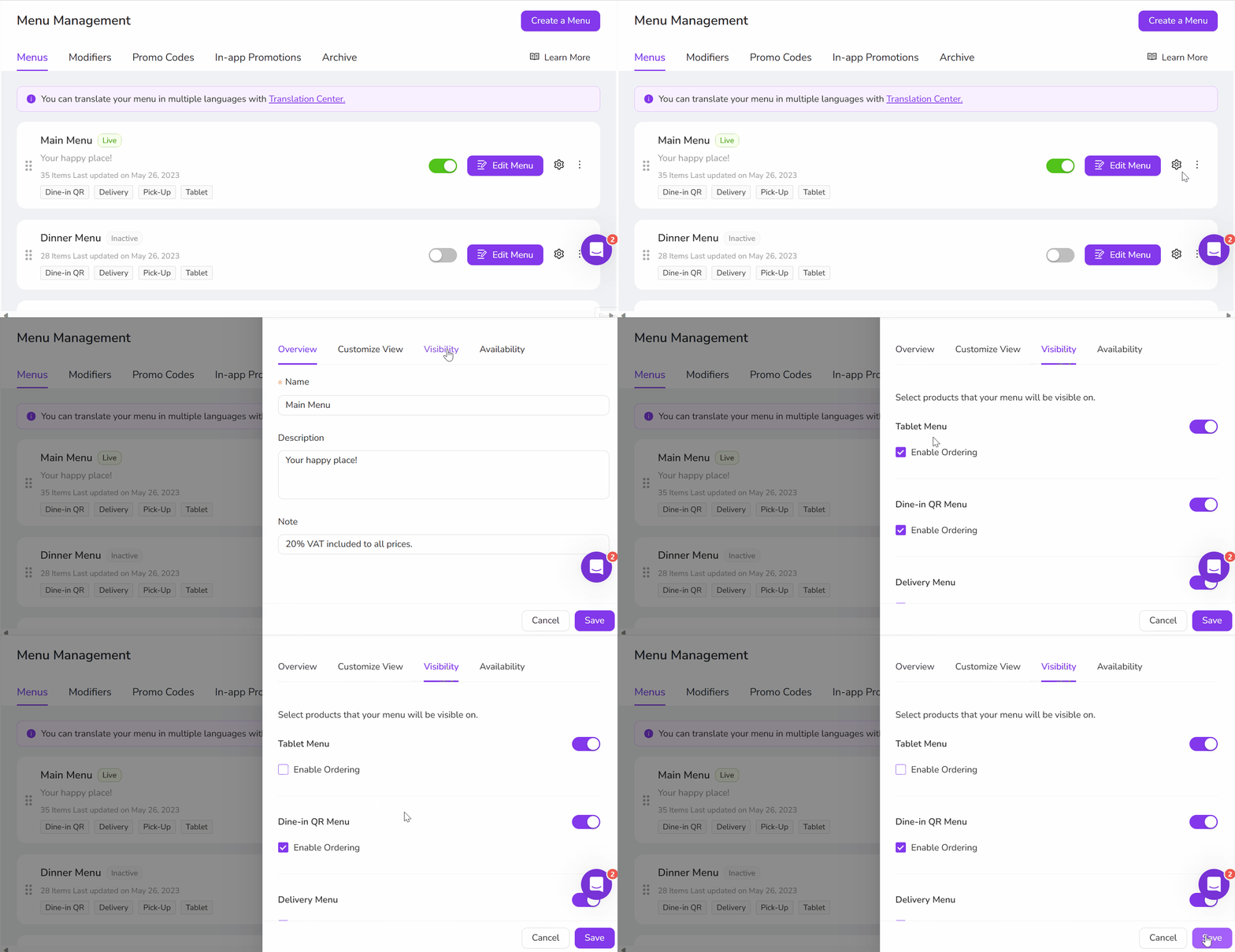
- Click on the⚙️icon next to your menu and switch to the "Visibility" Tab
- There, you may use the checkbox to enable/ disable the Ordering Feature
Was this article helpful?
Related articles
- Combo ItemEasiest way to offer your items together🔥
- Converting the Menu Into a SectionChange your menu into a section included in another menu
- How to retrieve a menu after deleting it?Did you delete your menu by accident? No worries, we got you🤓
- How to add your menu to your Social Media?Add your menu to your Social Media with simple steps 🚀
Still need help?
Our support team is here for you. Start a chat and we'll get you an answer.