How to bulk edit all prices on the menu?
Updated: September 22, 2026
Price Editor tool allows you to edit multiple prices at once 🚀 It is perfect for the regular adjustments on your menu.
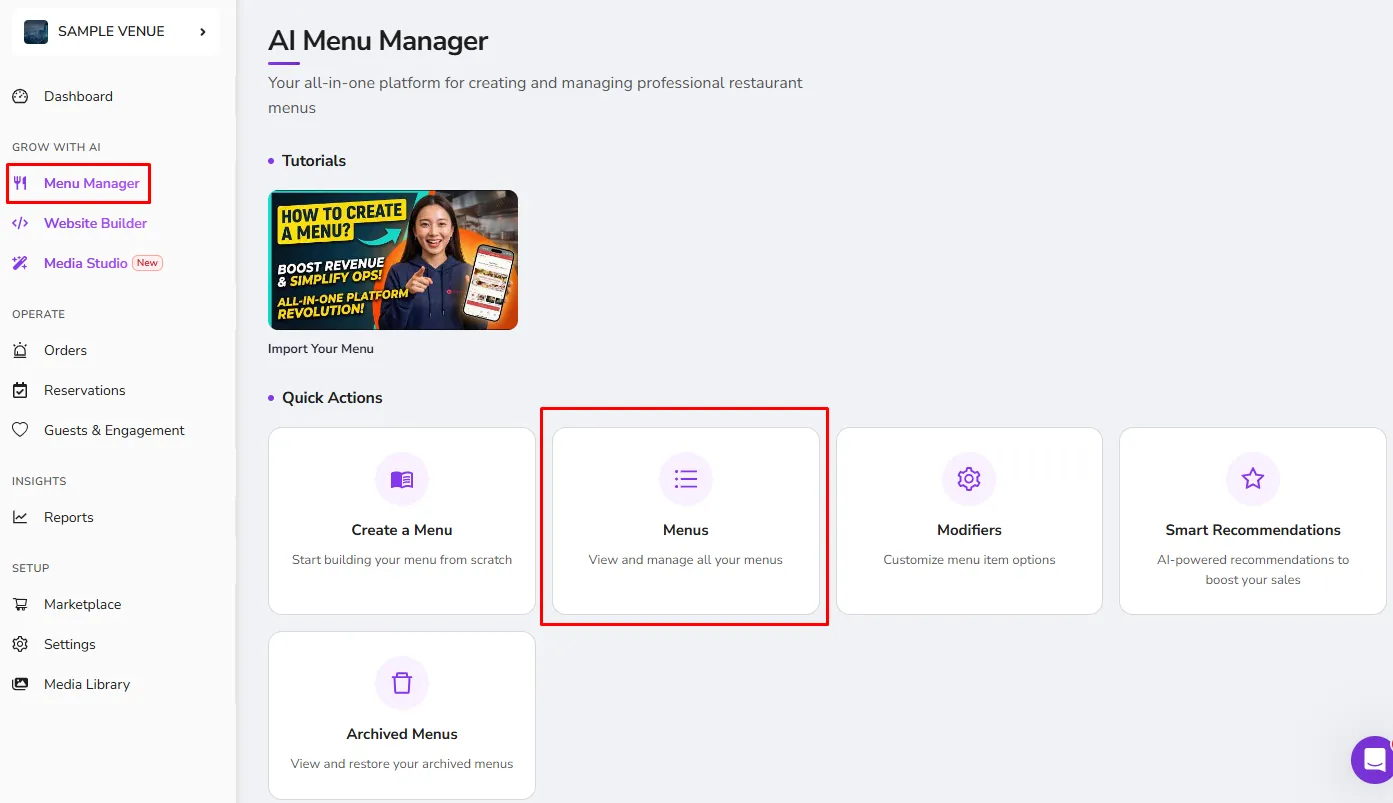
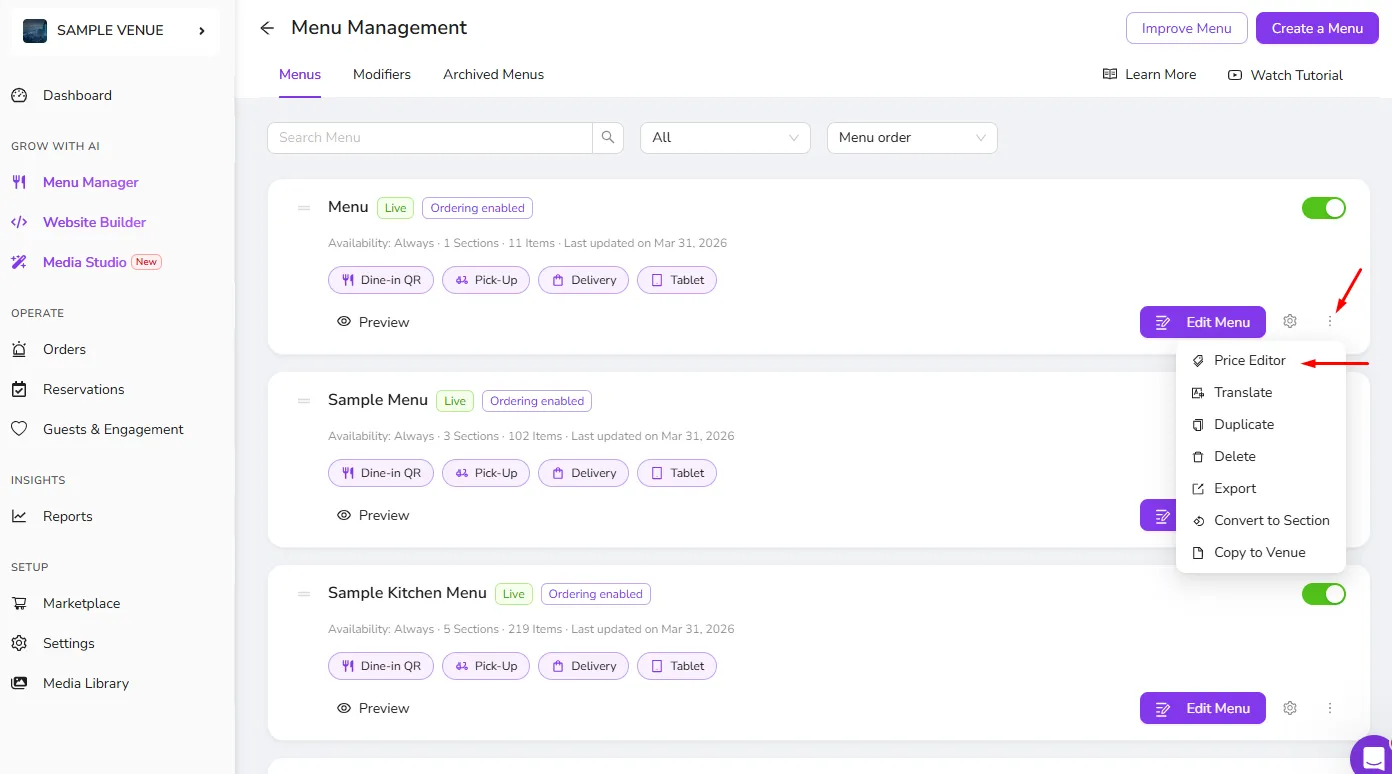
- It can be reached within the "..." menu next to the relevant menu.
How to bulk edit your prices?
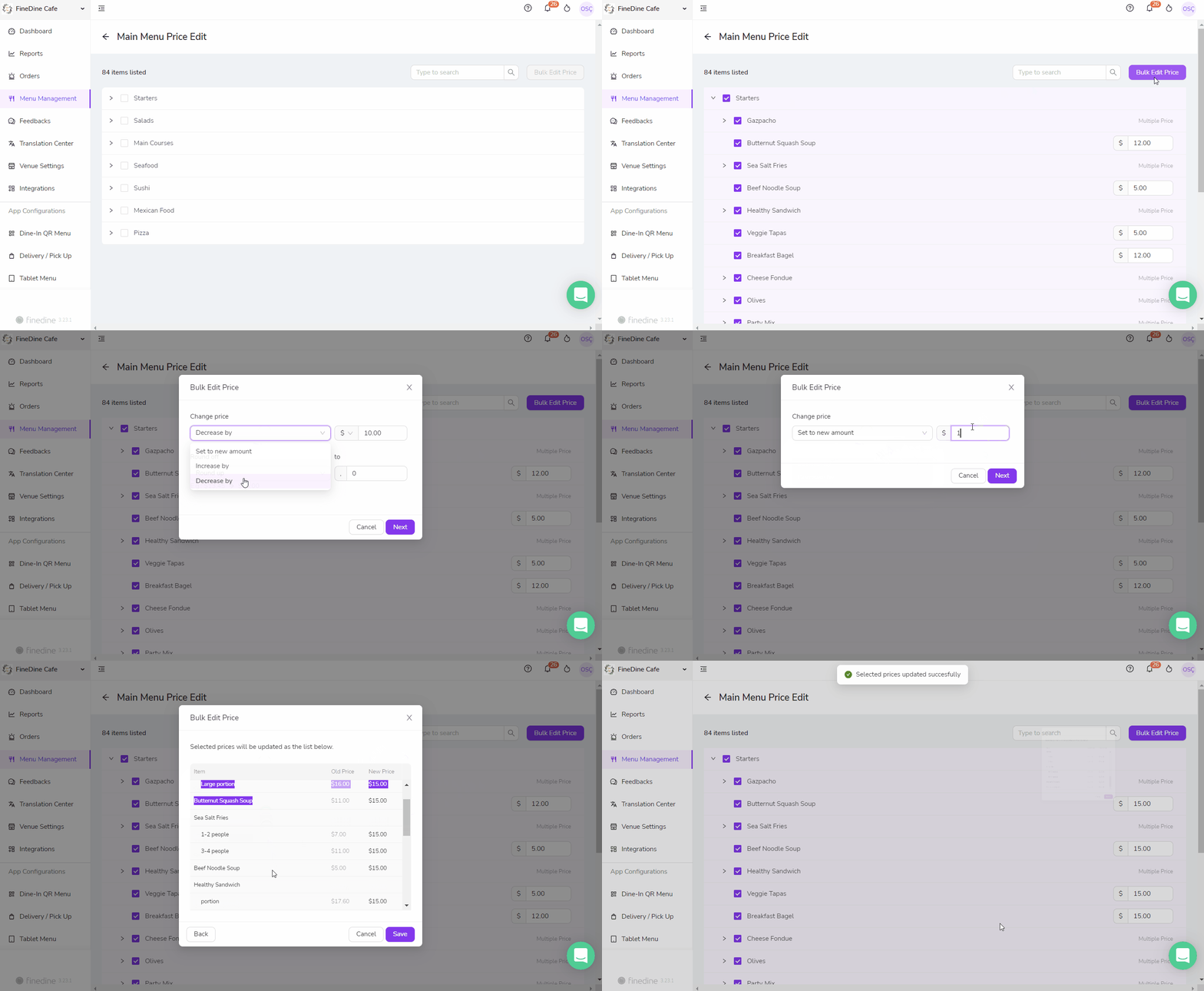
- You can select several items/sections or an entire menu, depending on your need
- Selected prices can be:
- Set to a new amount
- Increased by an amount or percentage
- Decreased by an amount or percentage
- If you would like,
- No Rounding (ex. $13.45 --> $13.45)
- Round-Up (ex. $13.45 --> $14.00)
- Round-Down (ex. $13.45 --> $13.00)
- Round Nearest (ex. $13.45 --> $13.50)
- can be applied to the end price as well as the desired decimal value.
Was this article helpful?
Related articles
Still need help?
Our support team is here for you. Start a chat and we'll get you an answer.