How to display the menu in another language
Updated: March 31, 2026
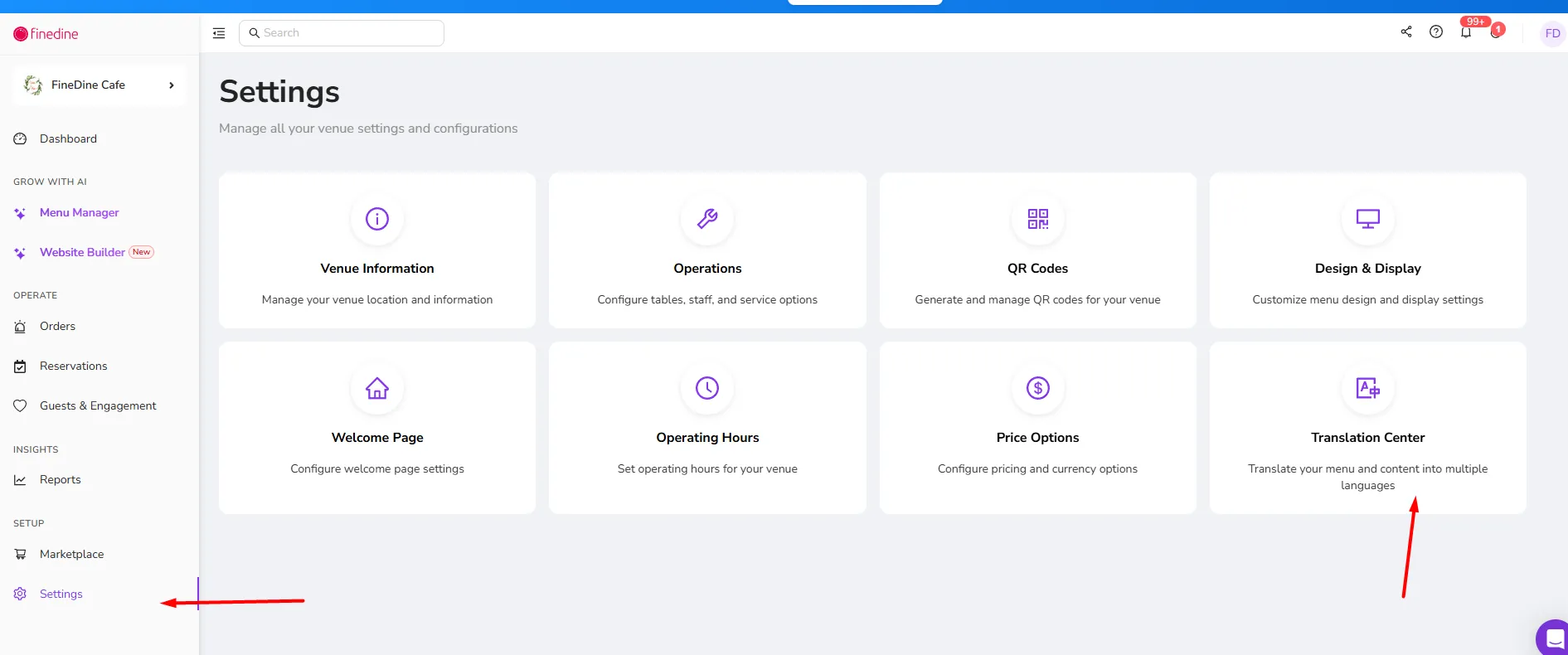
FineDine supports over 40 different languages you can display your menu. Add another language to your menu easily from the Translation Center and start filling in the text of the other languages you wish to display the menu in.
At the top of the page, you are able to do the translation for your Menus, Modifiers, Survey forms, and other content in the system that might require translation.
Was this article helpful?
Related articles
- How does the system work?
- FineDine Solutions (Cost & Products)What are the prices and payment methods? What is included in a subscription? Is it a one-time payment?
- What is Included in the Free Trial?Which features are available on the trial period
- How to Change the Dashboard's Language?A brief description to change the Dashboard language
Still need help?
Our support team is here for you. Start a chat and we'll get you an answer.