Translation Center
Updated: March 30, 2026
The Translation Center is where you can translate the default language into different languages of your choice for over 40 languages, depending on your need. You can translate the menu, modifiers, surveys, and many more. Below is a short description of each of the tabs under the translation center. You can click on the tab names to see how to use every one of them.
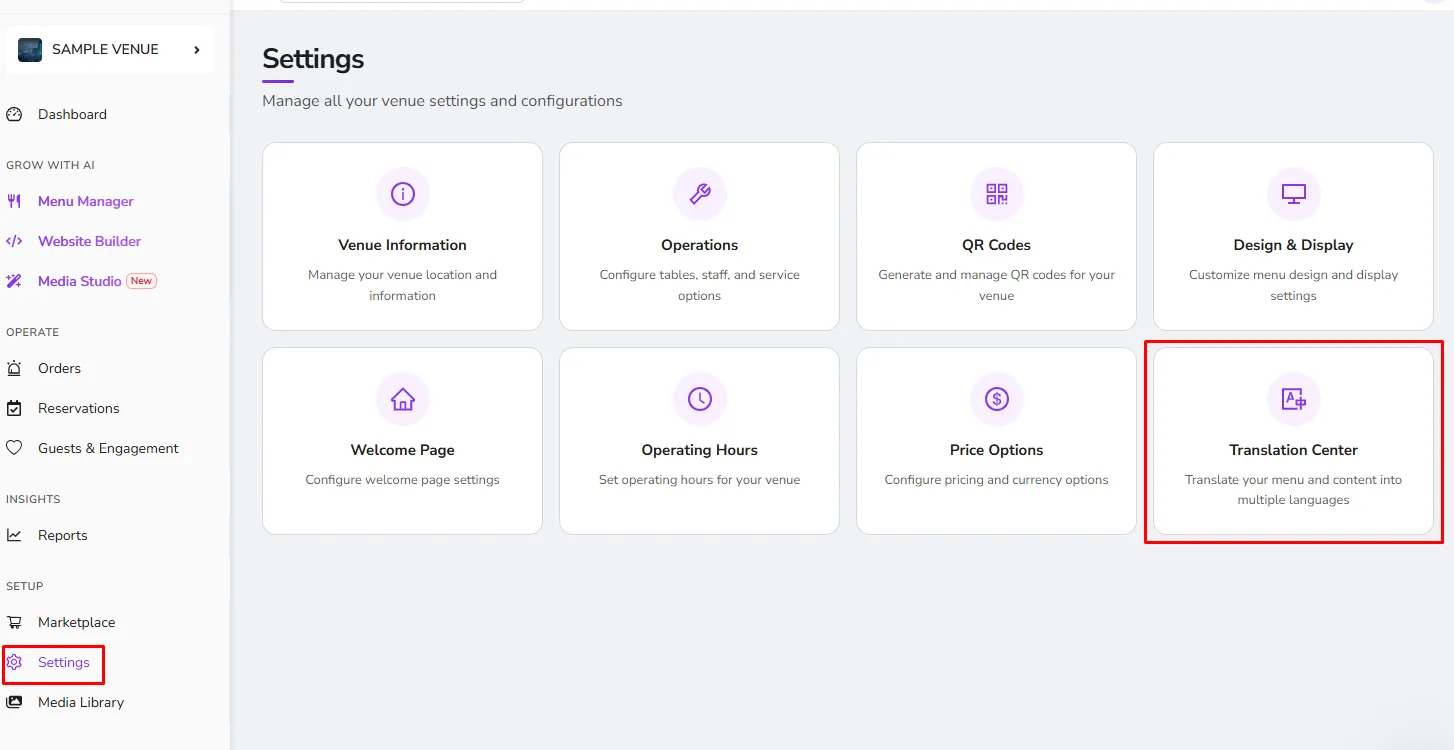
To get to the Translation Center, Enter the Settings tab, and from there the Translation Center can be found.
Menu
Here is where you can customize the name of the menu, description, sections, and items in different languages. Read more
Modifiers
Under the Modifiers tab, you can edit the modifier group name and the name of each modifier using your preferred language. Read more
Surveys
In the Survey tab, you can edit and translate the feedback or survey questionnaire to several languages of your preference. Read more
Others
The Others tab allows you to edit and translate items not covered in the first three tabs, such as the Info Page, Service Options, Menu Button, and Venue Name. Read more
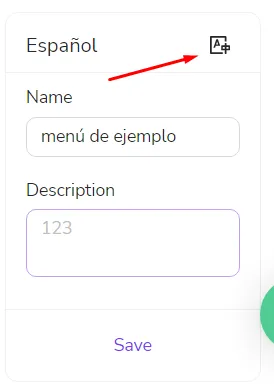
Important Note: Please note that only the Menu tab has the option to process an autotranslation for your menu. The auto-translate button is located just on the right side of the language name you wish to translate to. All other tabs would not translate themselves to your desired language. You need to input them yourself for a more accurate and detailed translation.
Was this article helpful?
Related articles
- What is on the Dashboard?
- Menu ManagementAll you need to know on how to manage your Menu information
- Creating an AI-Generated Website for Your BusinessGenerate and publish a business website using an AI-powered website builder, customize its content and design, and enable reservations and online ordering.
- AI Brand Kit
Still need help?
Our support team is here for you. Start a chat and we'll get you an answer.