How to Navigate Through the Modifiers Tab in the Translation Center
Updated: April 1, 2026
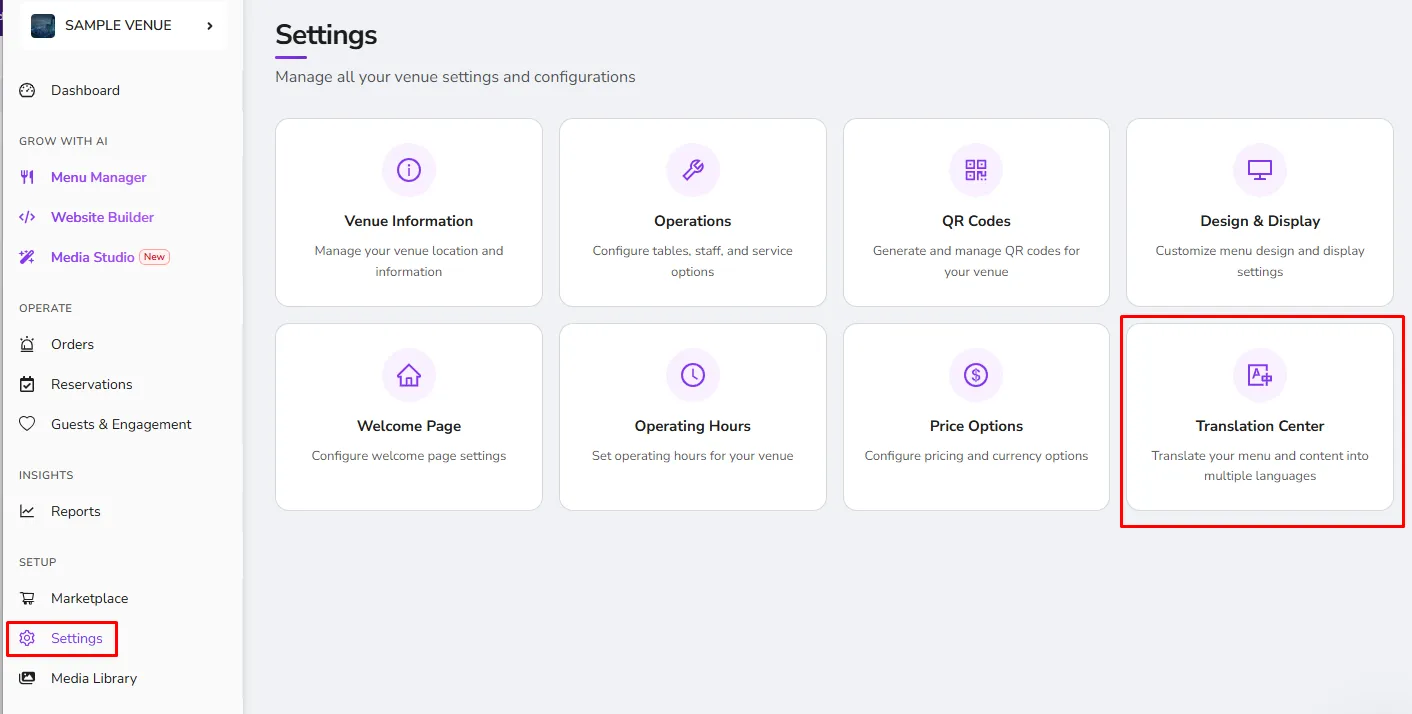
The Modifiers tab can be seen under the Translation Center. Unlike the Menu tab, the Modifiers tab does not have the option to auto-translate. Translating the Modifiers to your desired language should be done manually. The advantage of this is you will have a more accurate and precise translation. See the instructions below on how to go through this tab.
Step 1.
Go to the Modifiers tab under the Translation Center. From there you can see the other languages you have set and can start translating. Check out the sample below step 2 for your reference.
Step 2.
Once you are done translating, make sure to click on the Save button in each and every language you have added to save the changes you have made. Once you have clicked the "Save" button for the language translations, click on the “Save Changes & Continue” button to save all the changes you have made in general.
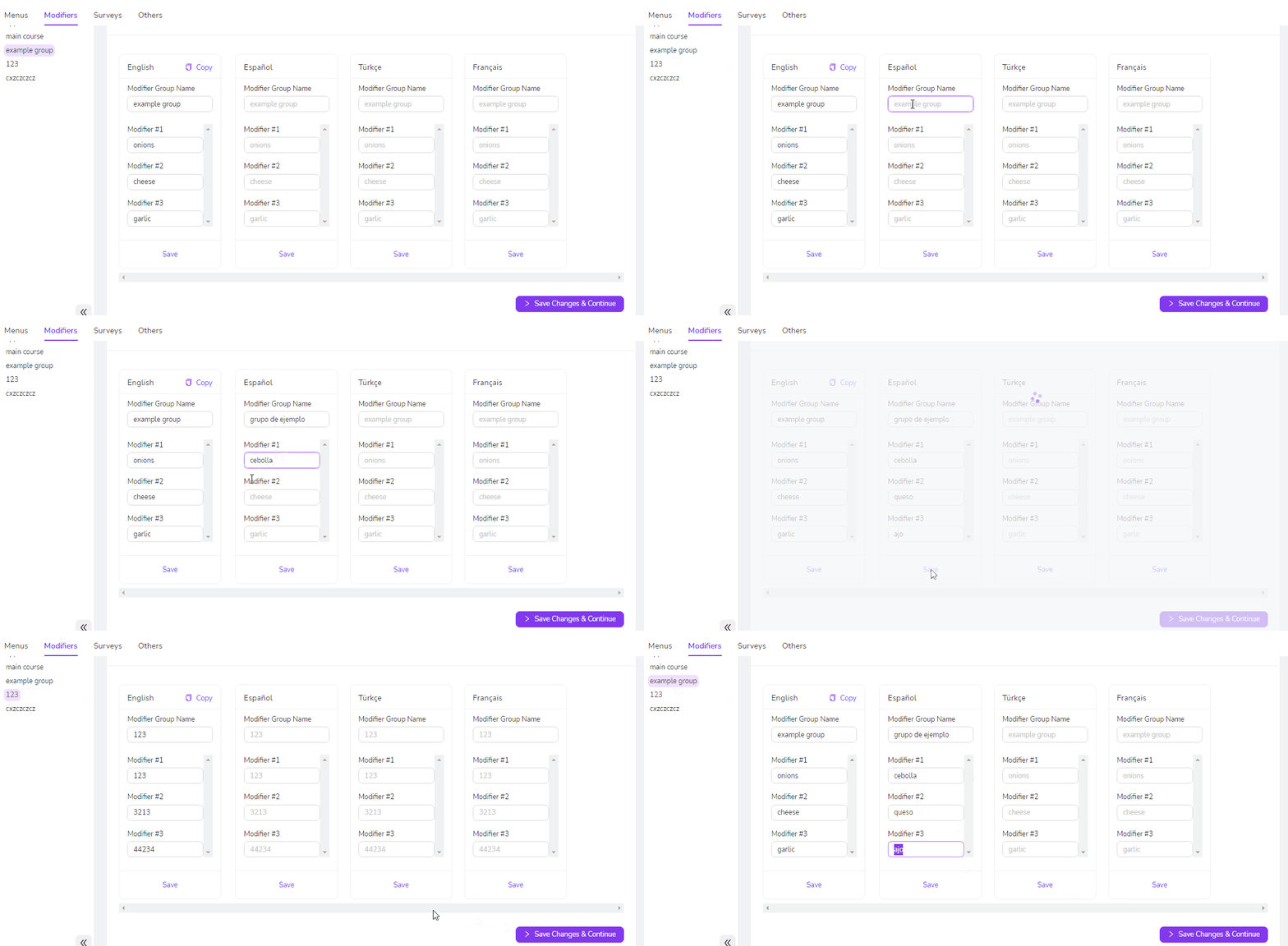
Important Note: Clicking anywhere outside the free-writing field will save the changes you made to that text
Was this article helpful?
Related articles
Still need help?
Our support team is here for you. Start a chat and we'll get you an answer.