How to Find My Menu Link?
Updated: September 11, 2026
Your menu link can help your customers to reach, preview and even order from your menu!
Menu links can be shared on your website and even on social media easily!
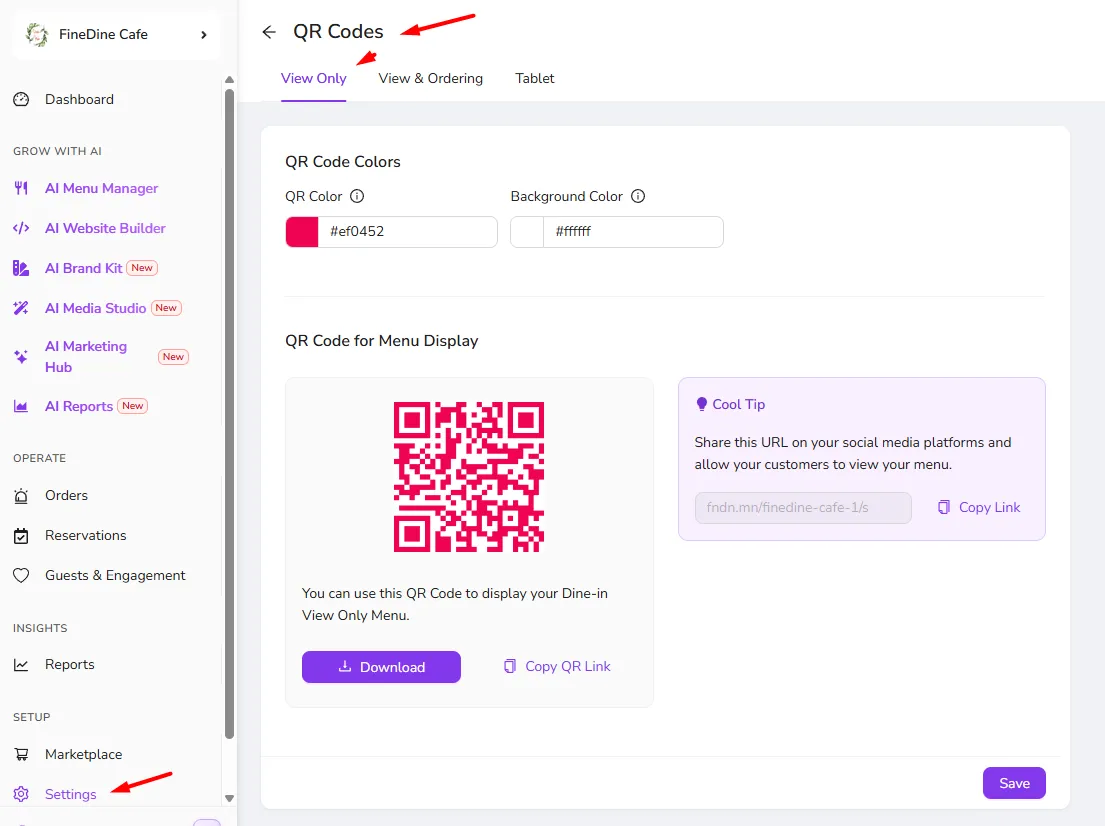
QR menu for Displaying the menu:
To get the QR menu for displaying the menu only without taking orders, you need to go to Settings>QR Codes>View Only tab
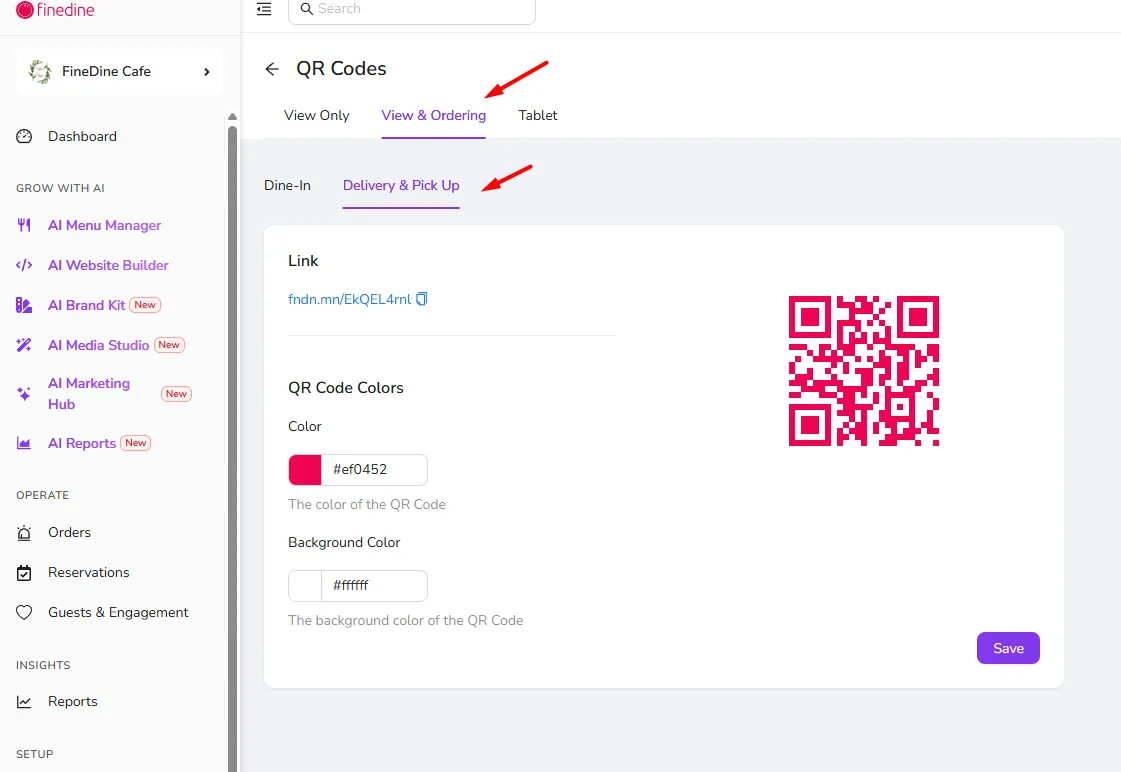
َQR for Delivery/ Pick Up Orders
- On your Dashboard, go to Settings, then pick QR Codes
- Switch to "View & Ordering" page>"Delivery&Pick up" tab
- You can retrieve the link for your Delivery/Pick-Up Menu easily
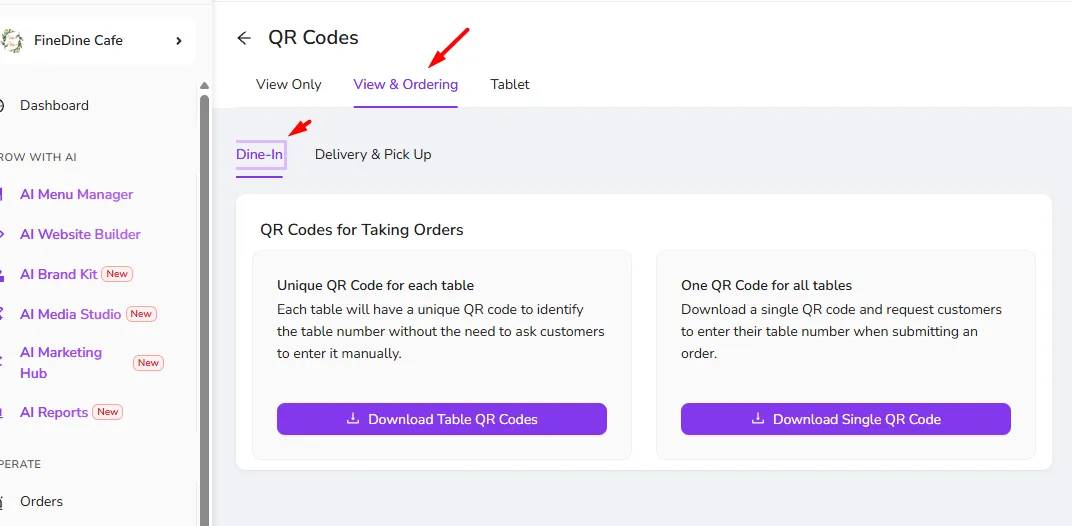
QR for Dine - In Orders
- On your Dashboard, go to Settings, then pick QR Codes
- Switch to the "View & Ordering" page>"Dine-in" tab
- You can retrieve the link for your View-Only Menu from here 🚀
Was this article helpful?
Related articles
Still need help?
Our support team is here for you. Start a chat and we'll get you an answer.