Price Options
Updated: April 1, 2026
This page will provide you with the tools you need to manage how your prices are displayed to your customers.
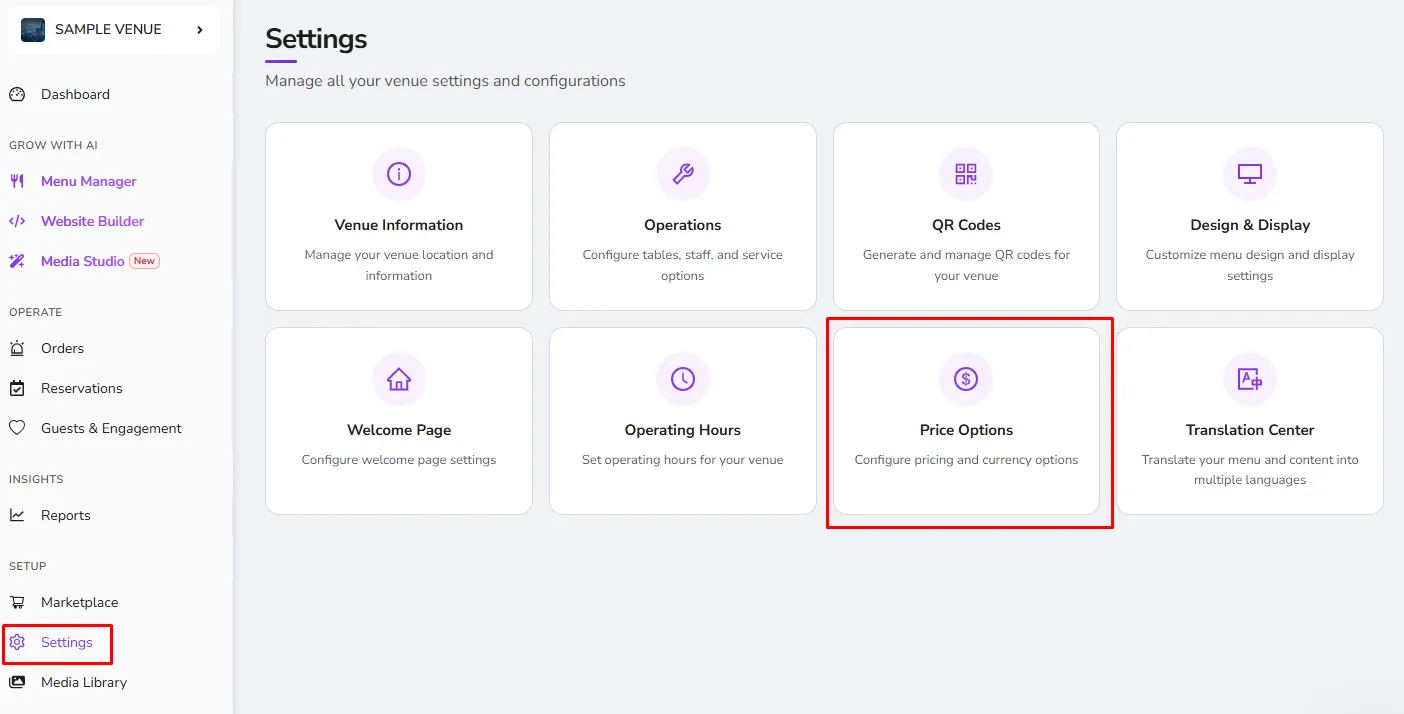
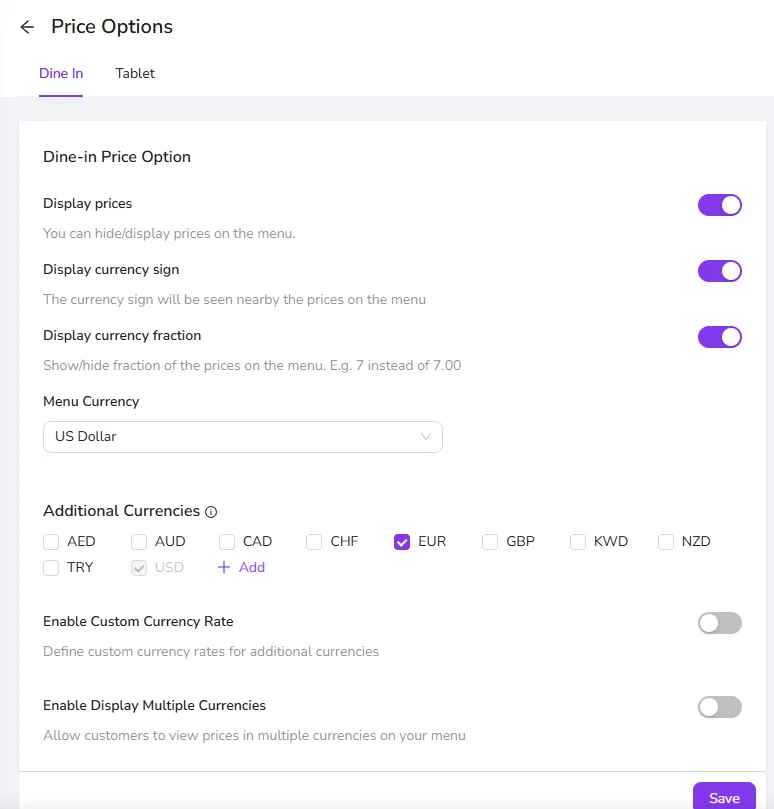
- Display Prices- You have the option to show and hide the prices of the items on the menu.
- Display Currency Sign- You can set the currency that you want to display in your menu.
- Display Currency Fraction- This option can show or hide the fraction of the prices in your menu (For example, 10 instead of 10.00)
- Menu Currency- This dropdown lets you choose the default currency of your choice.
- Additional Currencies- Set up your menu to display your prices in the currency the customer is most comfortable with. Learn More.
Was this article helpful?
Related articles
- Venue InformationThe page that contains your brand information
- OperationsConfigure the system to be match your business profile and how you operate
- QR CodesGet your QR codes for your QR menu and your Tablet menu and get your menu ready to be shared with your customers.
- Design & Display OptionsModify the look and feel of your menu to reflect your brand
Still need help?
Our support team is here for you. Start a chat and we'll get you an answer.