QR Codes
Updated: August 25, 2026
The QR codes page includes the links and QR images that you will need to share your menu with your customers.
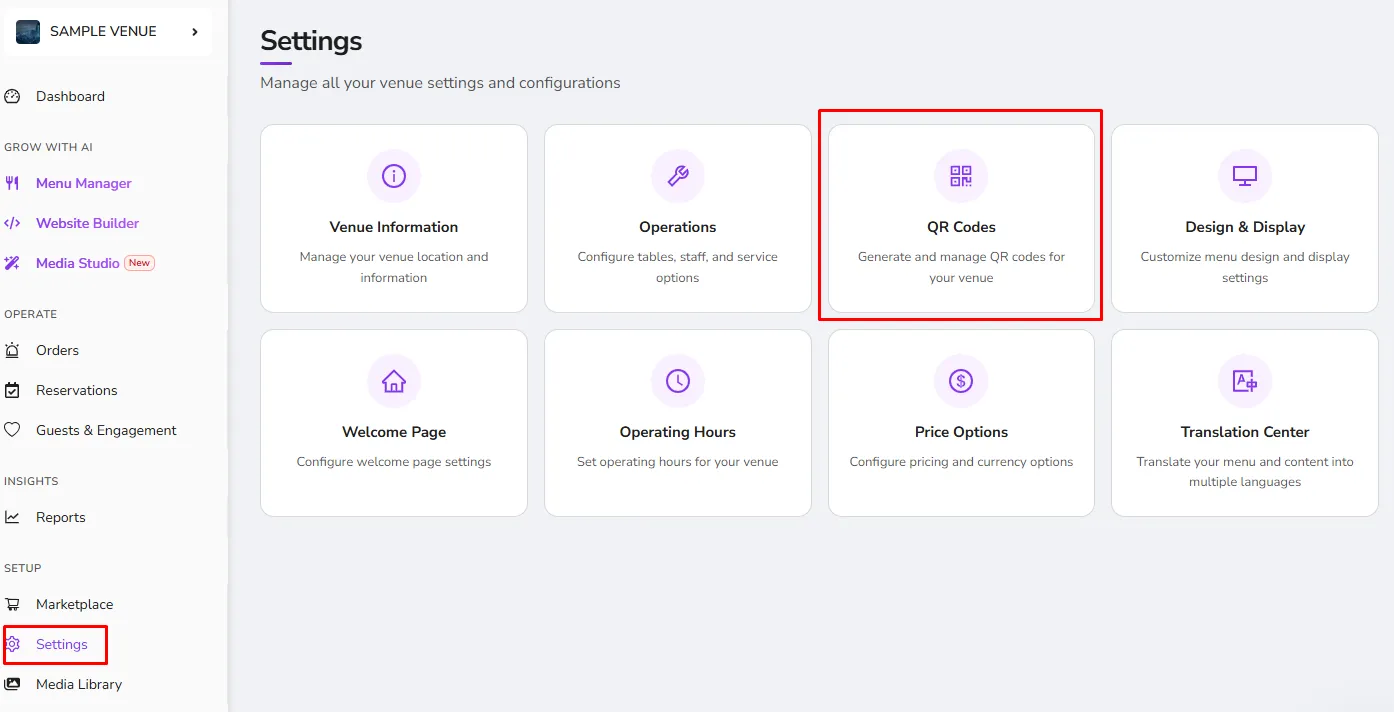
The page is divided into three tabs, the View Only, View&Ordering, and Tablet:
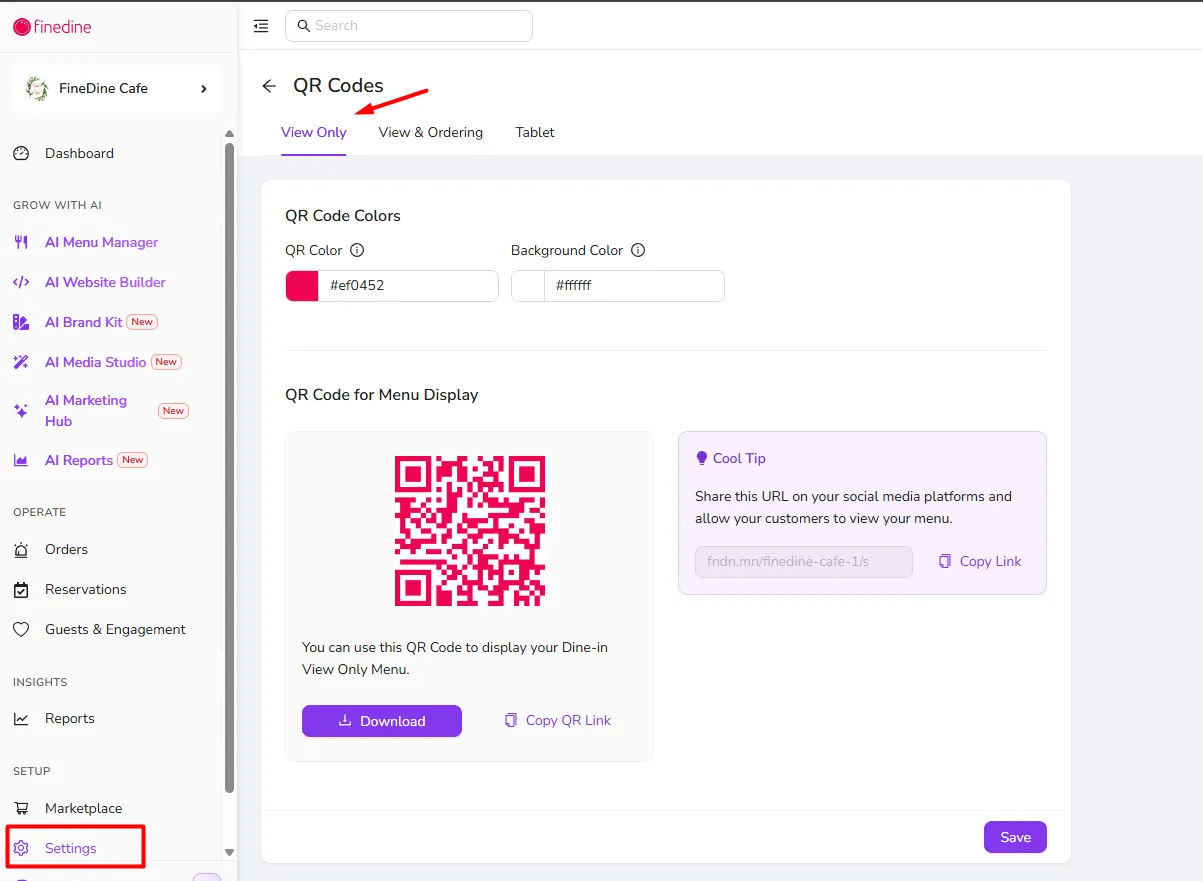
- View Only: On this page, you can modify the colors of your QR Code and download a special QR code for Menu Display purposes only, Taking orders will not be possible with this QR code.
- View&ORdering: This tab includes the link and QR code that you will be able to share with your customers on the tables, on social media or on flyers and allow them to view the menu and/or submit orders from it, whether they are for Dine-in orders or for Delivery and Pick up orders from it.
- Tablet: This page includes the QR code and Venue ID and Pin code information that is required to connect a new tablet device to your system and allow it to show your menu. Read More
Was this article helpful?
Related articles
- Venue InformationThe page that contains your brand information
- OperationsConfigure the system to be match your business profile and how you operate
- Design & Display OptionsModify the look and feel of your menu to reflect your brand
- Tablet Menu DesignSet up your menu structure, orientation, and themes, and show your menu in a unique style.
Still need help?
Our support team is here for you. Start a chat and we'll get you an answer.