Tablet Menu Design
Updated: April 1, 2026
The Design page is the place where you set up your menu experience and themes to keep it unique and updated to always reflect your style and brand.
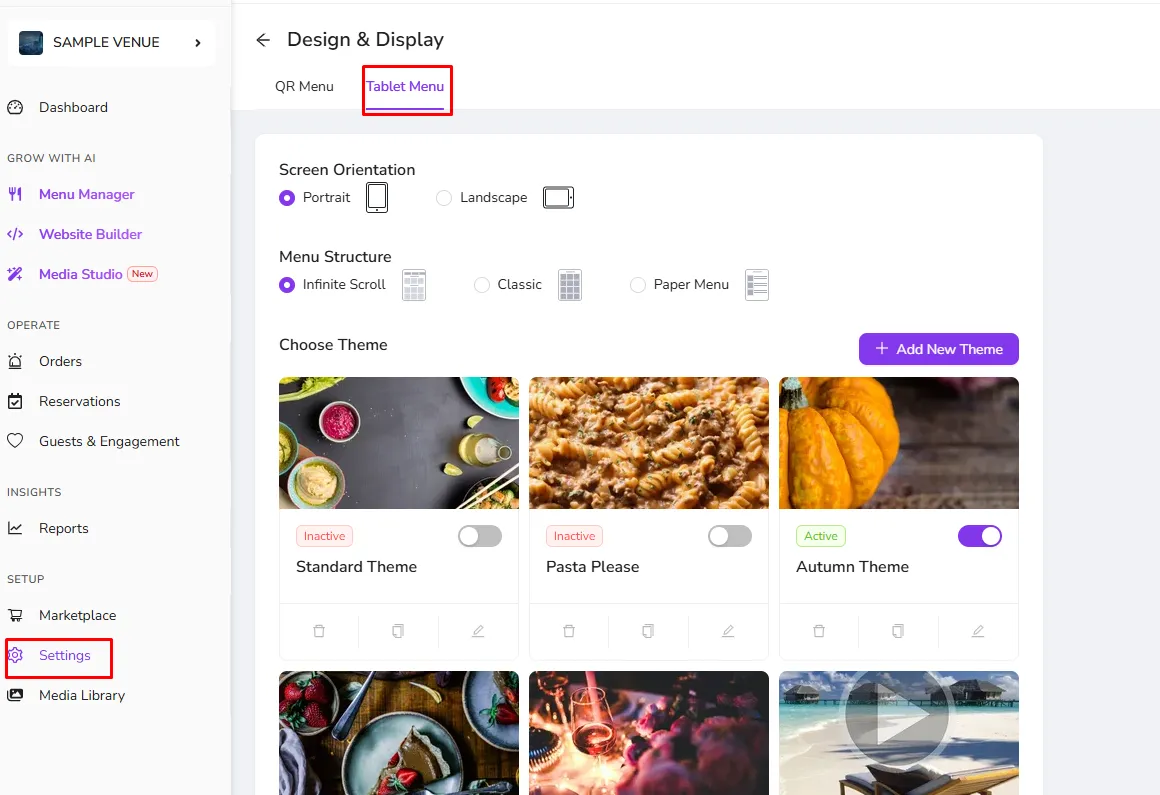
The Design page of the tablet menu allows you to set up your Tablet Menu Orientation and your Menu Structure where you will be able to have different options for how your customers will use your menu.
Themes:
This section of the design page holds the different themes that you can create for your tablet menu. FineDine provides new themes regularly to allow your menu to always be up to date but you can also create your special customizable themes.
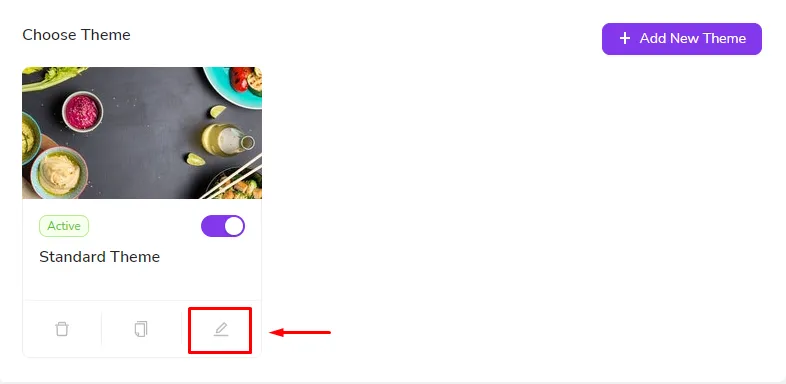
To customize the theme, click on the edit button, as shown in the picture below.
Adjust the theme information and menu button & background, and advanced colors however you like them. Check the Design Color Guide for more details.
When you are done save the changes and publish them to your devices!
Was this article helpful?
Related articles
- Venue InformationThe page that contains your brand information
- OperationsConfigure the system to be match your business profile and how you operate
- QR CodesGet your QR codes for your QR menu and your Tablet menu and get your menu ready to be shared with your customers.
- Design & Display OptionsModify the look and feel of your menu to reflect your brand
Still need help?
Our support team is here for you. Start a chat and we'll get you an answer.