This guide covers everything: what a QR menu actually is, how it works, why it matters for your bottom line, how to create one, and how to avoid the mistakes that make guests wish you had just handed them a paper menu.
What Is a QR Menu?
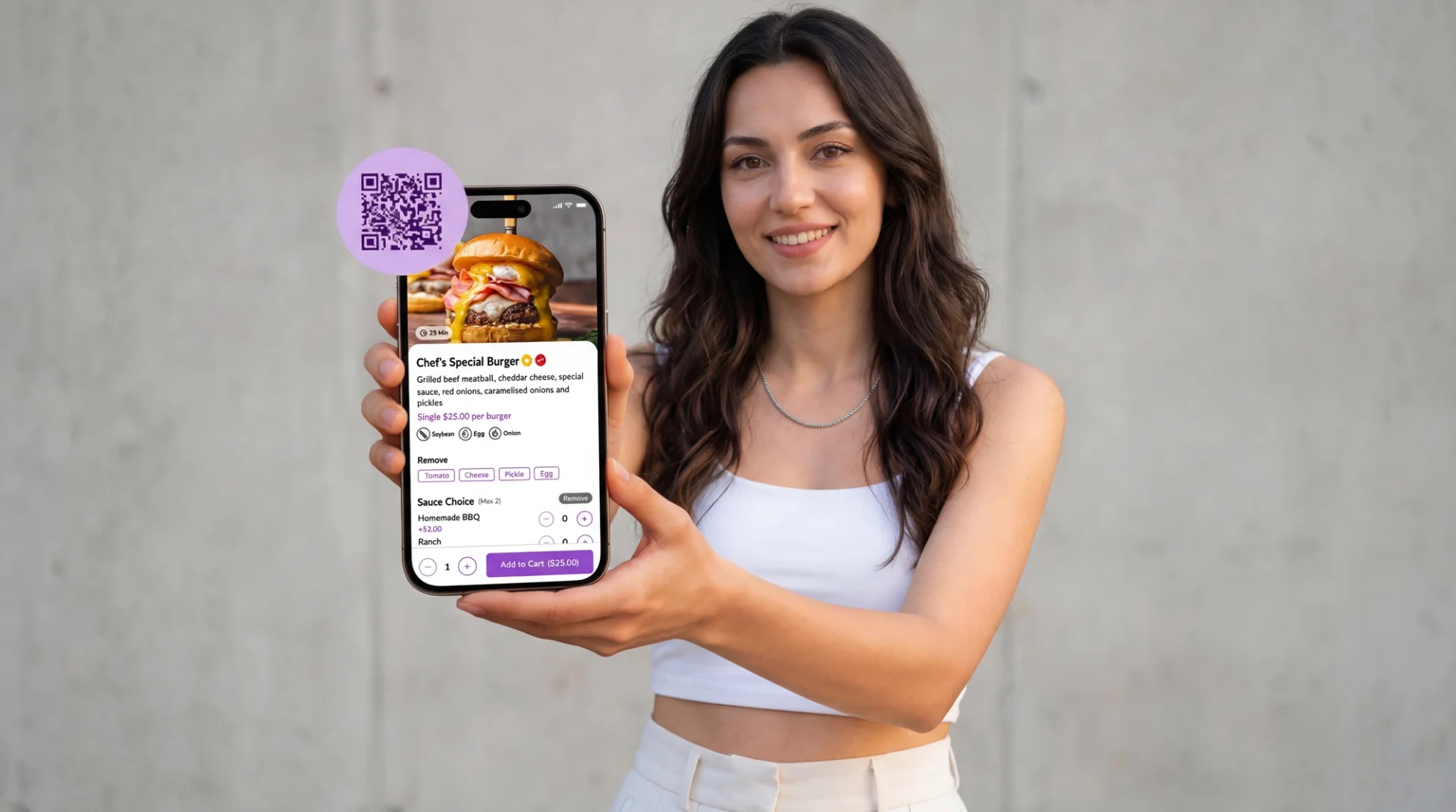
A QR menu is a digital restaurant menu that guests access by scanning a QR code with their smartphone camera. Instead of a physical menu card, the guest sees your full menu on their phone's browser — typically with photos, item descriptions, prices, dietary information, and sometimes the ability to place an order directly.
The QR code itself is simply a bridge. It translates a printed pattern into a web link that opens your digital menu. The real value lies in what that digital menu can do — which is far more than a piece of paper ever could.
How Does a QR Code Menu Work?
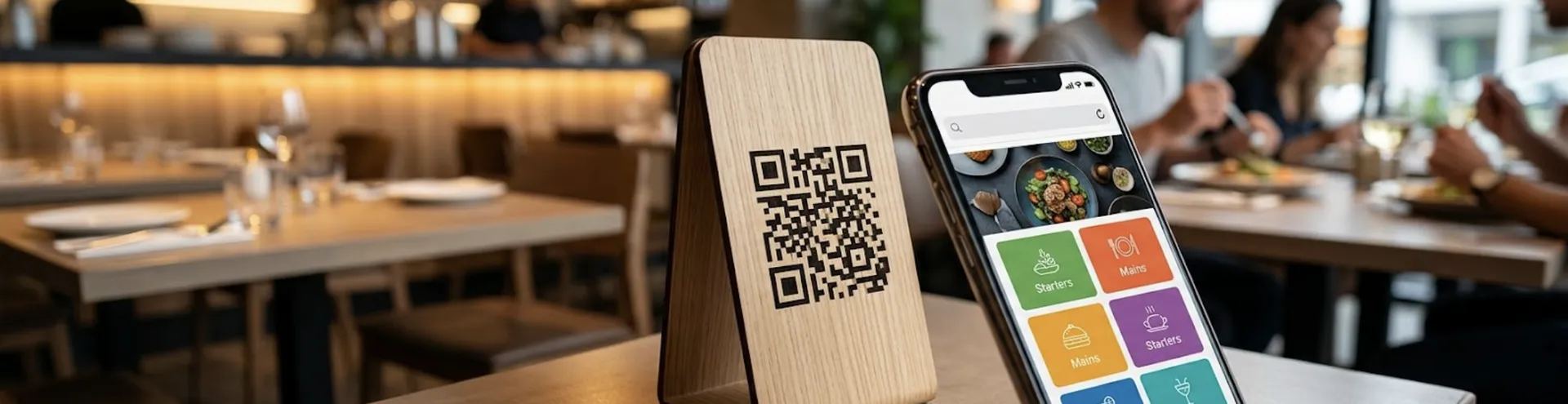
The process is straightforward. You generate a unique QR code linked to your digital menu. That code gets printed on table tents, stickers, coasters, or any surface where guests can easily scan it. When a guest points their phone camera at the code, it opens your menu in their mobile browser. No app download required, no special software needed on the guest's end.
Behind the scenes, your menu lives on a platform where you can update it anytime. Change a price, add a seasonal special, mark an item as sold out — the changes appear instantly for every guest who scans the code. The QR code itself never changes, even when your menu does.
Why Are QR Menus Important for Restaurants in 2026?
The restaurant industry has moved past the "should we go digital?" question. The question now is how well your digital menu serves your guests and your operations. Here is why the QR menu has become essential:
Speed of service. When guests can browse your menu the moment they sit down — without waiting for a server to bring one — they make decisions faster. This reduces idle time, speeds up table turnover during peak hours, and directly impacts your revenue capacity.
Operational flexibility. Running out of an ingredient at 7 PM on a Friday? Mark it sold out on your digital menu in seconds. Launching a weekend brunch special? Add it without reprinting anything. This real-time control eliminates the mismatch between what your menu promises and what your kitchen can actually deliver.
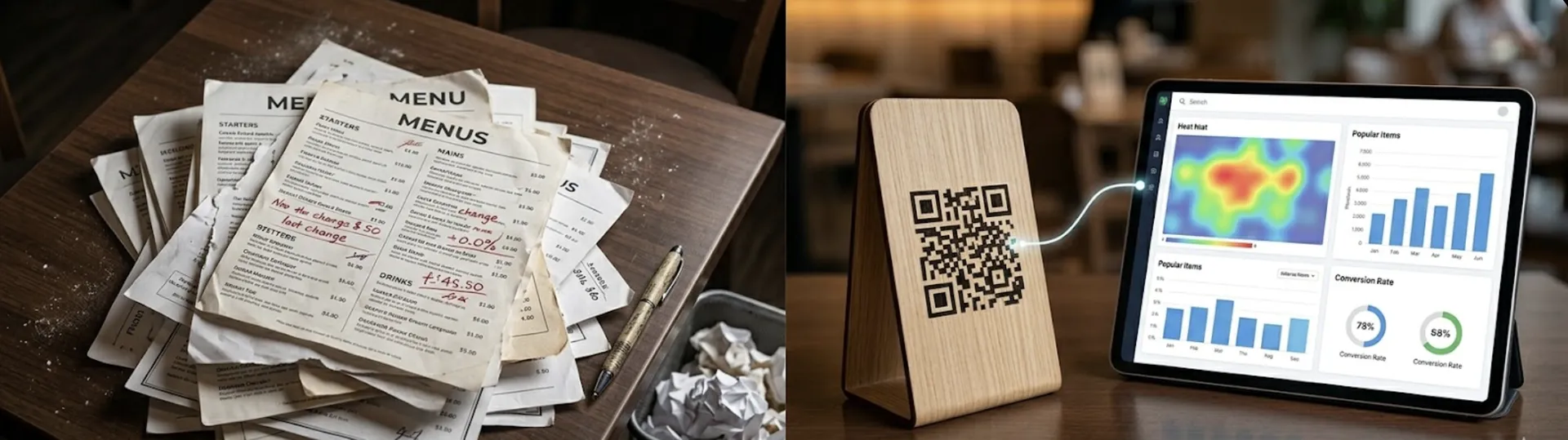
Cost reduction. Every time you change a price or add a seasonal item to a paper menu, you pay for redesign and reprinting. Over a year, those costs add up to thousands. A digital QR menu costs a fraction of that and offers unlimited updates.
Multilingual capability. If your restaurant attracts tourists or operates in a cosmopolitan city, offering your menu in multiple languages is a significant competitive advantage. A digital menu handles this seamlessly — one menu, multiple languages, no separate printouts.
Data and insights. A paper menu tells you nothing about how guests interact with it. A digital menu can show you which items get the most views, which categories guests browse first, and how long they spend deciding. This data feeds directly into smarter menu engineering decisions.
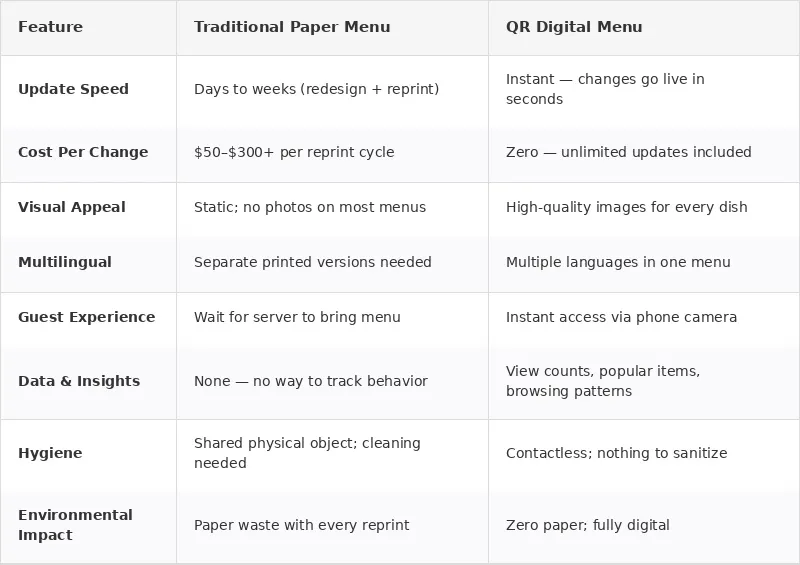
QR Menu vs. Paper Menu: A Side-by-Side Comparison
The table below compares the traditional paper menu approach with a modern QR menu system across the factors that matter most to restaurant operators:
How to Create a QR Menu for Your Restaurant
Setting up a QR menu does not require technical expertise. Here is the practical, step-by-step process:
Step 1: Choose Your Platform
Not all QR menu solutions are the same. Some simply convert your existing PDF into a scannable link — which looks terrible on mobile and offers zero flexibility. The platforms worth considering are the ones that let you build a proper digital menu with photos, categories, descriptions, and real-time editing.
FineDine's Menu Manager is built specifically for this. Upload a photo of your existing menu, and the AI automatically detects your items, generates descriptions, and creates a professional digital menu in minutes. No design skills required. You get a fully functional QR menu that looks polished on every device.
Step 2: Structure Your Menu Digitally
Think about how guests will browse on a phone screen. Categories should be clear and tappable. Items should have concise descriptions. High-margin dishes should be visually highlighted. If you have a large menu, collapsible sections prevent endless scrolling.
Step 3: Add High-Quality Visuals
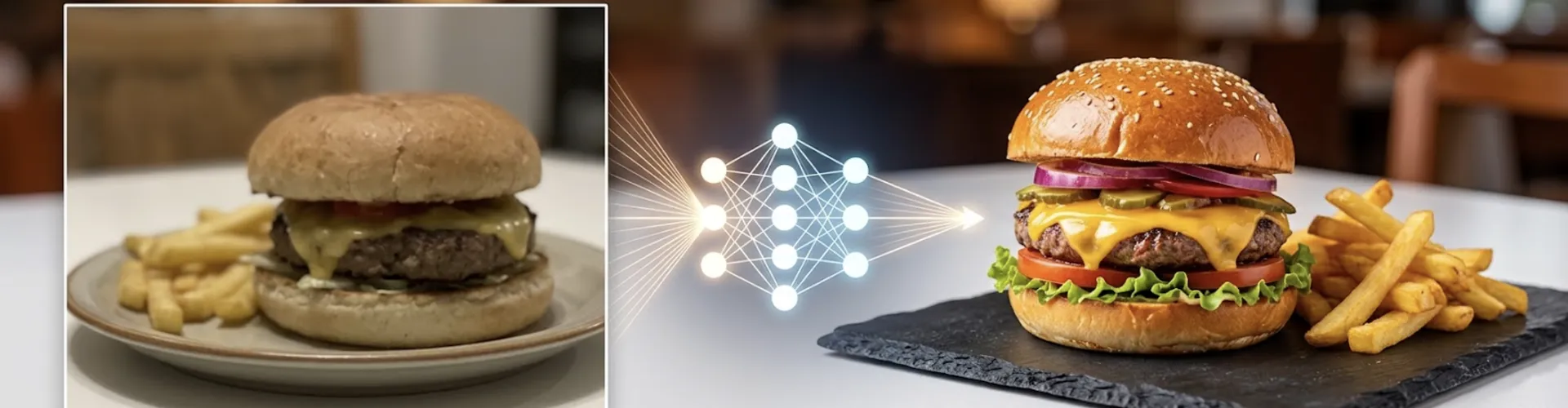
This is where most restaurants fail. A digital menu without photos is a missed opportunity. Guests eat with their eyes first, and on a phone screen, a beautiful image of your signature dish can be the difference between that item being ordered or ignored.
If you do not have professional photos — and most restaurants do not for every single dish — FineDine's AI Media Studio can generate realistic food images from your dish descriptions, or enhance existing photos to professional quality. No photographer needed, no delay, no excuses.
Step 4: Generate and Place Your QR Code
Once your digital menu is live, generate your QR code and place it where guests can easily scan it. Table tents are the most common placement, but consider also: the entrance area for walk-ins browsing before they commit, the bar counter, outdoor seating areas, and takeaway counters.
Pro Tip: Test your QR code on multiple phones before going live. Make sure it loads fast, looks good on both iOS and Android, and works under the lighting conditions of your restaurant. A code that does not scan in dim lighting defeats the purpose.
Step 5: Keep It Updated
A QR menu is only as good as its last update. If a guest scans your code and sees a summer special in December, your credibility takes a hit. The beauty of digital is that updates take seconds — but only if someone actually does them.
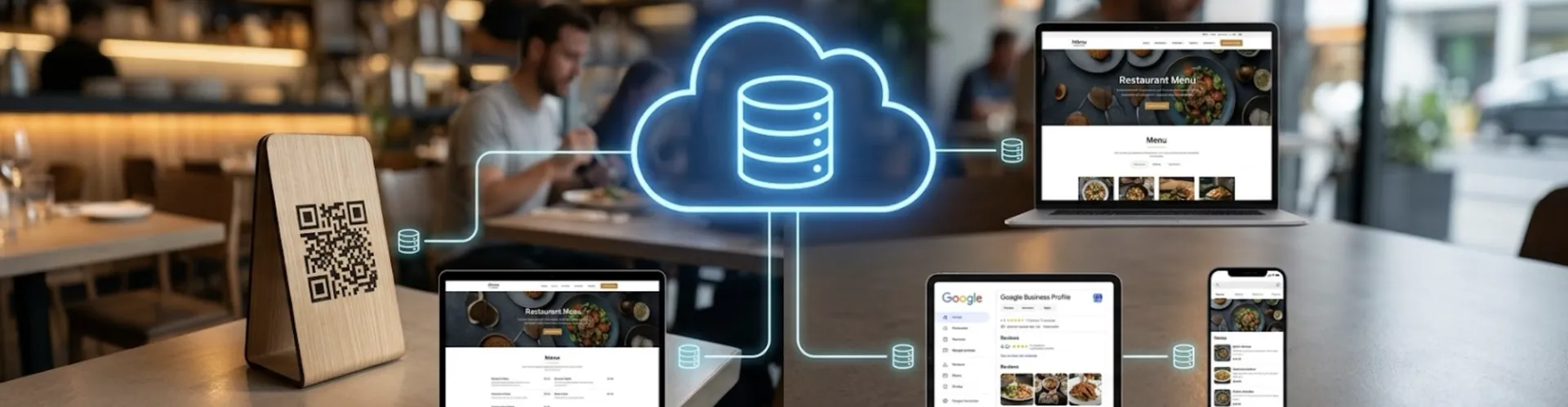
With FineDine, your menu updates propagate instantly across your QR code, your website, and your online ordering page. One change, everywhere at once.
Common QR Menu Mistakes to Avoid
Linking to a PDF. This is the single most common mistake. A PDF on a phone screen requires pinching, zooming, and scrolling sideways. It looks unprofessional and frustrates guests. Your QR code should link to a mobile-optimized digital menu, not a document.
No photos. A text-only digital menu wastes the biggest advantage of going digital. If you are going to ask guests to look at a screen, give them something visually compelling to look at.
Forgetting to update. An outdated digital menu is worse than a paper menu, because it signals neglect and creates false expectations.
Poor QR code placement. If guests cannot find the code, they cannot use it. If the code is too small, too far away, or placed on a dark surface in dim lighting, it will not scan.
No fallback. Some guests, particularly older demographics, may not be comfortable with QR codes. Always have a solution available for those who prefer it — whether that is a verbal walkthrough from the server or a single printed copy at the host stand.
Advanced QR Menu Strategies for 2026
Once your basic QR menu is running, here are the strategies that separate good from great:
Upselling through design. Position your highest-margin items at the top of each category. Use "Chef's Recommendation" or "Most Popular" tags to guide decision-making. Digital menus make this kind of psychological nudge easy to implement and test.
Seasonal rotations. Add limited-time sections for holidays, seasonal ingredients, or special events. Remove them when the moment passes. This keeps your menu feeling alive and gives regulars a reason to check what is new.
Integration with your website. Your QR menu should not exist in isolation. When it syncs with your restaurant website, guests who find you through Google see the same updated menu as those sitting at your table. FineDine's Website Builder handles this automatically — your menu, your website, and your Google Business Profile all stay in sync without manual effort.
Multilingual expansion. If you serve international guests, adding a second or third language to your digital menu is one of the highest-ROI moves you can make. A tourist who can read your menu in their language is far more likely to order confidently and spend more.
Your Website and QR Menu: A Connected Experience
Your QR menu is not just a dine-in tool. It is the digital representation of your restaurant that lives on your website, your Google Business Profile, and every platform where guests discover you.
FineDine's Website Builder creates a professional restaurant website that automatically pulls your menu from the Menu Manager. When you update a dish, the website reflects it. When you add a seasonal section, it appears online. Your Google Business Profile integration means your restaurant information, reviews, and photos are always current and visible to potential guests searching for their next meal.
This connected approach means you manage one menu, and it shows up everywhere — at the table, on Google, on your website, and on your social channels.
Conclusion: The QR Menu Is Your Restaurant's Digital Front Door
The QR menu is no longer optional — it is the foundation of a modern restaurant's digital presence. Done right, it speeds up service, reduces costs, improves the guest experience, and gives you data to make smarter business decisions. Done poorly, it frustrates guests and undermines the experience you have worked so hard to create.
The difference comes down to execution. A mobile-optimized menu with professional photos, real-time updates, and seamless integration across your website and ordering channels is what separates restaurants that thrive digitally from those that merely survive.
FineDine's Menu Manager makes creating and maintaining a professional QR menu effortless. The AI Media Studio ensures your food looks stunning on screen. And the Website Builder connects everything into a cohesive digital presence that works as hard as your kitchen does.
Your menu is the first thing guests see and the last thing they remember. Make it count.
Ready to create your restaurant's QR menu? Upload your menu, let AI do the work, and go live in minutes. Start your free 14-day trial with FineDine today.