How Can I Change My QR Code Color?
Updated: September 22, 2026
Your QR Codes for Dine-In QR Menu and Delivery & Pick Up can be recolored as you like to reflect your branding!
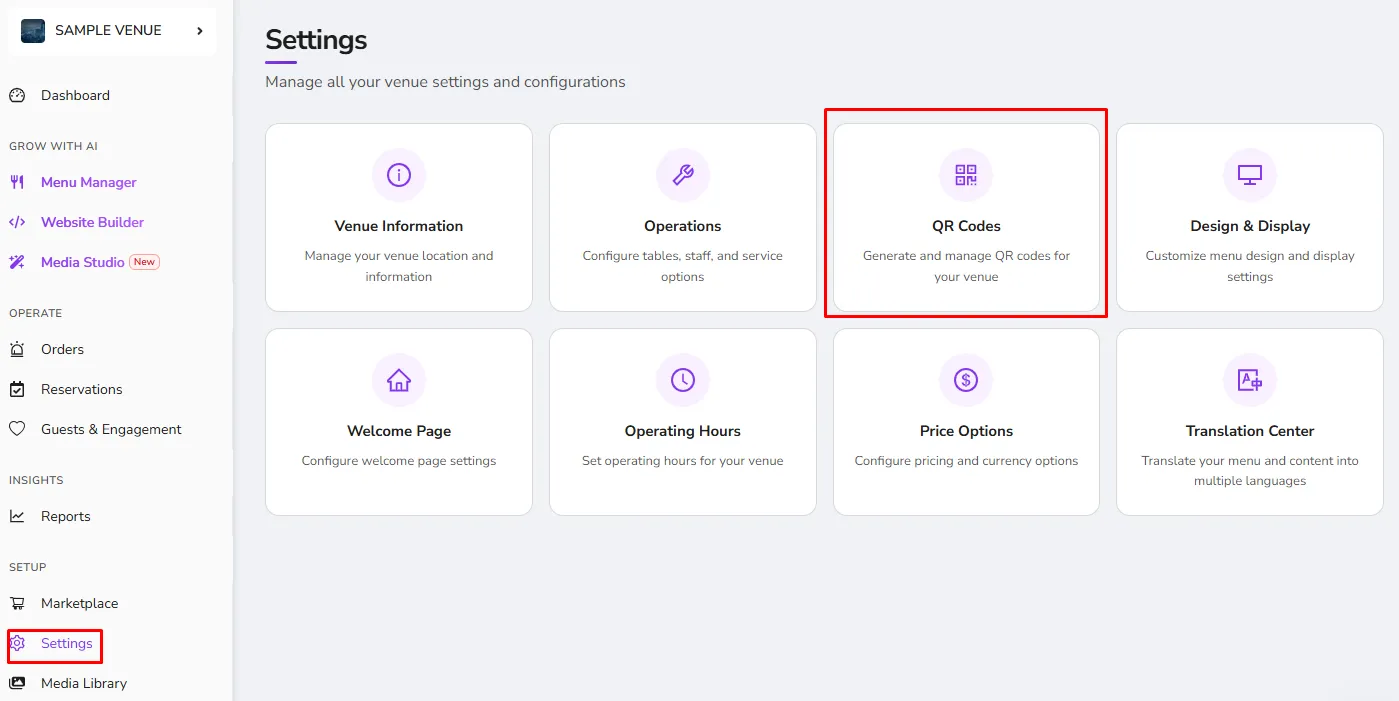
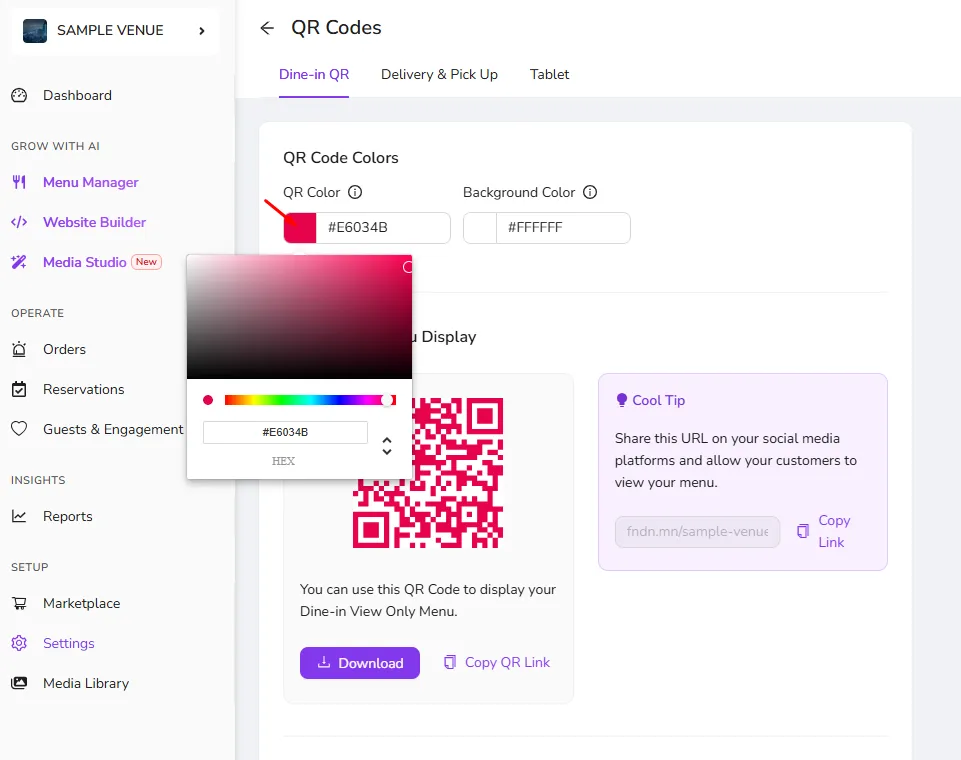
*In order to apply the changes "Save" button should be clicked at the end of the configurations.
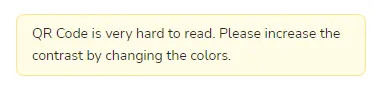
- This warning indicates that QR Code Colors should be reconfigured to have more contrast between colors as some devices may face issues during scanning.
Was this article helpful?
Related articles
Still need help?
Our support team is here for you. Start a chat and we'll get you an answer.