How Can I Disable Search Engine Indexing for My Menu?
Updated: February 17, 2026
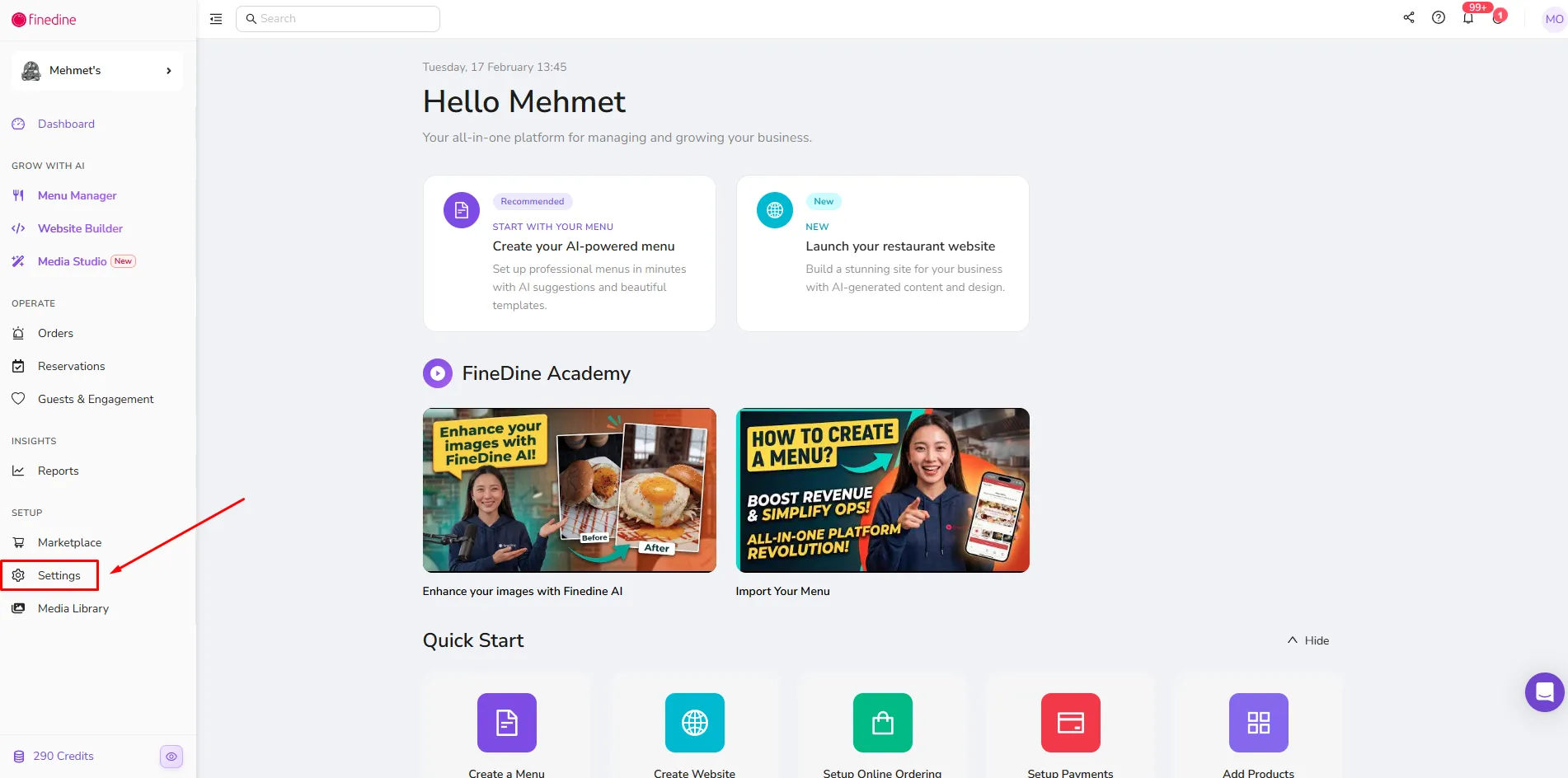
1. To disable search engine indexing for your menu, first click on Settings:
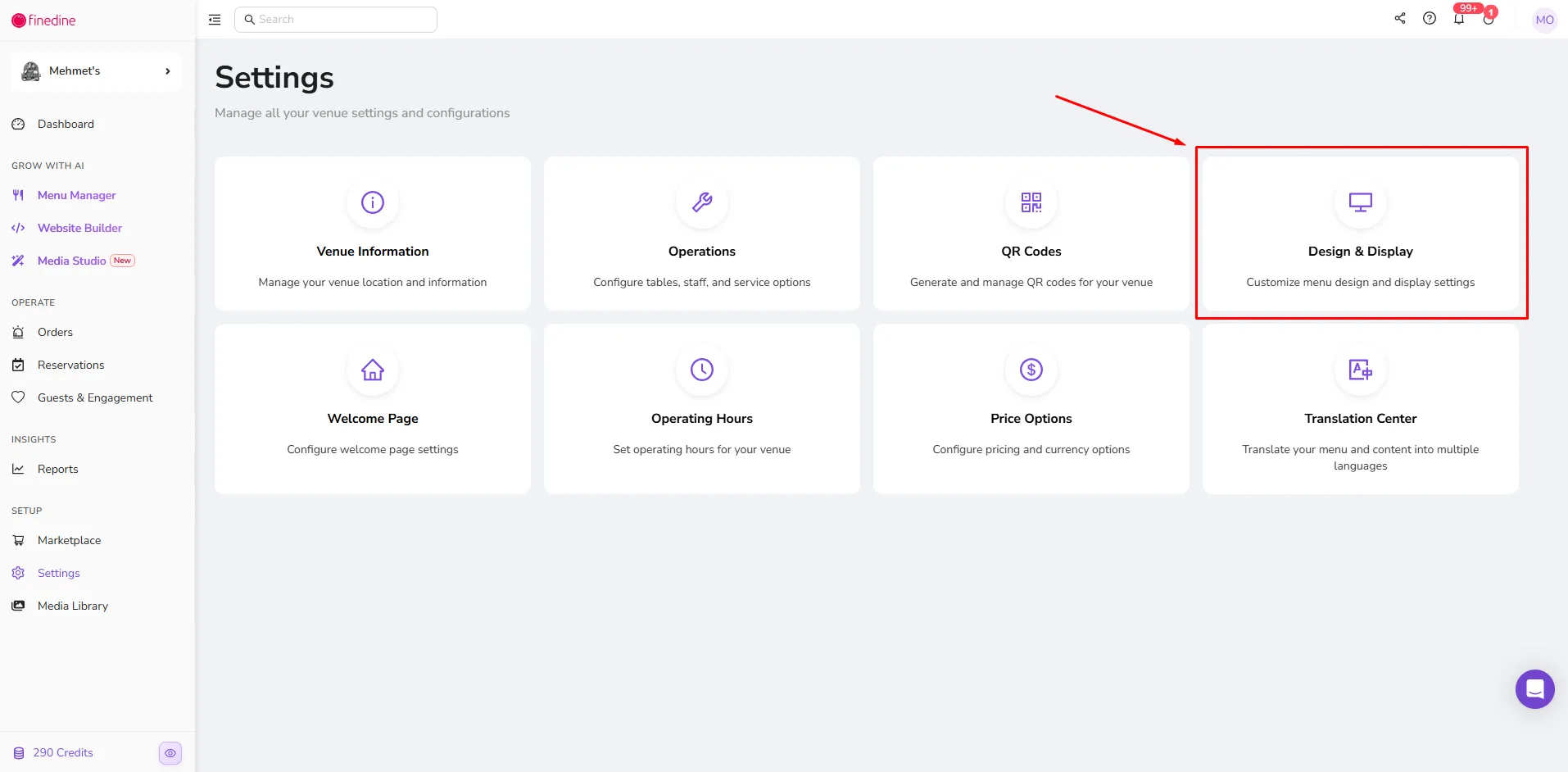
2. Then navigate to the Design & Display page:
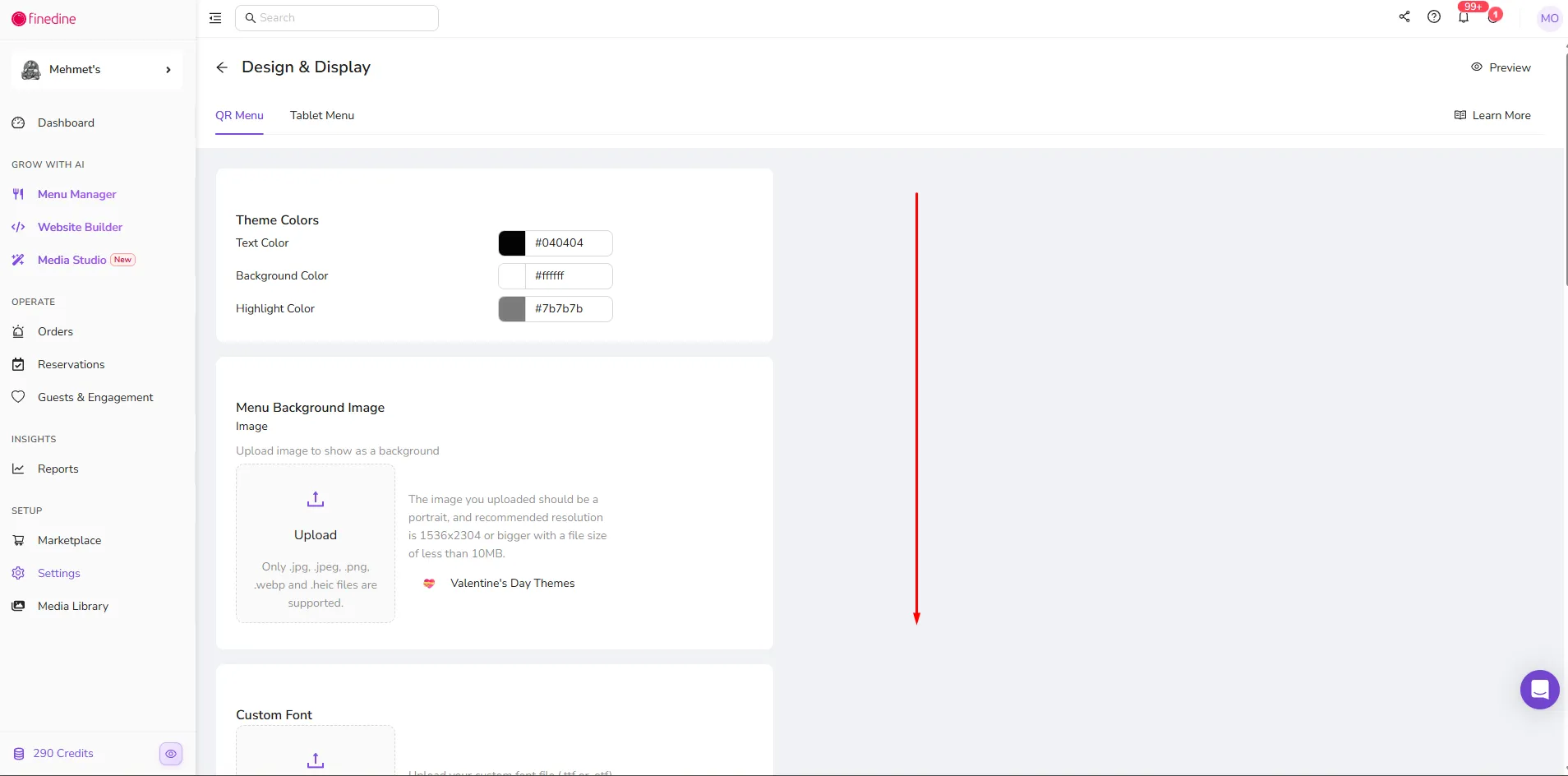
3. While on the QR Menu section within the Design & Display page, scroll down:
4. At the bottom of the page, turn off the Discoverability setting:
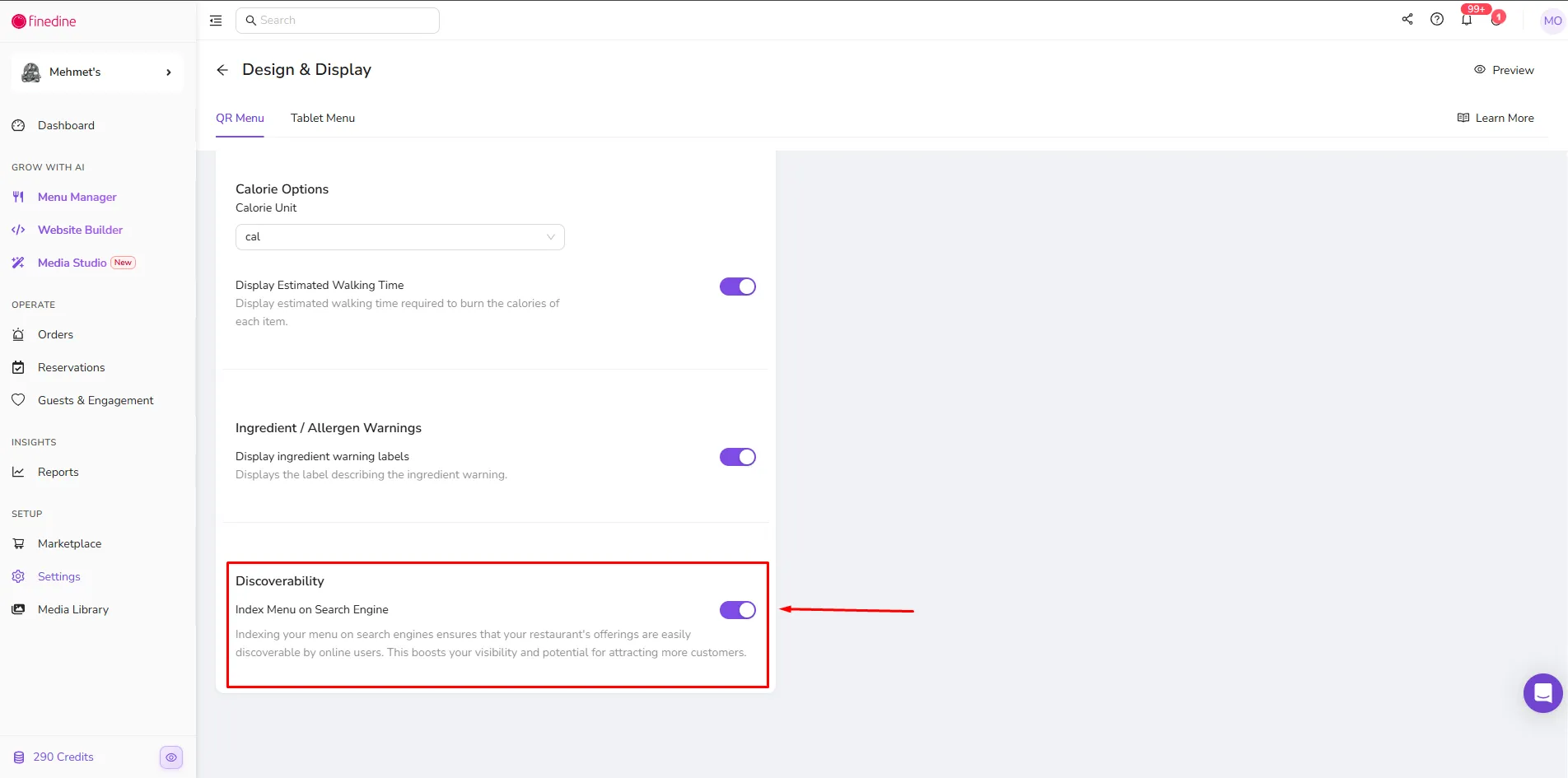
Congratulations! Your FineDine menu will no longer be indexed by search engines.
Note: After disabling this setting, it may take a few days for your menu to be removed from search engine results.
Was this article helpful?
Related articles
Still need help?
Our support team is here for you. Start a chat and we'll get you an answer.