How Can I Export My Menu as PDF File?
Updated: July 25, 2026
Exporting your menu as a PDF file is a simple process that can be done in a few steps.
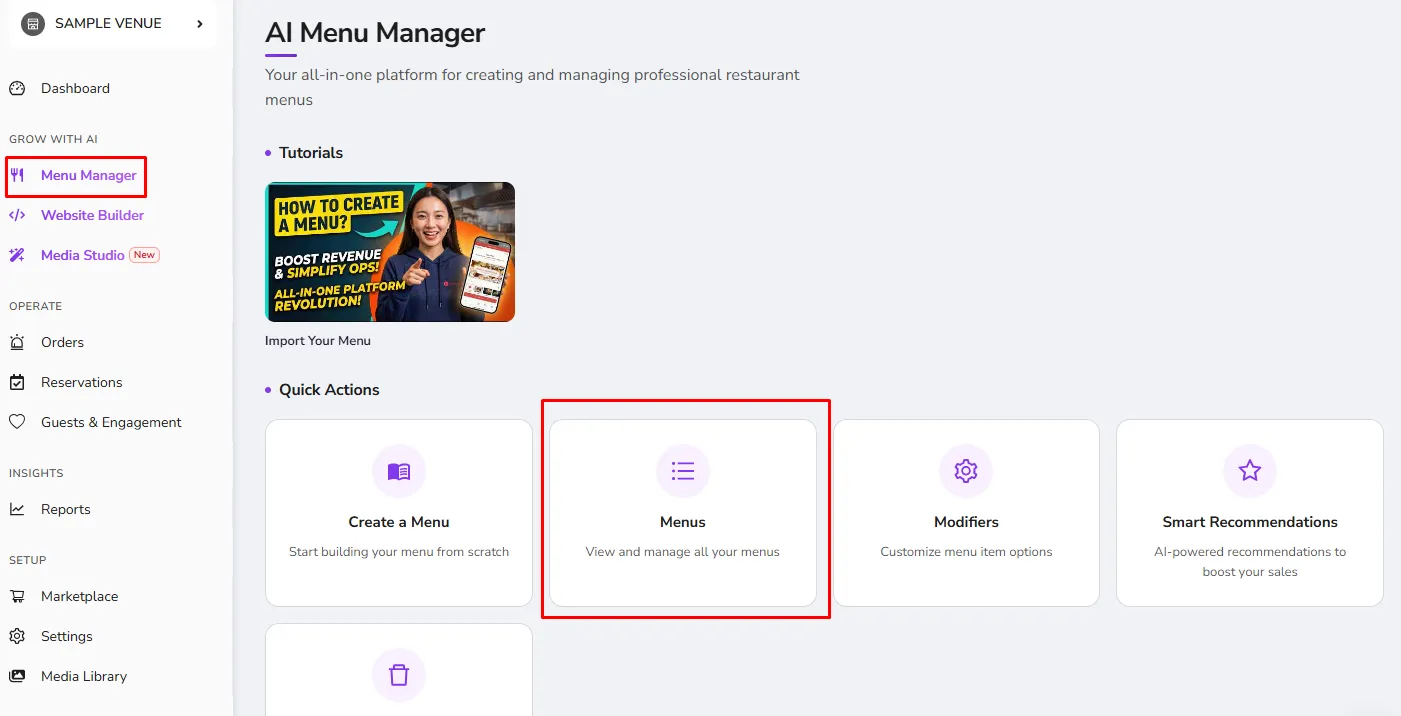
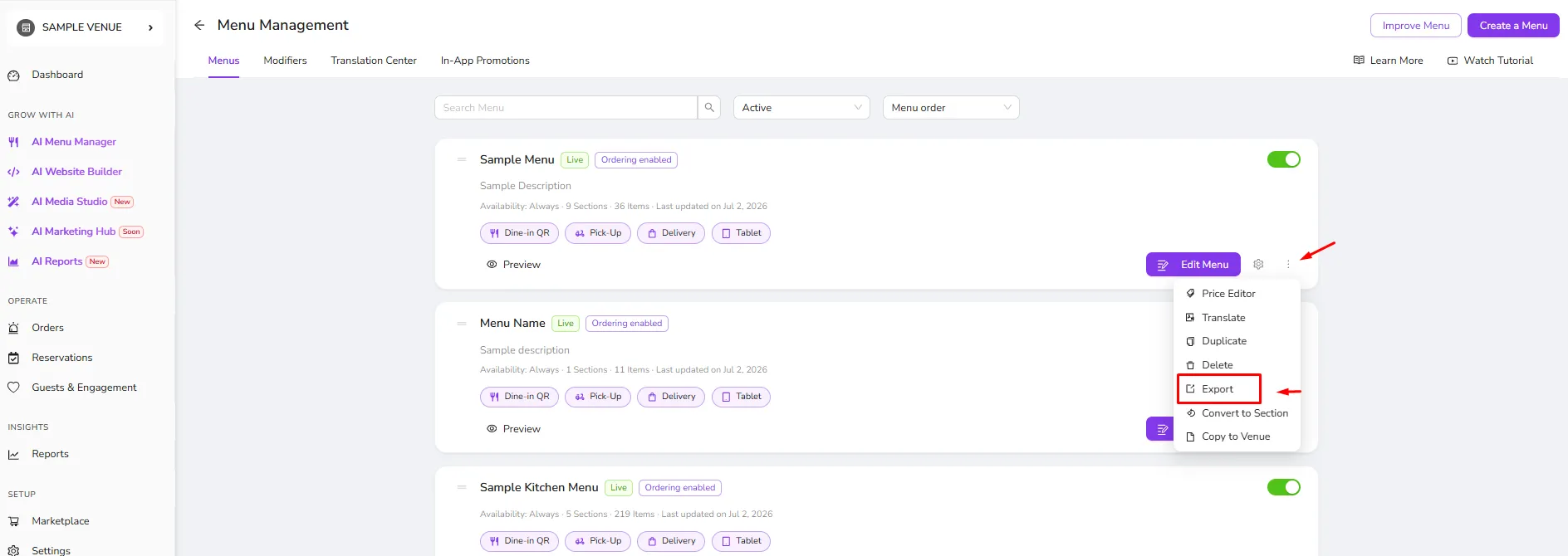
- 1- Go to the Menu Management page and click the 3 dots button for the menu you wish to export
- Select the "Export" option and the language you wish the exported menu to be in.
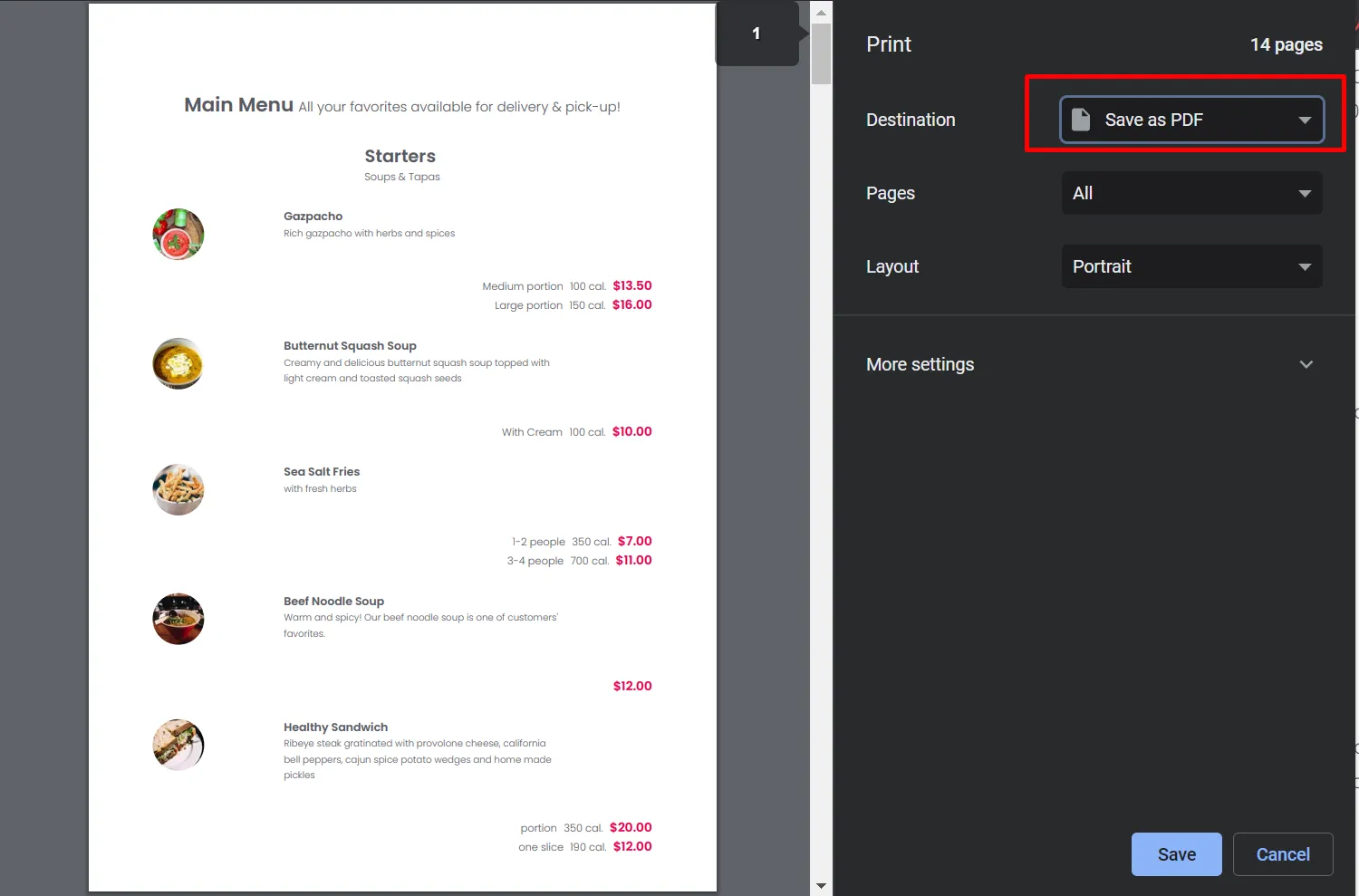
- You will be redirected to a page where you will see your menu as a list. Print this page using your browser's page printing option (Keyboard shortcut for Windows: Ctrl+P, for Mac: Command+P) and select the option "Save as PDF" to obtain a PDF version of your menu.
Was this article helpful?
Related articles
Still need help?
Our support team is here for you. Start a chat and we'll get you an answer.