How to Display the Nutrition Information of My Dishes?
Updated: September 22, 2026
You can easily display the Nutritional Information of your dishes on your menus in simple steps🚀
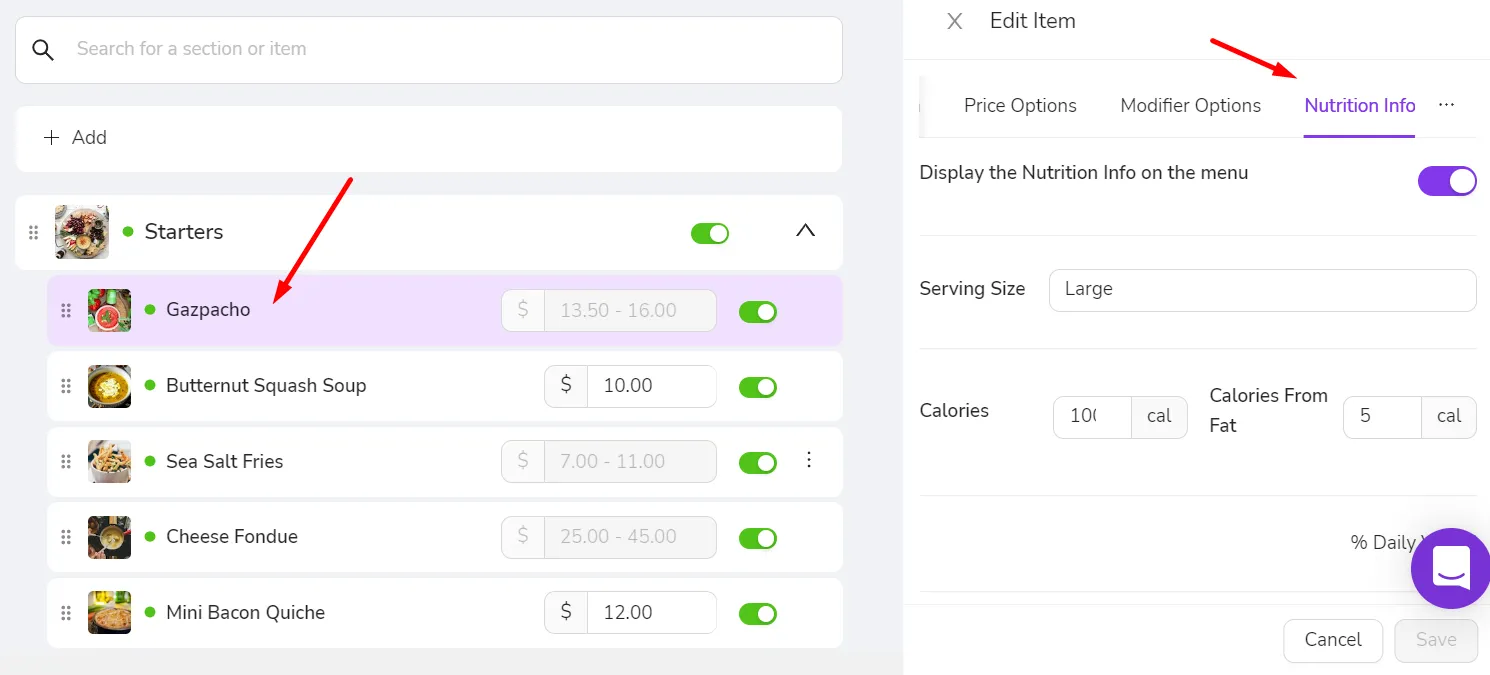
- Go to Menu Management
- Select the item you would like to add information to
- Click to the "Nutrition Info" tab on the Edit Item drawer and enter all the information you would like to display for your item 🔥
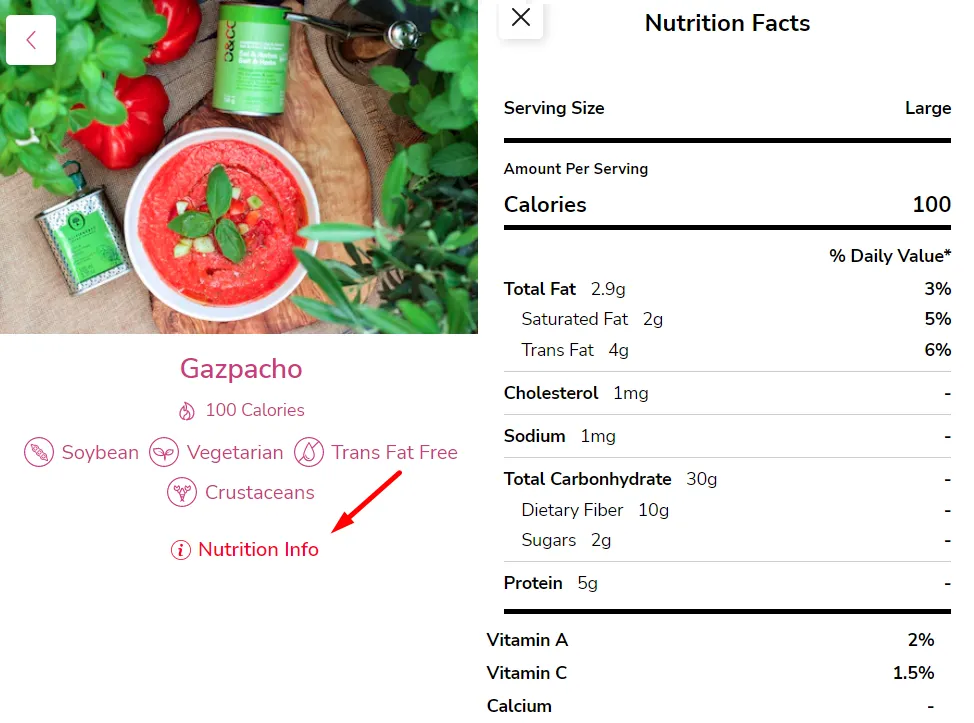
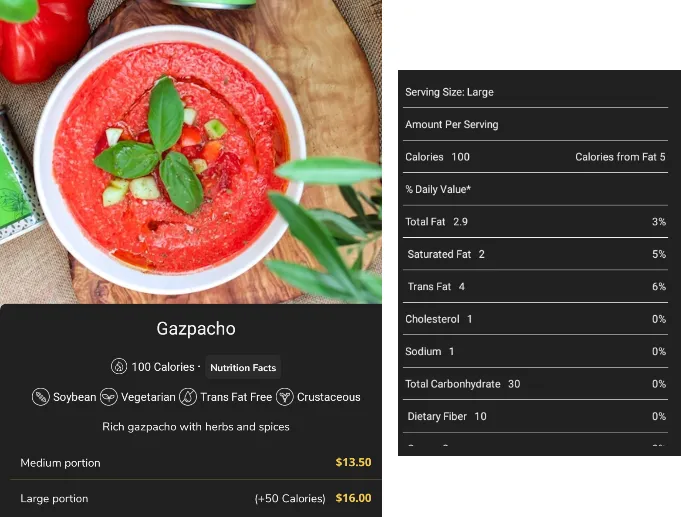
Once entered and saved; all the information can be reached by your guests from both Tablet Menu and Mobile Menus
Mobile Menu
Tablet Menu
Was this article helpful?
Related articles
Still need help?
Our support team is here for you. Start a chat and we'll get you an answer.