How to insert an image or a video as a homepage background on your tablet menu?
Updated: September 22, 2026
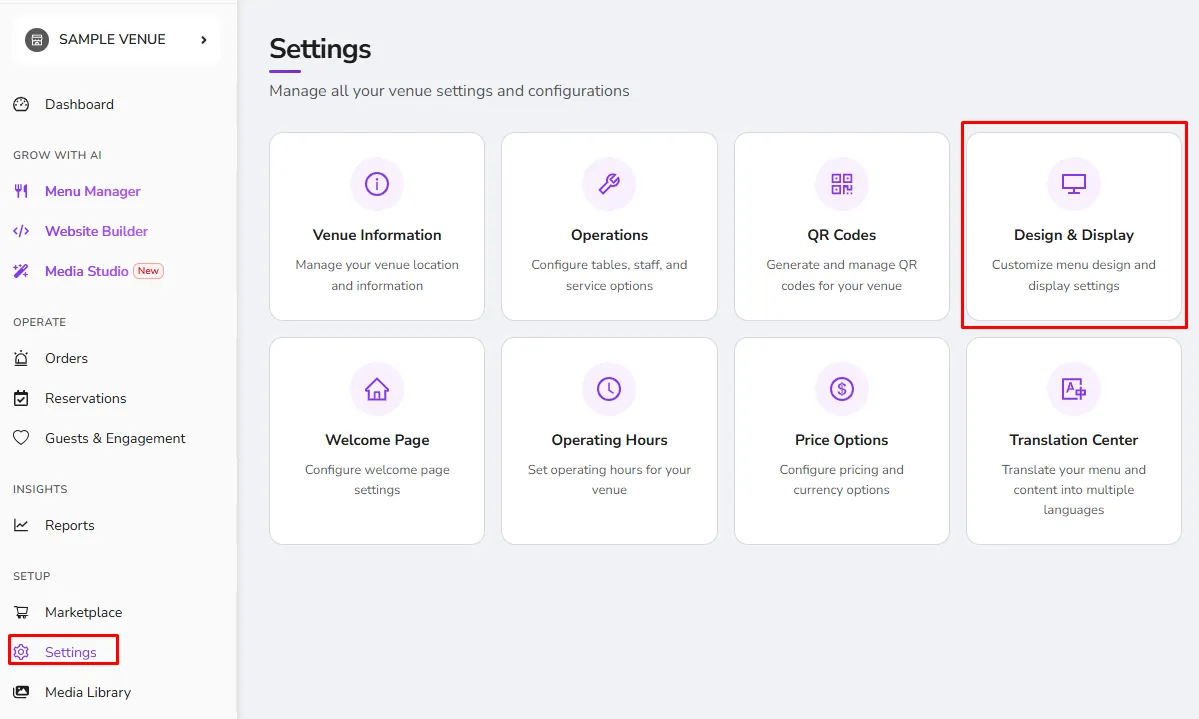
In order to insert an image or a video as a homepage background for your tablet menu, simply visit the Design>Tablet Menu tab and click the "Edit" button of your active theme.
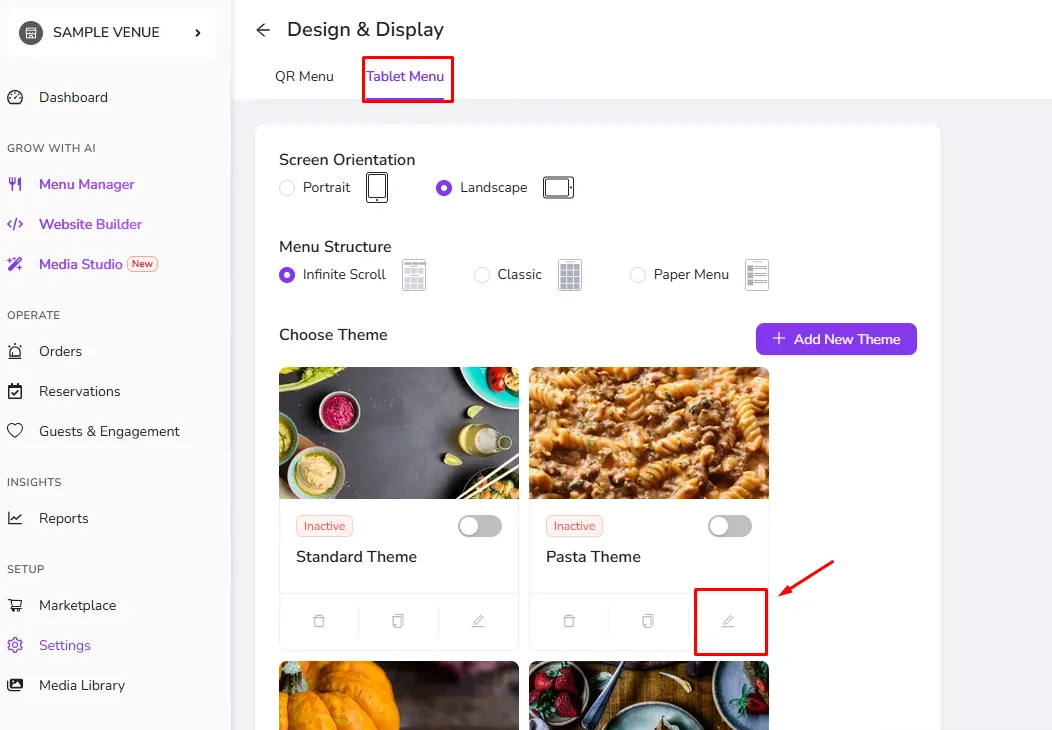
From there you will be able to modify the background photo/Video of your tablet's design.
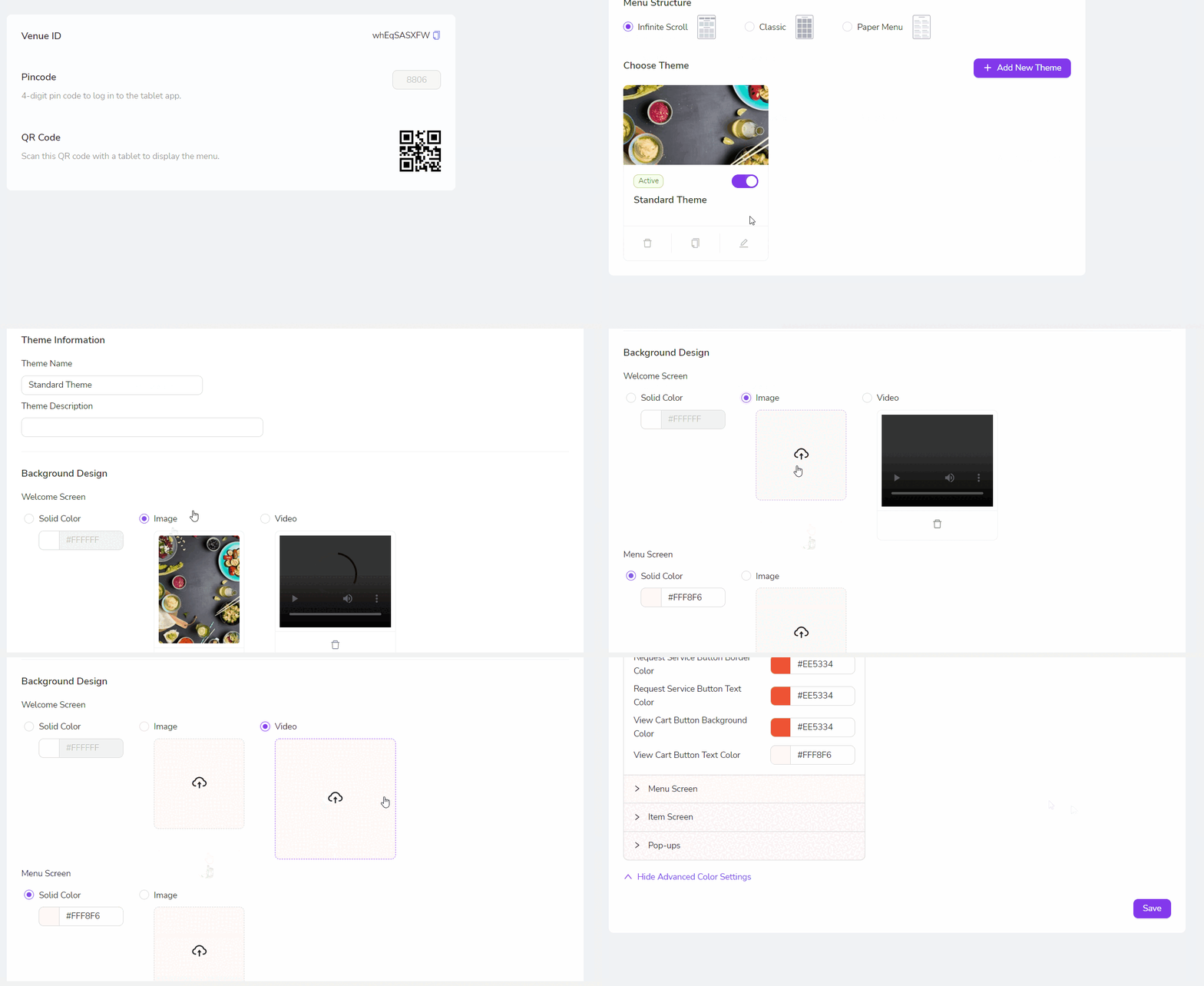
Please keep in mind that the maximum file size is 10 MB.
Was this article helpful?
Related articles
Still need help?
Our support team is here for you. Start a chat and we'll get you an answer.