How to Set Multiple Prices for an Item?
Updated: September 22, 2026
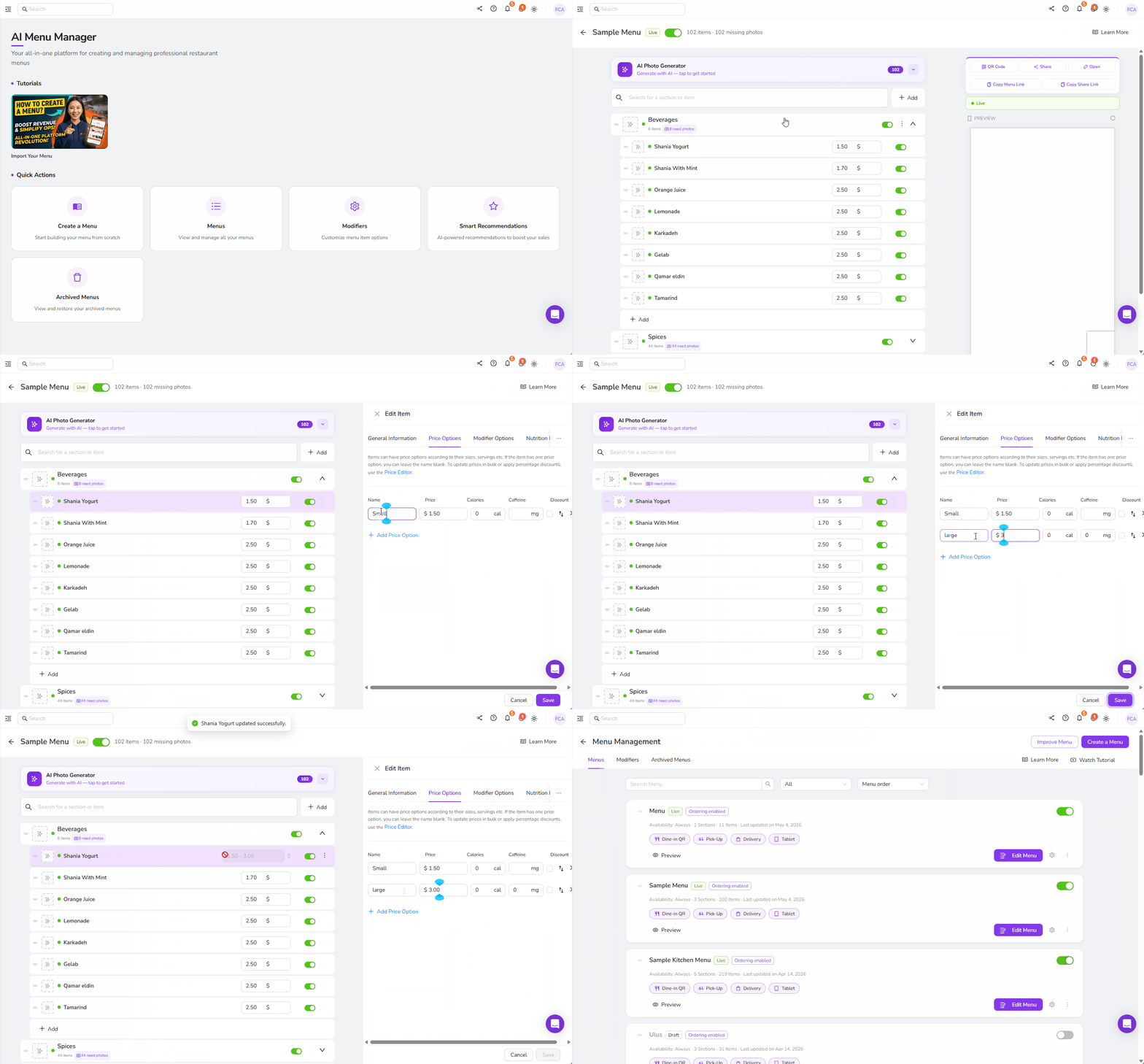
To set multiple prices for an item, you need to go to the Menu Management tab in your dashboard. Then select the menu where the item you want to set multiple prices to is located and click on the “Edit Menu” button. Once inside the menu, look for the item you want to set multiple prices, then click it.
When you click the item, a pop-up menu will appear. Choose the “Price Options” tab, and from there, you will see the Add Price Options button. Click it and start adding multiple prices for a single item. Do not forget to save before exiting the pop-up menu. Check out the example below.
Was this article helpful?
Related articles
Still need help?
Our support team is here for you. Start a chat and we'll get you an answer.