How to set up Dine-in Service Requests?
Updated: September 22, 2026
How to add a “Call Waiter” button?
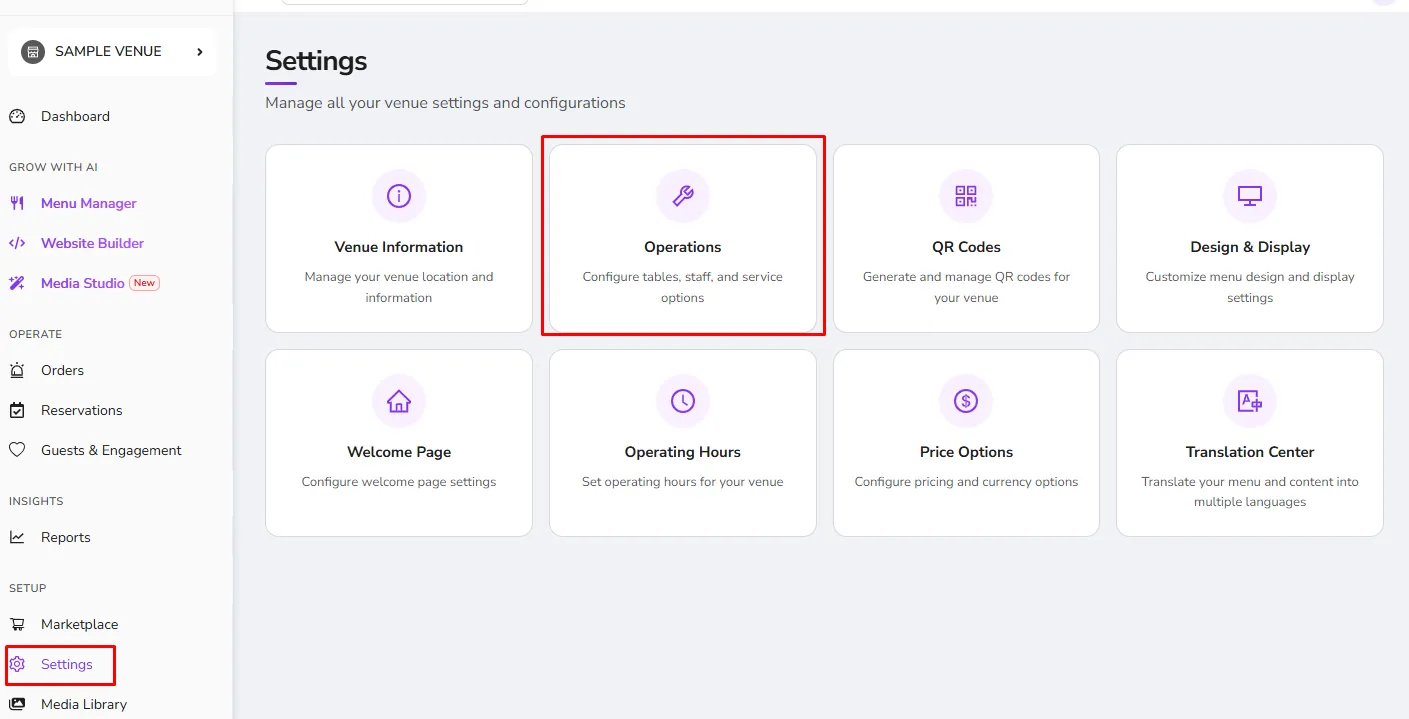
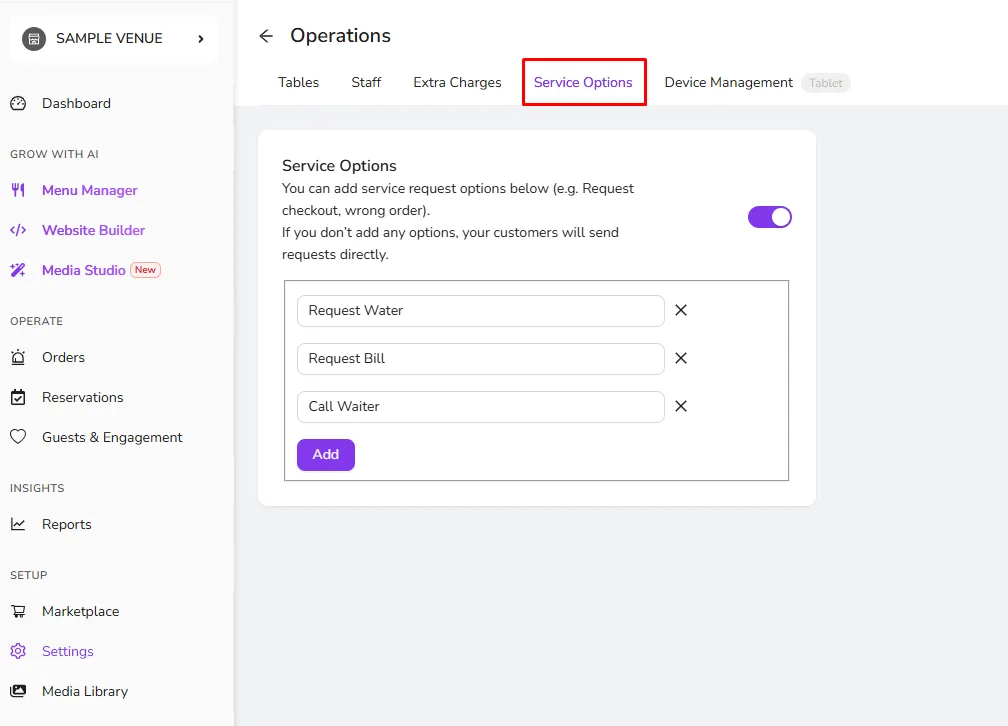
- Configure the Service Options from Settings>Operations page.
- Add service options based on what your guests can request.
- Localization of different languages can be modified via the Translation Center
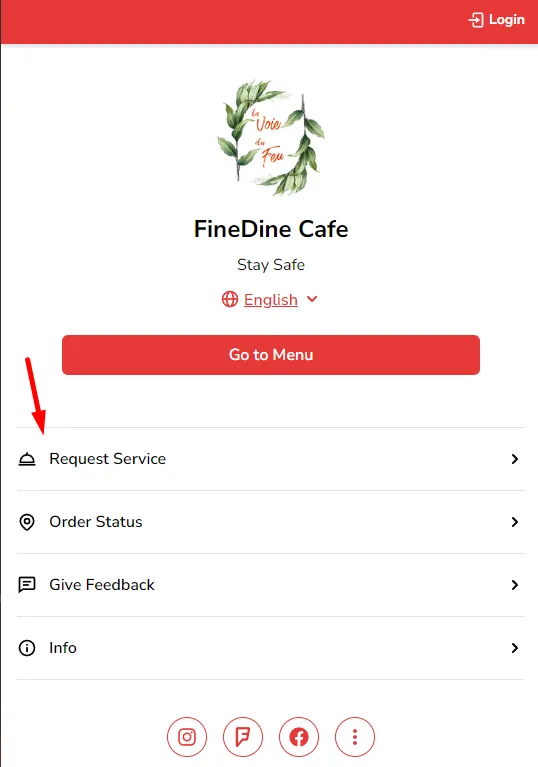
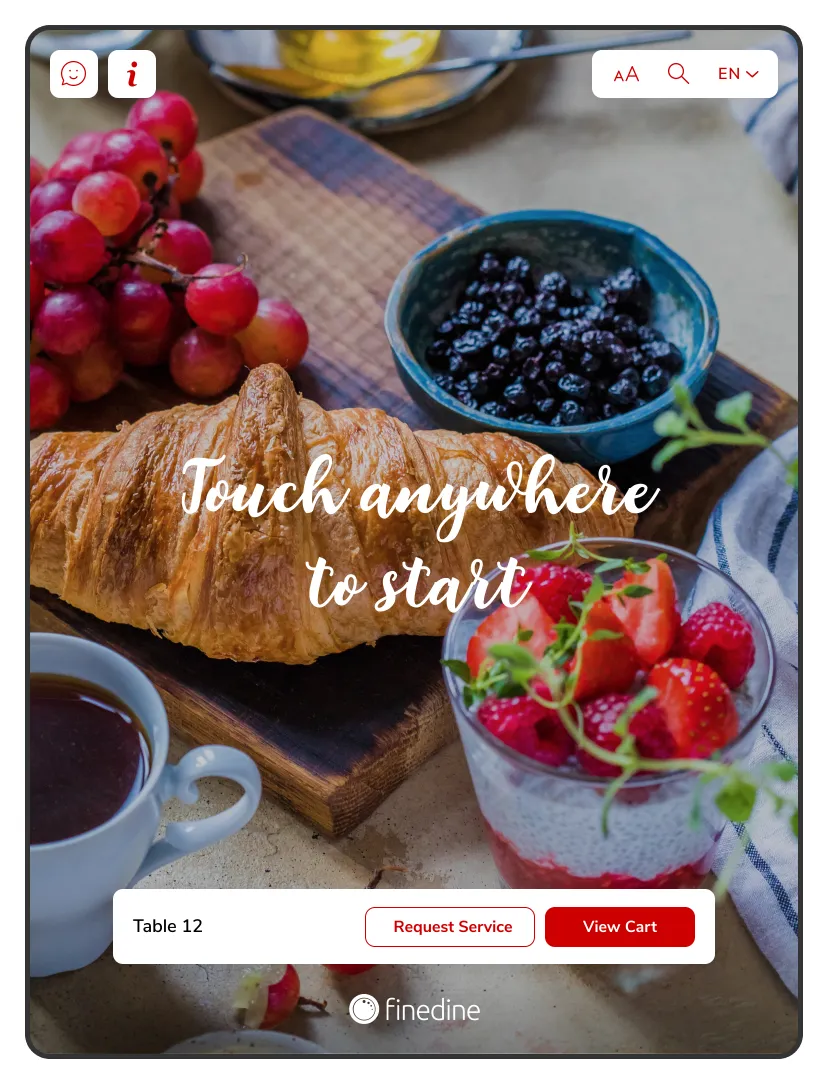
Guests can select which service they need and submit their requests from the respective buttons shown below for both Tablet Menu and Dine-In QR Menu; requests will be sent to the Dashboard directly.
Was this article helpful?
Related articles
Still need help?
Our support team is here for you. Start a chat and we'll get you an answer.