How to update the details of an item?
Updated: September 22, 2026
This article will guide you through the steps of modifying and editing the details and information of your menu items and many more options you can use from the Menu Management tab!
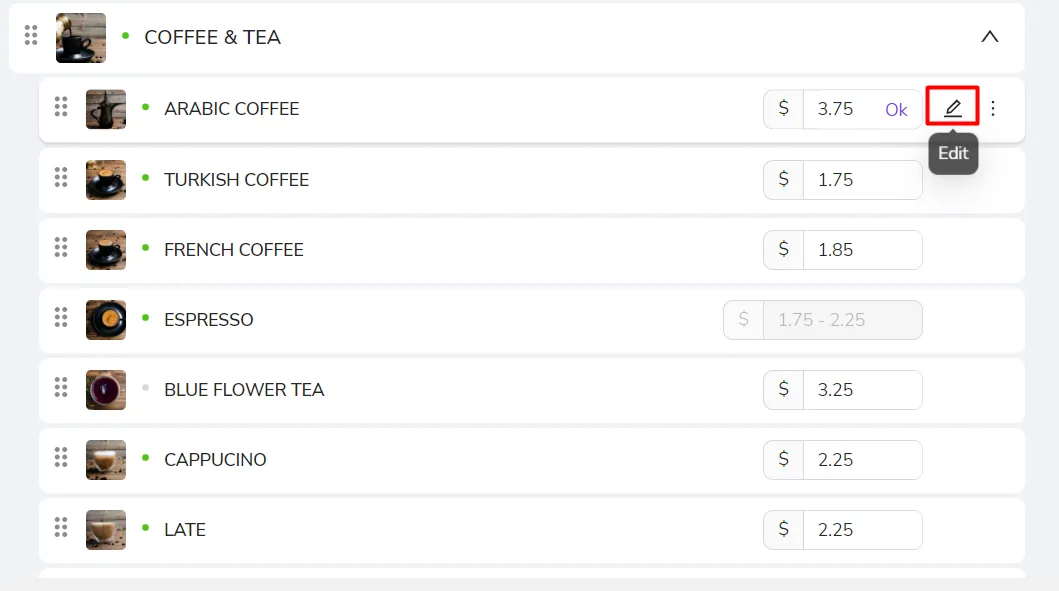
To change any of the details of the items on your menu, you need to go to this item then click on the Edit button as shown in the below picture.
After clicking, a window will open, as shown in the below record. From there, you will be able to change the price or description, image and video, and all the other details of this item.
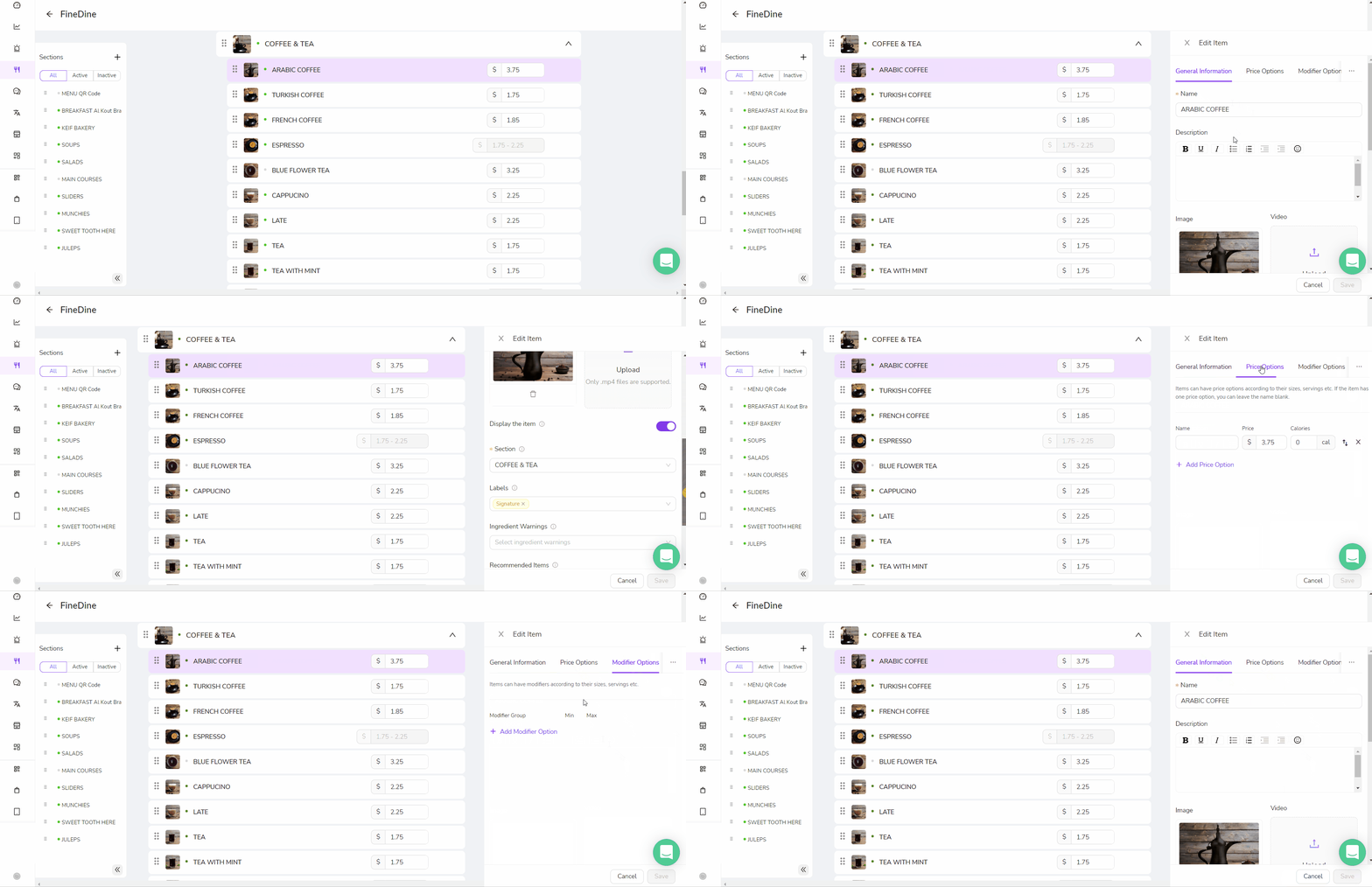
Please make sure you click on Save after making the changes so that it can reflect on your menu!
Was this article helpful?
Related articles
Still need help?
Our support team is here for you. Start a chat and we'll get you an answer.