How to Use "Ingredient Warnings"?
Updated: September 22, 2026
As a requirement of health regulations or to inform your guests regarding the ingredients of your dishes, you can add labels to your menu.
FineDine has over 40 ingredient warnings including lactose, gluten, pork, eggs, seafood, organic, mustard, etc. In addition to those; you can also mark your dishes as gluten-free, vegan, vegetarian or halal for guests with specific preferences.
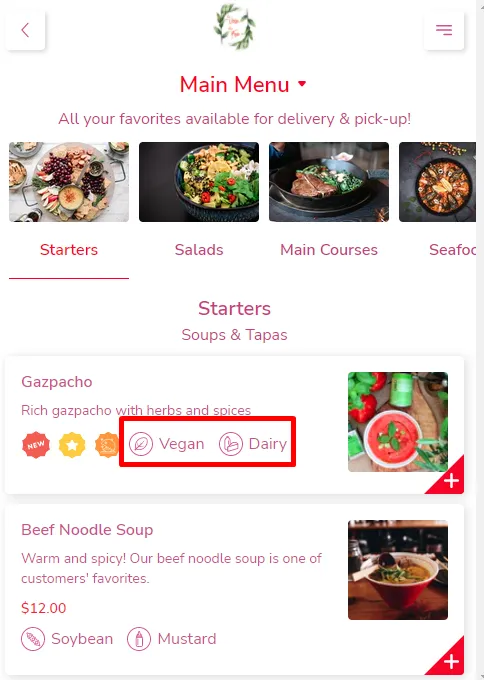
Adding an Ingredient Warning to Your Menu
- Go to Menu Management
- Click on the item that you want to add a Warning
- Click on the Ingredient Warnings bar and pick the ones you would like to add
- Save your changes!
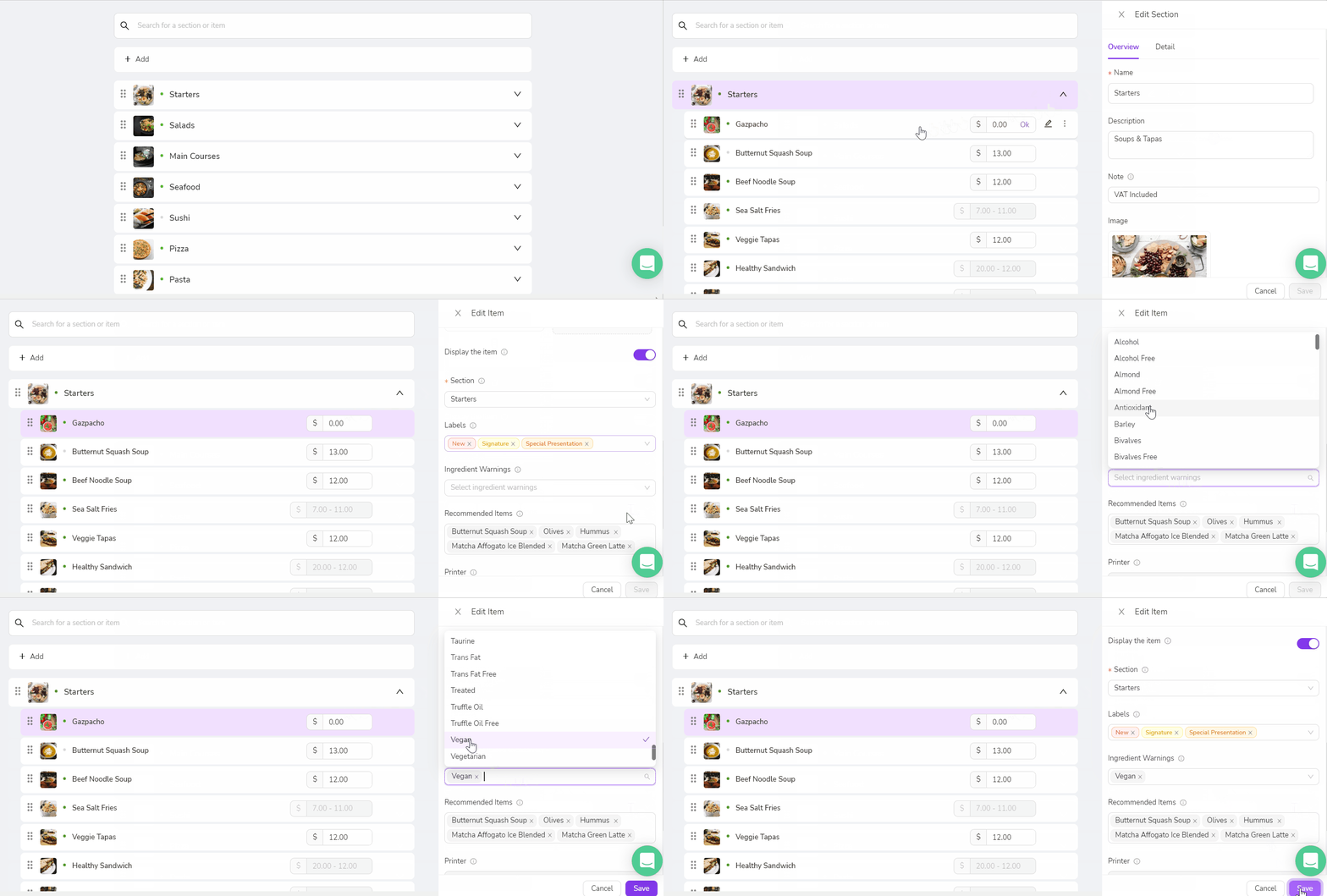
*If the ingredient you're looking for is not on our list, you can contact us from our chat inside the Dashboard.
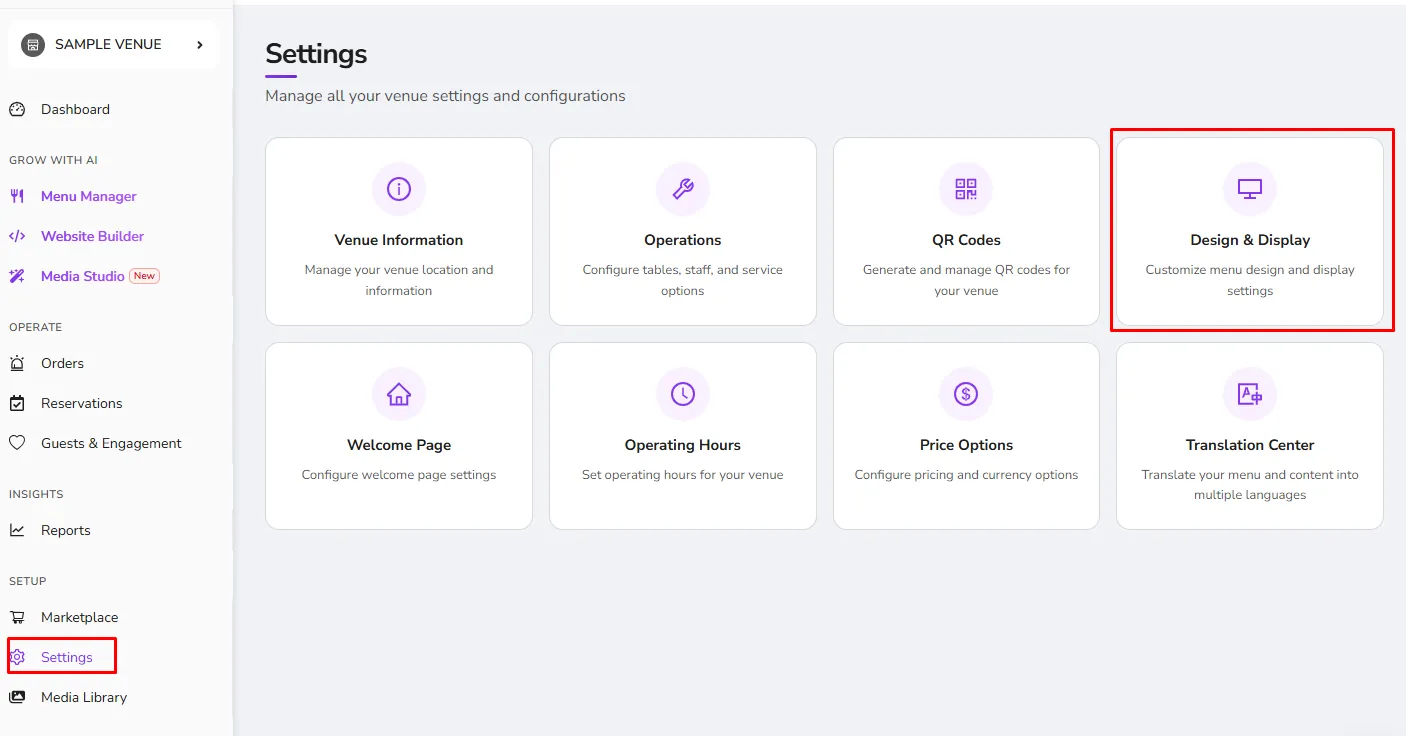
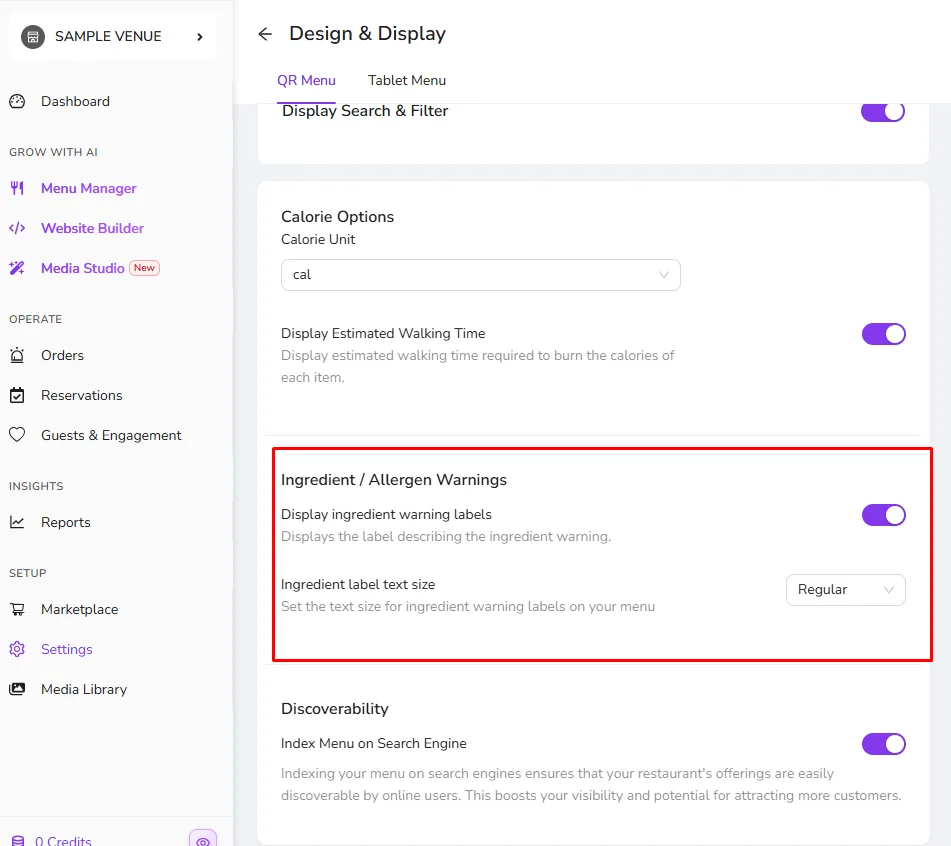
*By default Ingredient Warnings will be viewed without their descriptions but It can be changed anytime from the Design page
*There is also an option to change the ingredient label text size depending on your preference.
Was this article helpful?
Related articles
Still need help?
Our support team is here for you. Start a chat and we'll get you an answer.