I don't want to use pictures on my tablet menu, how does that work?
Updated: September 22, 2026
If you don't want to upload pictures for every item you have, you can switch to the List View option and display your menu in a list format.
Follow the below steps or take a look at the below video to switch to list view in any section you don't want to use photos:
1-Go to Menus and find the section you want to change.
2-Click on the section you want to turn into a list view.
3-Find the "Display" option and select List.
4-Save the change you've made and publish it to your tablets.
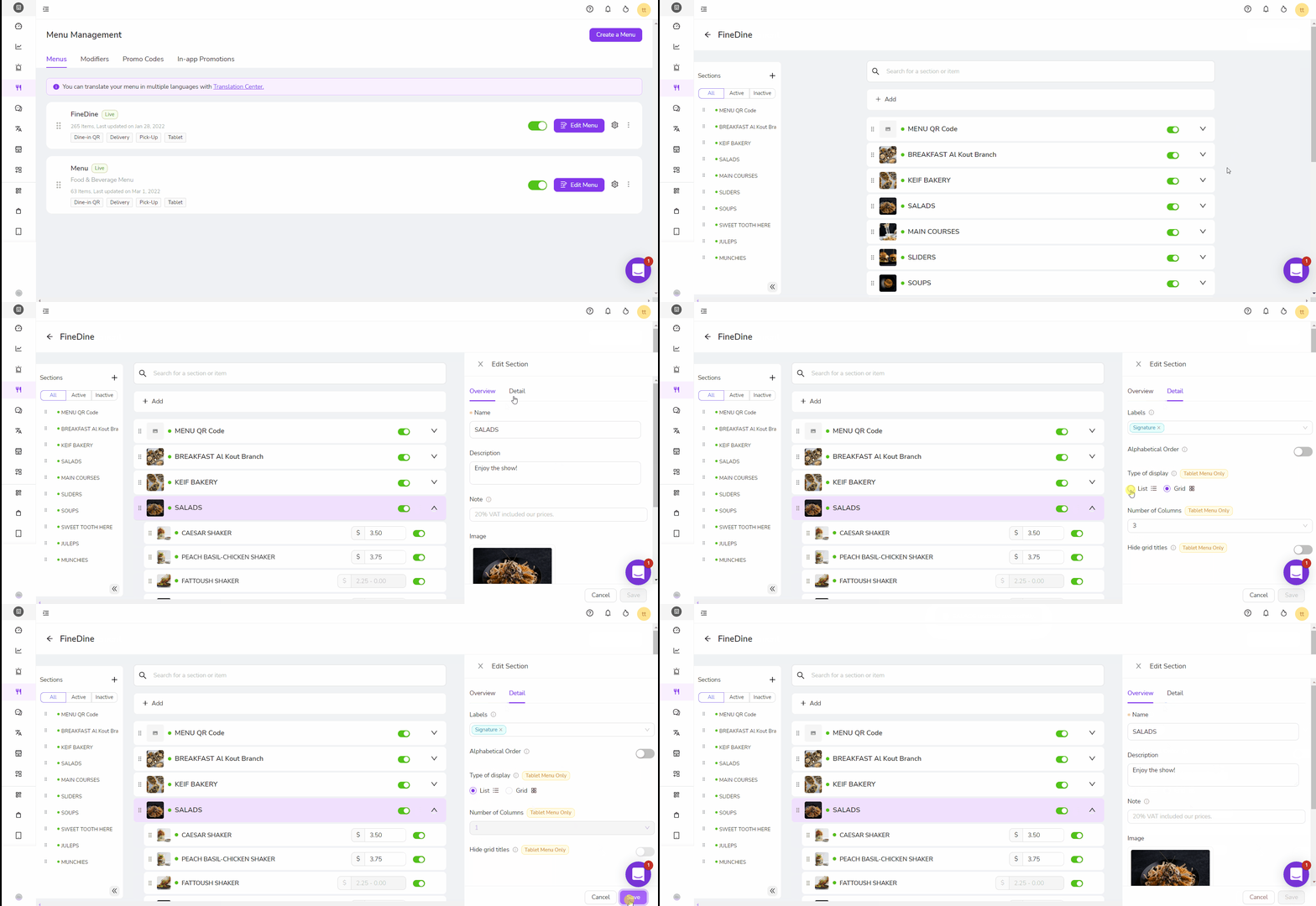
The section you've changed to list will now be displayed as a list. You can always change this option for any section.
Was this article helpful?
Related articles
Still need help?
Our support team is here for you. Start a chat and we'll get you an answer.