Preview Your Menu on the Dashboard
Updated: September 22, 2026
You can preview your menu on FineDine Dashboard. If you made some changes but would like to see how they look before publishing, the preview is here to help!
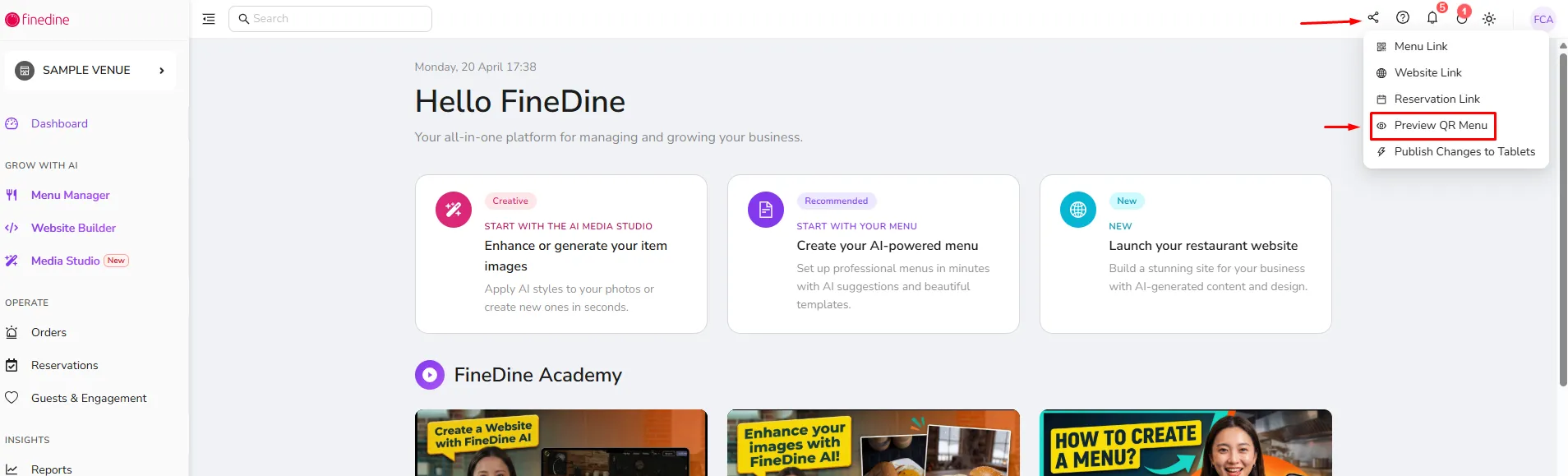
Simply hover your mouse to the upper right side of your dashboard to the "Share Icon". Once you click it, a dropdown menu will appear, giving you the option to preview your menu and view it on a virtual smartphone!
Was this article helpful?
Related articles
Still need help?
Our support team is here for you. Start a chat and we'll get you an answer.