What is the Pin Code on my Tablet When I Want to Create a Ticket?
Updated: September 22, 2026
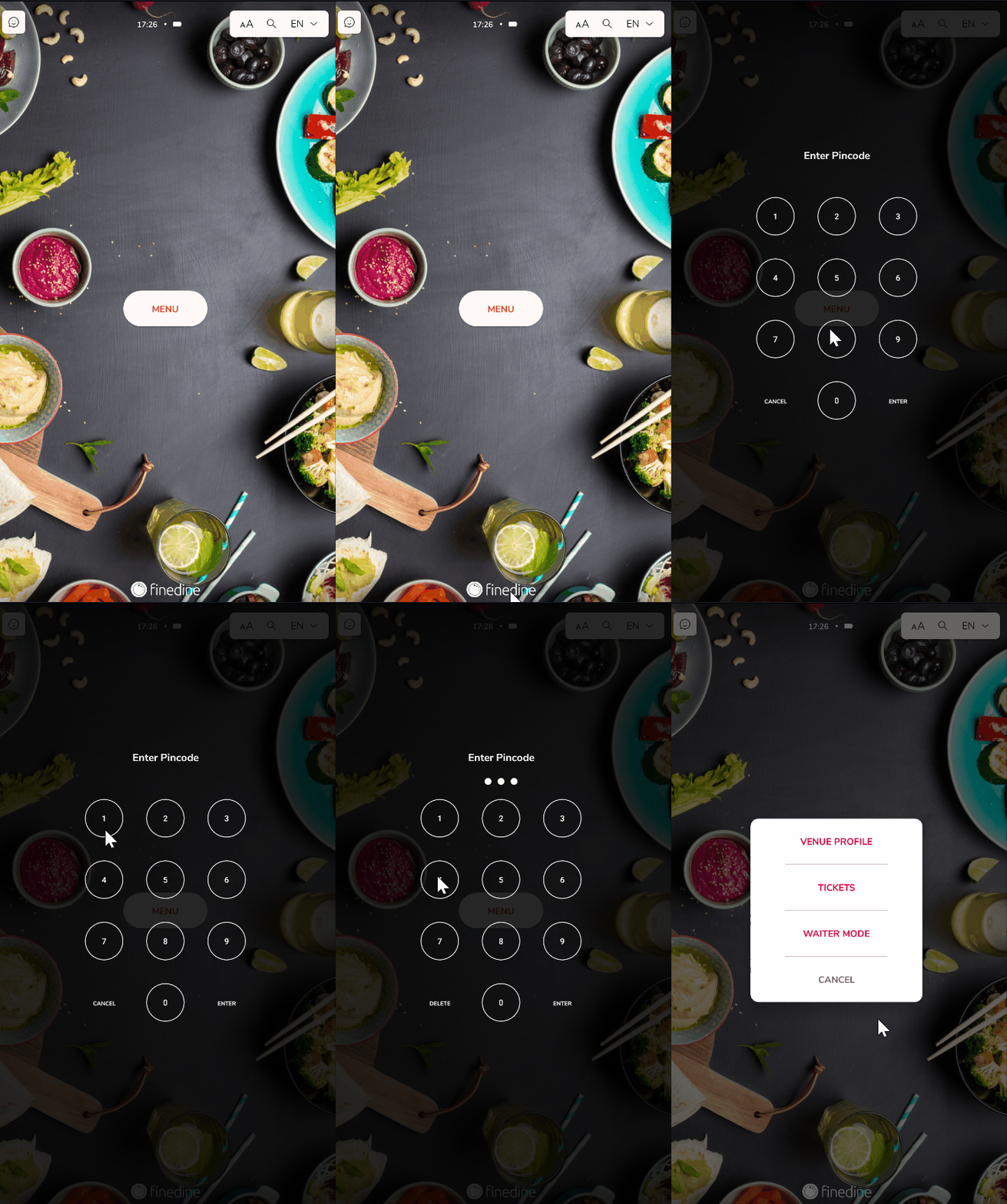
All employees you register in FineDine have their own IDs and Pin Codes to enter the menu. This is to help you keep track of service quality and employee performance.
If you have a registered staff, they can use their pin code to create a ticket from the tablets.
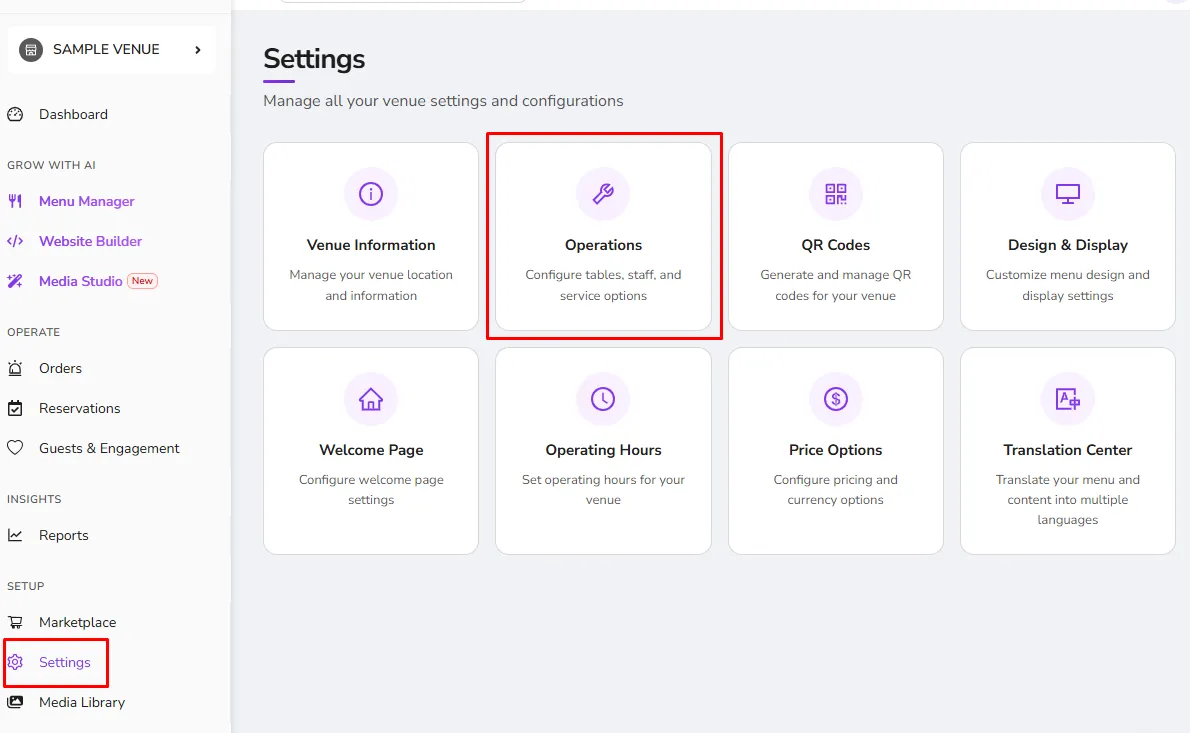
How to Add a Staff Member?
- Click to the Settings>Operations
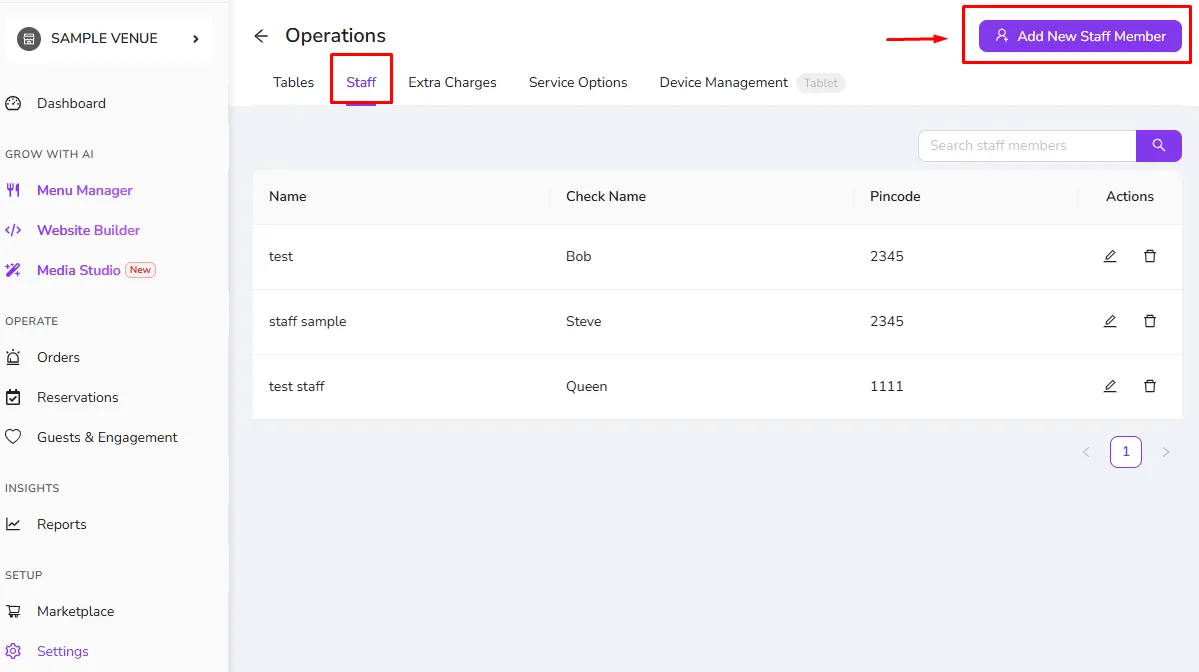
- Go to the Staff tab
- You can add a staff with the button on right above corner!
*If you don't have an employee, the system will not ask for a pin code.
Was this article helpful?
Related articles
Still need help?
Our support team is here for you. Start a chat and we'll get you an answer.