Where Can We Set Up the Sound Notifications?
Updated: April 1, 2026
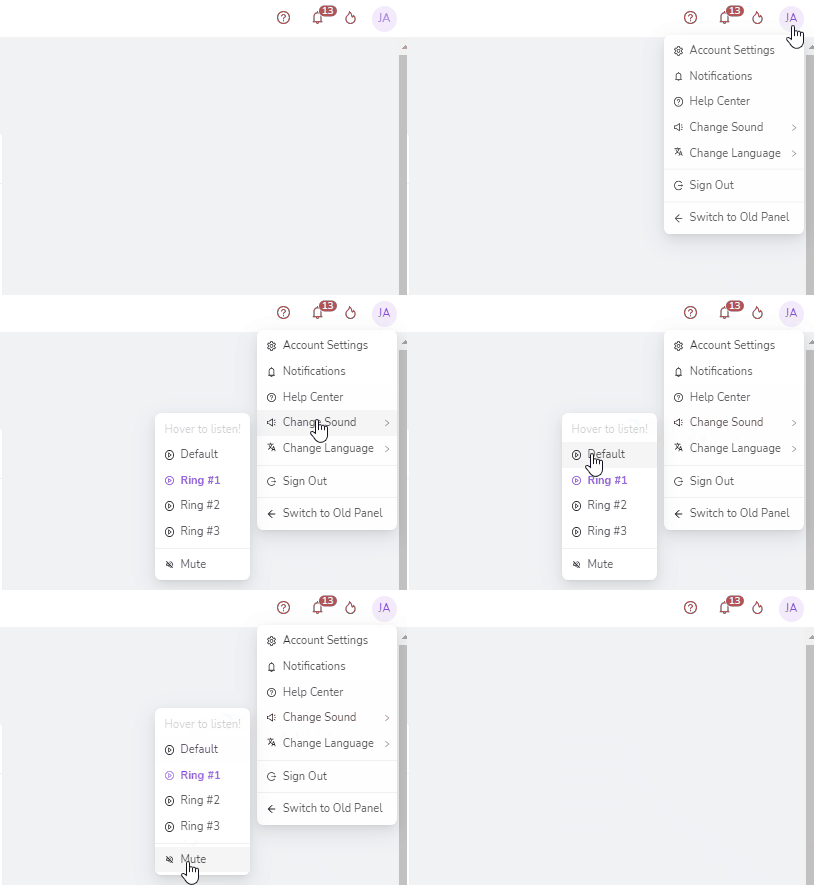
The notification sound can easily be edited at your dashboard's upper right corner button. This button usually displays the initials of the first and last name you have placed on the account. When you click on the button, a dropdown will appear. Click on “Change Sound,” and from there, you can select from the available sound options or place it on mute.
Was this article helpful?
Related articles
Still need help?
Our support team is here for you. Start a chat and we'll get you an answer.