How to Add More Tables?
Updated: September 22, 2026
Tables can be set to differentiate orders from individual tables in your restaurant if the ordering feature is enabled.
Creating Tables
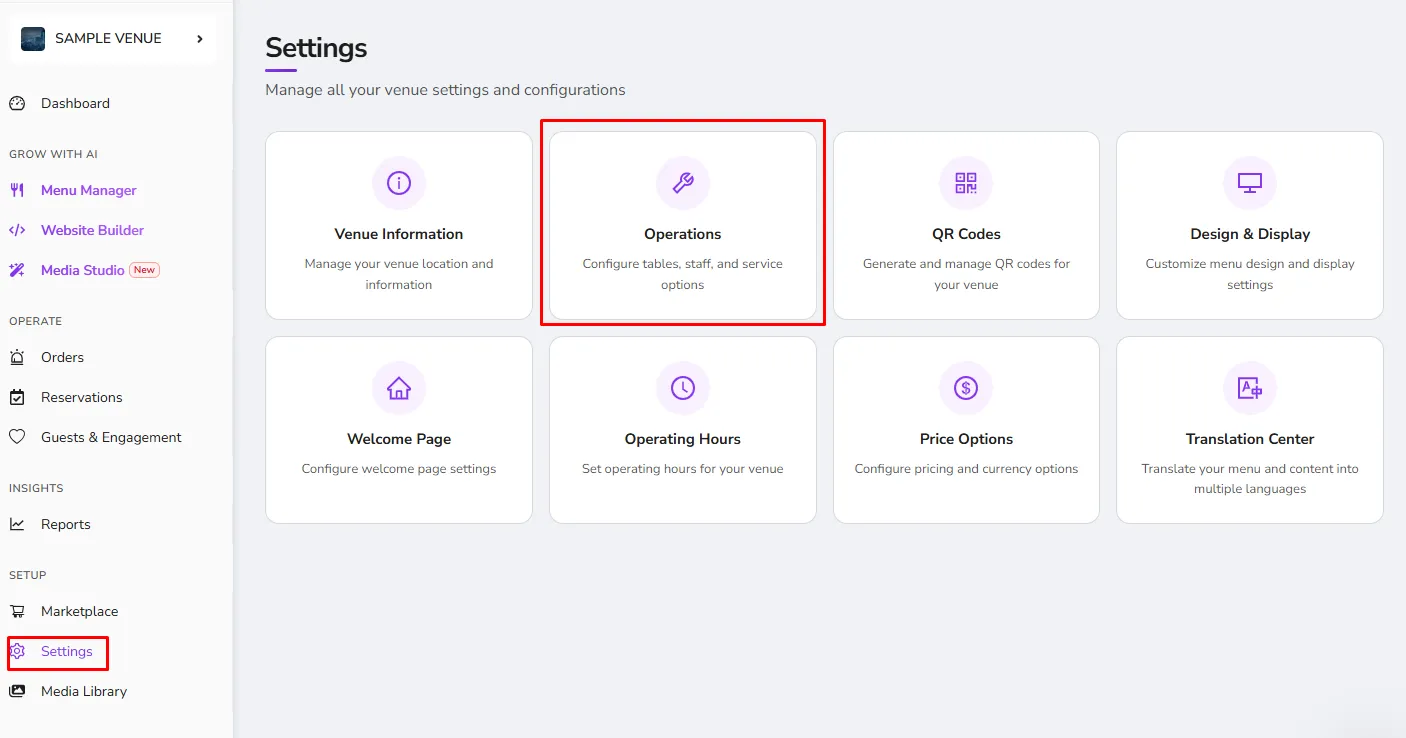
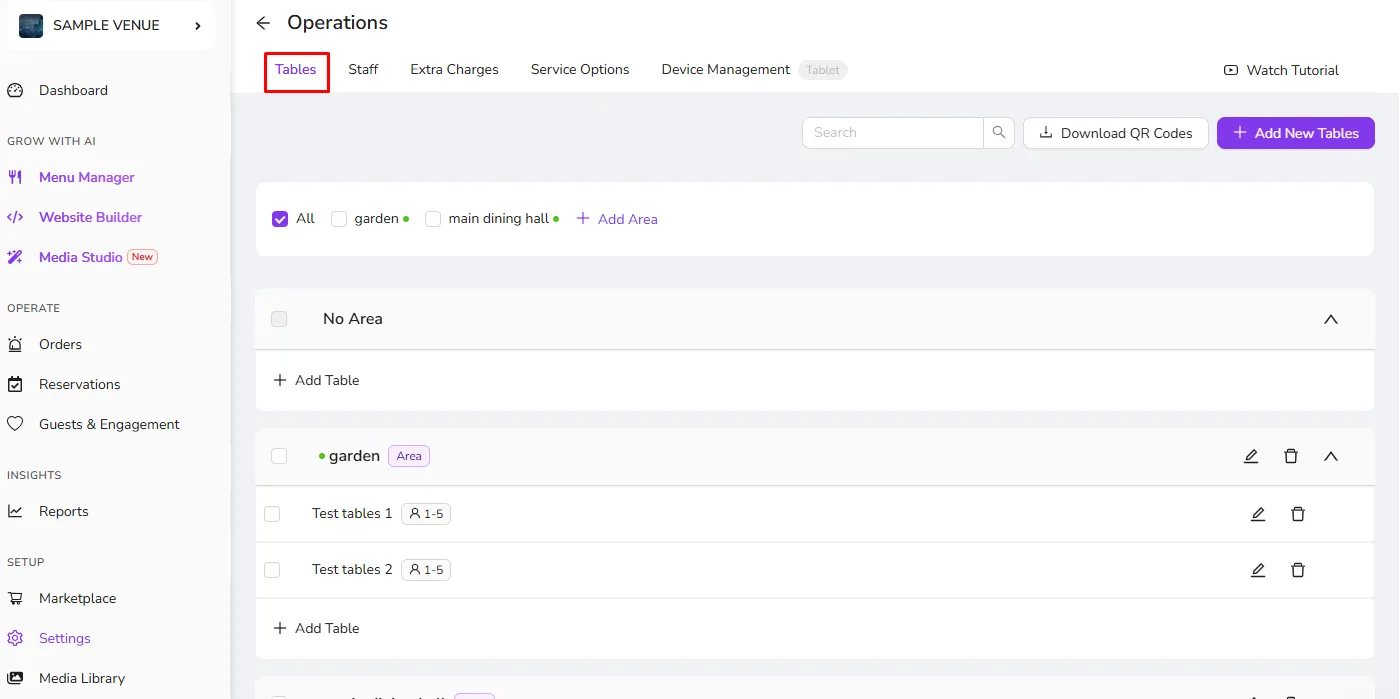
You can easily create tables on your Dashboard in the Settings > Operations > Tables.
- Automatic Table Names: Allows you to create tables with the same label at once without needing to rename them individually, such as; Garden 1, Garden 2, Garden 3,...
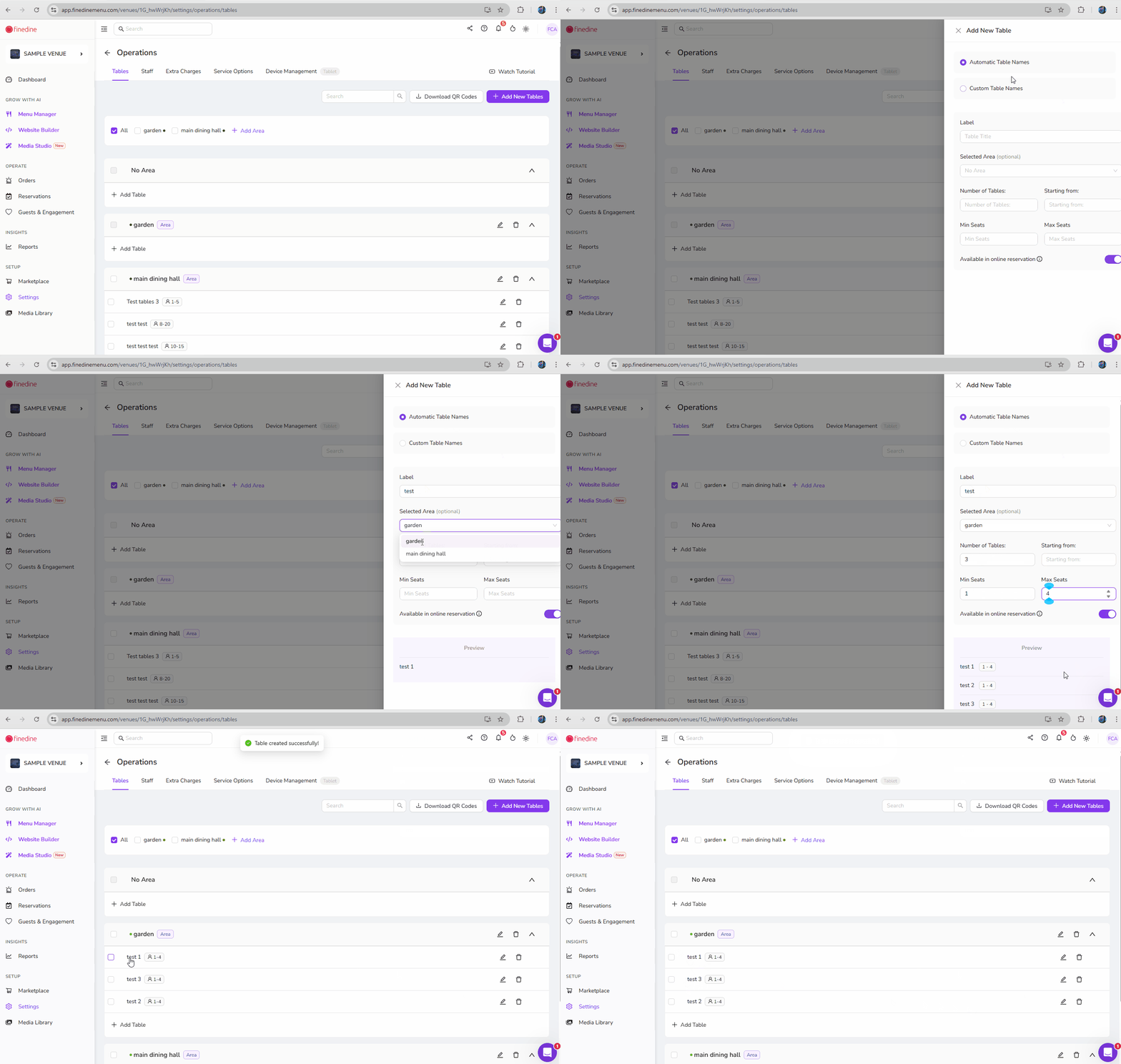
- Custom Table Names
- Allows you to create tables with custom names or IDs as you need.
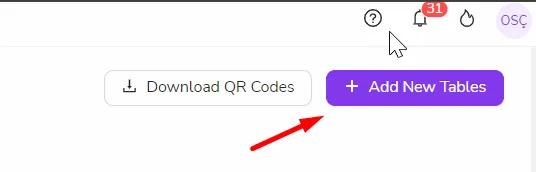
- *Upon creation, QR Codes can be downloaded to print-out
- Creating Areas
- You can create areas and assign tables to them from this Operation page. The below video will assist in showing the process
Was this article helpful?
Related articles
Still need help?
Our support team is here for you. Start a chat and we'll get you an answer.