How to Change My Menu Title?
Updated: September 22, 2026
If you decide to change or update your menu title, it's very easy!
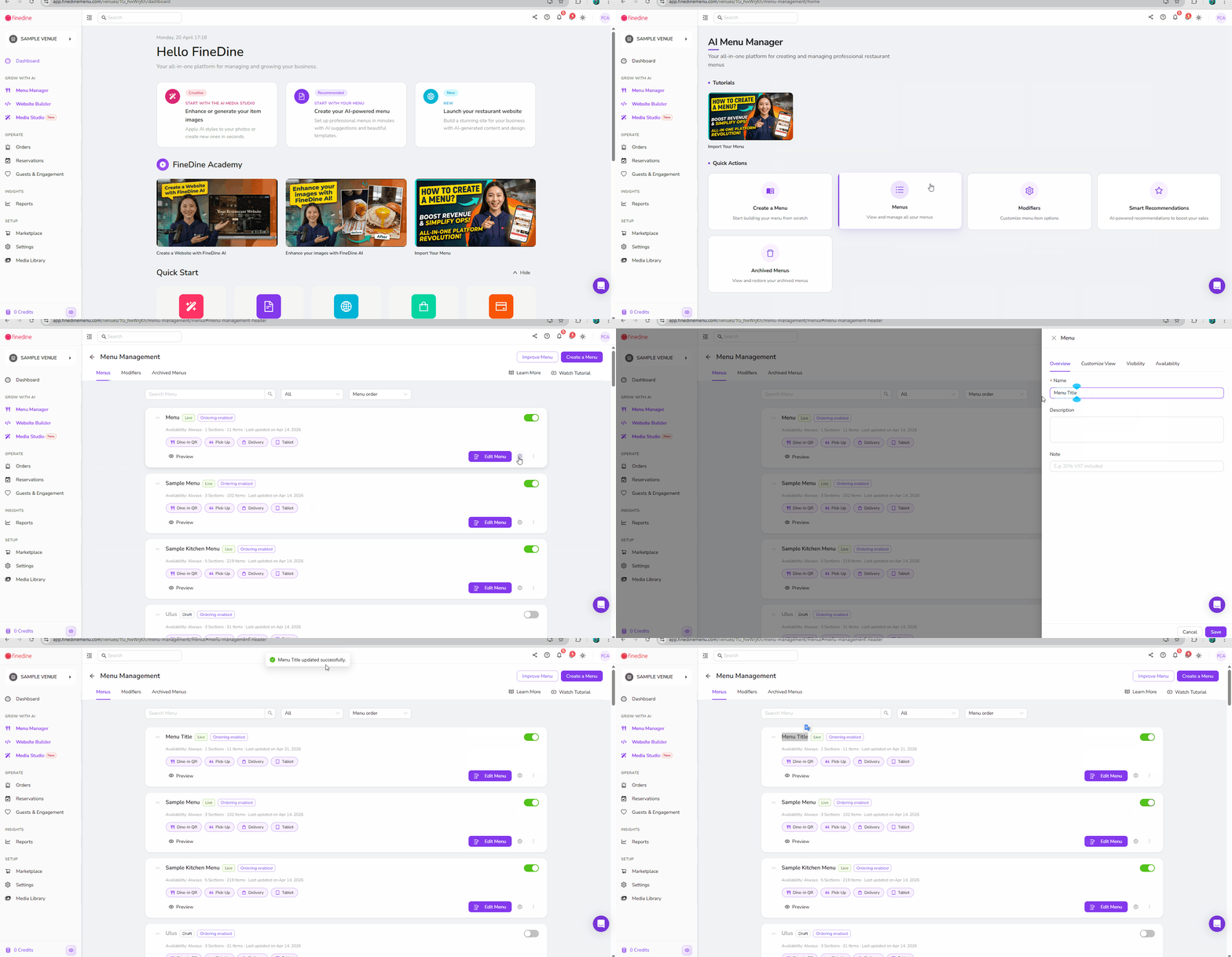
From the menu management page:
- Select the menu that you want to change its title.
- Click on the menu settings button.
- Enter the new title in the name option.
- Click Save!
The following video will give you a clear idea of the steps as well!
Was this article helpful?
Related articles
Still need help?
Our support team is here for you. Start a chat and we'll get you an answer.