How to Display the Menu With Multiple Currencies?
Updated: September 22, 2026
In this article, you will have a better understanding of how you can show multiple currencies for an item on the Tablet Menu.
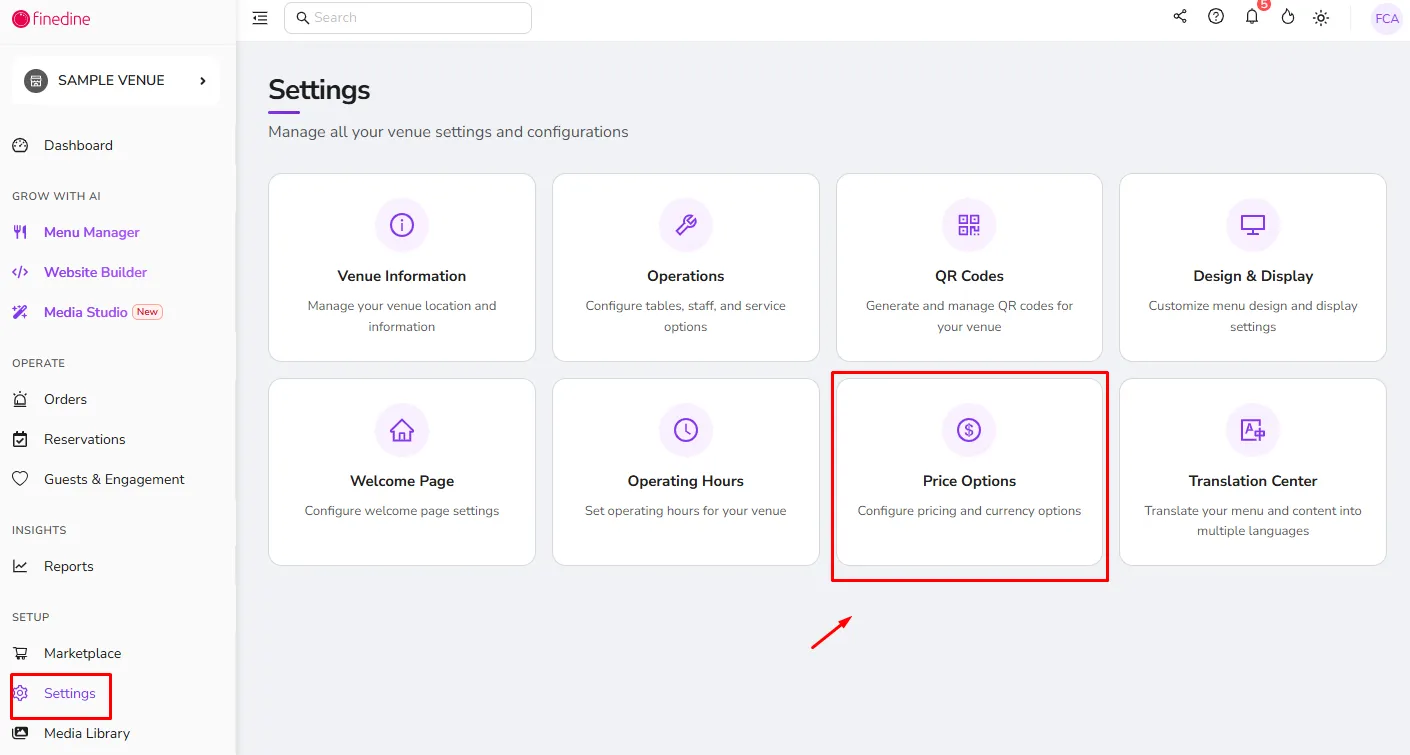
From Settings:
- Click on Price Options.
- Click on the currencies you want to show on your menu for your items.
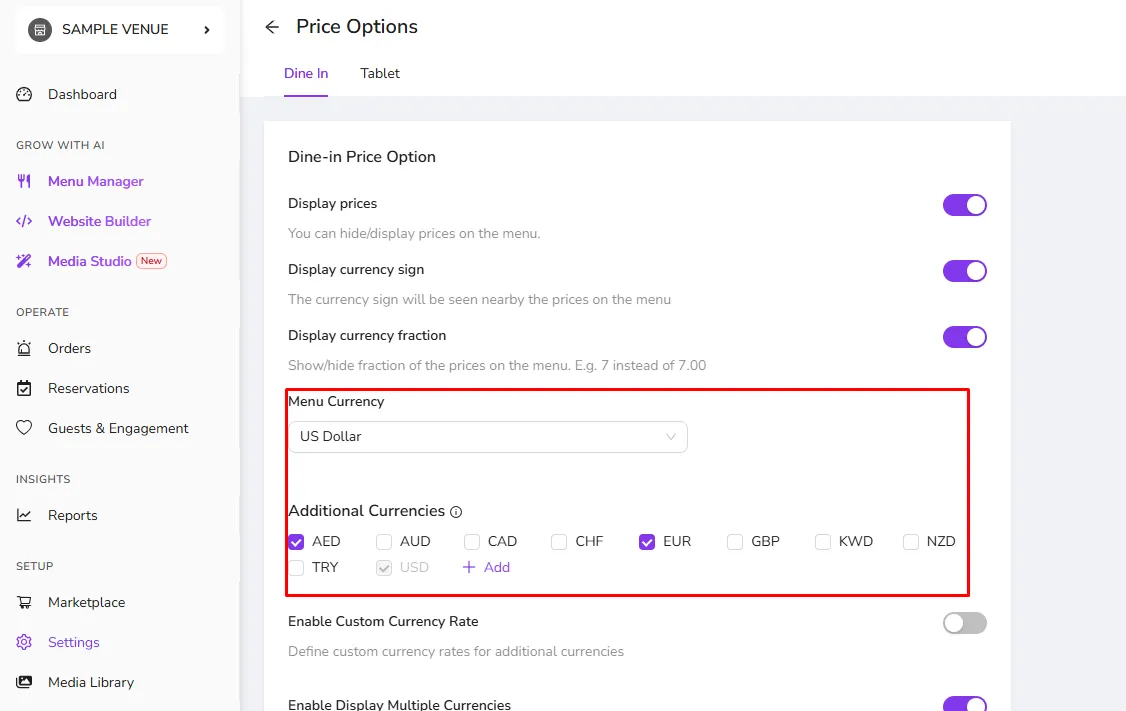
- After that, you need to go to the Menu Management page to enter the prices of your items in the new currencies you added.
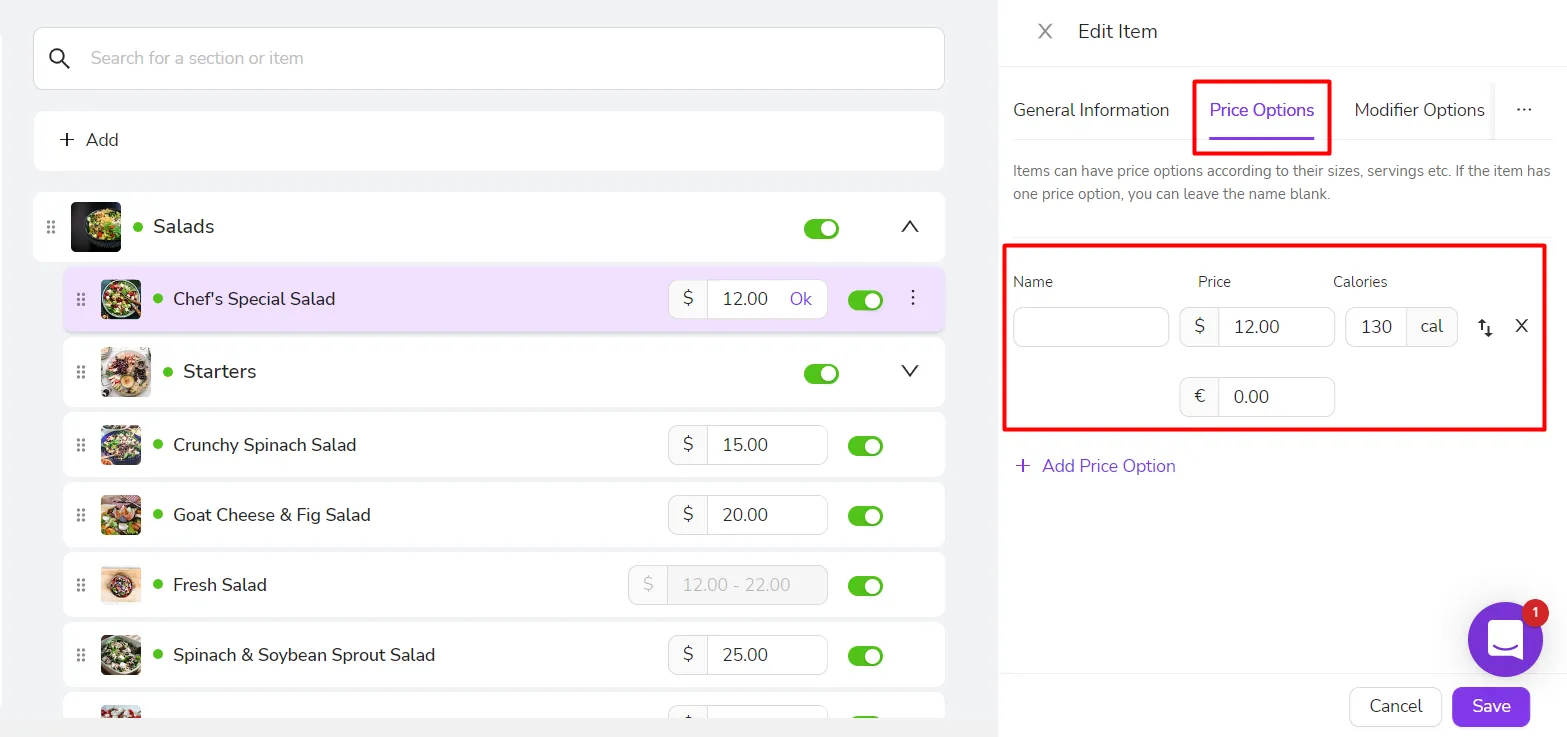
- Go to Price Options for the items on your menu.
- Enter the value of that item for the currencies you selected earlier.
- Publish the changes to update the menu on your tablet devices. Read More
Was this article helpful?
Related articles
Still need help?
Our support team is here for you. Start a chat and we'll get you an answer.